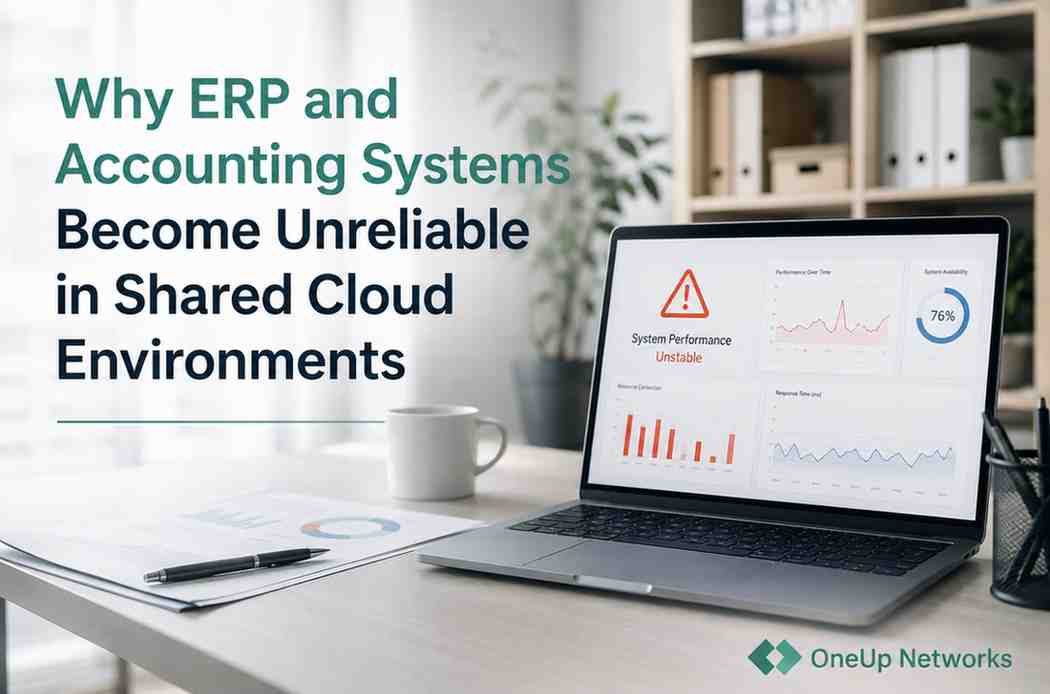
Month-end reports that used to take 8 minutes now stretch toward 45. Inventory syncs between Sage and QuickBooks start dropping records—30% on a bad day. Remote accountants hit RDP freezes mid-trial balance. The system’s “up,” but nobody trusts it when the close cycle hits. I’ve watched this pattern play out across dozens of finance teams. ERP systems slow down not because the software breaks, but because shared cloud environments stop scaling with real workloads. Accounting software slow creeps in gradually, and by the time leadership notices, teams have already built workarounds around the friction.
The Overlap Nobody Anticipates
Finance environments degrade socially before they show up in dashboards. Accountants start scheduling reports around “known slow windows.” Warehousing holds off inventory uploads until after 3 PM. Nobody calls IT yet—they just adapt.
Shared cloud setups mask this well initially. One virtual server, sliced across tenants. ERP modeling stock levels across three warehouses? Fine. QuickBooks pulling AR aging? Fine. Then month-end hits.
Reporting workloads collide with inventory commits. Three accountants fire off trial balances while ERP locks tables for batch adjustments. CPU gets rationed—your query queues behind a neighbor’s CRM export. Storage I/O jumps from 3ms to 65ms as everyone hammers the same NVMe array.
Most firms notice cloud ERP performance limits this way: one user mentions “it’s been sluggish lately,” then suddenly everyone’s comparing notes. Hosted ERP bottlenecks emerge when finance system slowdown becomes a team rhythm, not a technical alert.
Operational Contention Windows—What They Really Look Like
Call them Operational Contention Windows—those 60-90 minute periods where ERP, accounting, and remote sessions all peak simultaneously. Shared environments ration resources to keep all tenants “stable,” but your operations pay the price.
I’ve seen teams keep ERP screens open all afternoon because rerunning reports feels too risky. RDP sessions don’t drop outright—they just stutter enough that users stop logging out between tasks. Inventory syncs complete, but partial reads force warehouse double-checks.
ERP systems slow down most visibly here. Month-end modeling chews 80% CPU while QuickBooks scans 15,000 transactions for tax prep. Shared storage can’t isolate it—latency compounds across tenants.
Here’s what that collision actually looks like operationally:
| Contention Window | ERP Behavior | Accounting Impact | Team Adaptation |
|---|---|---|---|
| 2-3 PM Daily | Inventory batches queue 15+ min | Trial balance refreshes fail silently | Warehouse delays uploads |
| Month-End 9-11 AM | Stock modeling locks tables | AR aging hangs mid-query | Accountants run off-hours |
| Q4 Peaks | 40% sync drops | Payroll pulls timeout | Manual CSV workarounds |
When Growth Changes Everything
Start with 12 users on shared hosting—feels bulletproof. Add remote sales team, double warehouses, hourly syncs. Cloud ERP performance holds for three months.
Then the Operational Contention Windows widen. What was a 20-minute daily friction becomes three hours. IT adds vCPU—buys six weeks. Q4 reporting overlaps holiday inventory, and the CFO misses a vendor wire because insights lag 48 hours.
Most shared ERP environments follow this arc:
- Smooth operation (under 15 users)
- Intermittent lag (socially noticed)
- Workflow adaptation (teams self-schedule)
- Operational dependency (workarounds standardized)
- Systemic friction (leadership intervention)
Teams rarely blame infrastructure first. ERP systems slow down, QuickBooks reconfigured. By realization time, accounting software slow has reshaped daily operations.
The Hidden Cost Isn’t Just Time
Finance system slowdown compounds beyond minutes lost. Delayed cash flow calls slip vendor terms. Warehouse holds shipments waiting for sync confirmation. Month-end confidence erodes—numbers get double-checked because “the system’s been weird.”
Staff frustration builds quietly. The accountant who joined six months ago doesn’t know smooth performance—she normalizes the stutter. Leadership notices latest, usually through delayed decisions or customer complaints.
Hosted ERP bottlenecks create hesitation. “Should we trust this forecast?” becomes the new normal. Operations slow to match the least reliable component.
Diagnosis That Actually Reveals Truth
Skip generic monitoring. Run this sequence during your next contention window:
- Concurrent Load: ERP inventory sync + 5 reports + 8 RDP sessions. Over 4x solo run time confirms contention.
- Storage Reality: Month-end I/O latency sustained >25ms. Dashboard might show “normal”—check actual disk queue length.
- Session Math: Per-user RDP memory during ledger scrolling. Over 450MB each kills database caching.
- Sync Forensics: What % of inventory pulls need manual intervention? Under 95% screams I/O starvation.
- Decision Lag: How many hours/week do workarounds consume? Over 2 hours/week = operational cost.
Three positives? Software’s fine. Infrastructure’s the ceiling.
Before Optimization Stops Working
| Workflow State | Shared Reality | Post-Dedicated Reality |
|---|---|---|
| Reports during peaks | Rerun 2-3x before usable | First run reliable |
| Sync reliability | 65% clean, manual cleanup | 99% automated |
| Team rhythm | Schedule around slow windows | Run when needed |
| Decision confidence | “Check that number again” | Trust first pass |
When Teams Start Organizing Around Friction
This is the inflection point. Accountants message “running reports—who else needs time?” Warehousing texts “system clear for uploads?” Leadership hears complaints through delayed decisions, not IT alerts.
Operational Contention Windows have reshaped behavior. Workarounds consume 4+ hours weekly. The environment technically “works,” but operations bend around infrastructure limits. That’s usually when firms benchmark alternatives—after friction becomes the operating model.
Benchmarking Workload-Aware Environments
Specialized finance hosts build for these collision patterns: storage provisioned for ERP + accounting syncs, RDP stacks handling 50+ concurrent finance users, compute matched to month-end modeling peaks. OneUp Networks gets this space. They’ve solved hosted ERP bottlenecks for firms hitting these exact friction points.
How OneUp Networks Helps ERP Systems Stay Stable Under Heavy Workload
Most ERP environments feel stable during normal activity. The real pressure starts when inventory syncs, accounting reports, remote sessions, and month-end processing all hit the system together. That is usually when delays begin spreading across the workflow and teams start building workarounds around system slowdowns.
OneUp Networks helps firms reduce those bottlenecks by building environments designed around real ERP and accounting workload patterns instead of shared-resource averages. Instead of forcing finance teams to schedule work around lag and instability, the focus stays on keeping reports, syncs, and remote access more consistent during the busiest operational periods.
Why Finance Teams Move to OneUp Networks When Shared Cloud Environments Start Slowing Down
Most firms do not notice infrastructure problems through dashboards first. They notice them through behavior changes inside the team. Reports stop running during peak hours, warehouse uploads get delayed, and accountants begin double-checking numbers because the environment no longer feels fully reliable.
Finance teams move to OneUp Networks when those slowdowns start affecting daily operations repeatedly. The environment is designed to support heavier ERP, accounting, and remote workload activity without forcing teams to constantly work around shared-cloud limitations. That helps firms keep workflows smoother, reporting steadier, and operational delays from quietly growing over time.
The Pattern That Never Changes
Shared cloud environments work until they don’t. Finance system slowdown emerges gradually enough that operations normalize around it. ERP systems slow down signal growth outpacing architecture, not software failure.
Infrastructure rarely announces itself—it accumulates until teams adapt. Most firms realize this after workarounds become the operating model.
FAQs
Operational Contention Windows—inventory modeling locks tables while accounting pulls trial balances. Shared resources queue everything.
Temporarily. Storage contention usually reemerges as the hard limit.
Run concurrent workloads. 4x degradation + I/O over 25ms = shared limits.
RDP memory overhead during ledger navigation—starves database caching.
Conclusion
ERP and accounting systems rarely become unreliable overnight. In most firms, the slowdown builds gradually through delayed reports, inconsistent syncs, overloaded remote sessions, and teams quietly adjusting workflows around known “slow periods.” By the time leadership fully notices the problem, staff have often spent months working around infrastructure friction just to keep operations moving.
That is why shared cloud instability is difficult to diagnose early. The software itself may still function correctly, but the environment underneath it no longer scales smoothly once reporting, inventory activity, remote access, and accounting workloads begin overlapping throughout the day. As contention windows grow, operational delays spread across the entire workflow—not just inside the ERP system.
For growing finance teams, the real issue is no longer whether the system technically works. The question becomes whether the environment can continue supporting reliable reporting, stable sync behavior, and predictable multi-user performance as workload pressure increases. Firms that address those limitations earlier usually spend less time building workarounds and more time operating with confidence during the periods when responsiveness matters most.
ERP Slowdowns Are Often Infrastructure Problems Disguised as Software Problems
Most firms spend months troubleshooting ERP applications when the real issue is shared infrastructure behavior under heavy operational workload. As reporting, sync activity, remote sessions, and accounting processes overlap, delays begin spreading across the workflow long before the system fully breaks.
OneUp Networks helps finance and accounting teams run ERP environments designed for steadier workload handling, smoother remote performance, and more predictable responsiveness during operational peaks.
- See How a Workload-Optimized Environment Performs – Experience infrastructure built for accounting and ERP concurrency
- Free Hosting Performance Review – Discover what’s creating instability across your current ERP environment
- Discuss Your Current Infrastructure Strategy – Review whether your existing setup can support long-term operational growth
You May Also Like These Articles:
- QuickBooks Enterprise vs. ERP: What’s Best for Your Growing Business?
- Why QuickBooks Enterprise Performs Better on the Cloud During Tax Season?
- Top 8 Cost Benefits Of Switching To QuickBooks Cloud Hosting
- Why Accounting Firms Should Not Use Shared RDP Servers
- How to Fix OneDrive Sync Issues on RDS Servers