As the accounting industry continues to modernize, choosing the right server for accounting firms is no longer just an IT decision—it’s a business-critical strategy. A secure, scalable cloud server for accountants ensures compliance, performance, and remote access. Whether you’re a CPA, a bookkeeping firm, or an internal finance department, your server isn’t just hardware—it’s the backbone of your practice. At OneUp Networks, we specialize in providing secure, scalable, and accountant-friendly server solutions tailored specifically to your needs. In this guide, we’ll walk you through why the right server for accounting firm operations is essential and how to make the smartest choice for your practice.
Table of contents
1. Why Accounting Firms Need Specialized Server Solutions
Accounting firm server solutions must handle sensitive financial data, resource-heavy applications like QuickBooks Desktop or Sage hosting, and support remote CPAs working across multiple locations. A standard server setup won’t cut it. Here’s why a purpose-built solution matters:
- Data Security & Compliance: Financial data must be protected with end-to-end encryption, backups, and disaster recovery.
- High Performance: Accounting software hosting can be resource-intensive, especially with multi-user access.
- Remote Accessibility: In today’s hybrid work environment, team members need secure, 24/7 access from anywhere.
- Software Compatibility: Your server should seamlessly run platforms like QuickBooks, Sage, or custom accounting CRMs.
2. On-Premise vs. Cloud-Based Servers: What’s Right for You?
When choosing a server, the first decision is whether to host it on-premise or go cloud-based. Let’s break down the difference:
| Feature | On-Premise Server | Cloud-Based Server (OneUp Hosted) |
|---|---|---|
| Setup Cost | High upfront investment | Lower upfront, pay-as-you-go |
| Maintenance | In-house IT needed | Fully managed by OneUp |
| Scalability | Manual upgrades required | Instantly scalable |
| Remote Access | Complex setup | Built-in secure remote access |
| Backup & Recovery | DIY or third-party | Automated, secure backups |
Recommendation: Most modern firms find that a cloud server for accountants offers better flexibility, cost-efficiency, and security compared to traditional on-premise servers.
3. Key Features to Look for in a Server for Accounting Firms
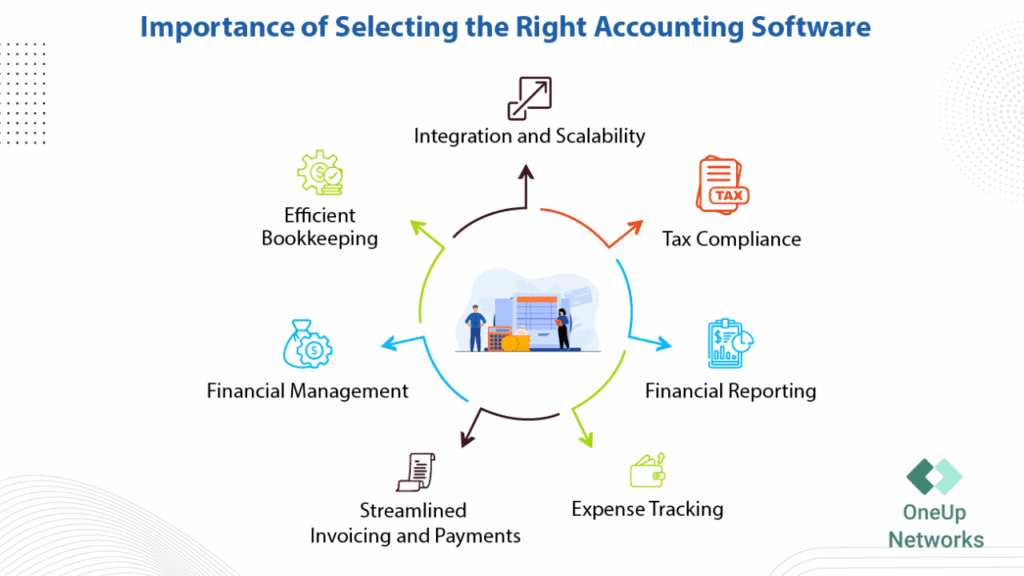
Whether you’re setting up a dedicated server for CPAs internally or using a managed solution like OneUp Networks’ cloud hosting for accountants, prioritize these features:
- Data Redundancy & Backups
- Multi-user Collaboration
- Software Optimization for Accounting Tools
- Bank-grade Security (SSL, 2FA, firewalls)
- Automatic Updates & Patch Management
- Customer Support by Accounting IT Experts
4. QuickBooks & Sage Hosting: Streamline Your Software
If your firm uses QuickBooks Desktop, QuickBooks Enterprise, or Sage, hosting them on a dedicated server enhances speed, access, and security.
Benefits of Hosting QuickBooks or Sage on a OneUp Server:
- Run desktop apps from anywhere
- Multi-user access with real-time sync
- Reduce local IT overhead
- Meet compliance standards (HIPAA, SOC 2)
- One-click backups and 24/7 uptime monitoring
Real-World Scenarios: How Firms Use OneUp Servers
Firm A (Mid-sized CPA Firm): Migrated from local servers to OneUp’s cloud server for accountants.. Reduced IT costs by 40% and improved team collaboration.
Firm B (Remote Bookkeeping Team): Uses OneUp-hosted QuickBooks Desktop hosting. Team accesses from 3 states without lag or security issues.
Firm C (Sage User with Multi-Entity Setup): Required high-performance for large datasets. OneUp provided customized accounting firm server solution with load balancing.
Why OneUp Networks is the Right Partner?
We’re not just IT people—we understand accounting. At OneUp Networks, we’ve helped hundreds of firms modernize their infrastructure with:
- Fully managed cloud servers
- Expert onboarding and migration
- 24/7 support from accounting tech specialists
- Seamless software hosting (QuickBooks, Sage, Drake, and more)
With data centers across the U.S. and a security-first approach, we keep your firm running fast, secure, and stress-free.
Final Thoughts
The server for your accounting firm isn’t just about storage—it’s about strategy. Choosing the right cloud server for accountants or dedicated server for CPAs can transform productivity and compliance. Whether you’re scaling a growing firm or looking to upgrade outdated systems, the right server setup can make or break productivity. Let OneUp Networks help you choose smarter. From setup to support, we’ll ensure your server works as hard as you do.
Ready to future-proof your accounting firm? Contact OneUp Networks for a free consultation.
Frequently Asked Questions (FAQs)
The best setup depends on your firm’s size and software. For firms using QuickBooks Desktop or Sage 50, a dedicated cloud server with multi-user access is ideal. OneUp Networks offers customizable setups based on your needs.
Yes! Hosting QuickBooks Desktop on a dedicated server allows secure remote access for CPAs and bookkeepers, no matter where they’re working.
Server hosting from OneUp Networks includes end-to-end encryption, firewall protection, 2FA, and daily backups. It’s compliant with SOC 2, GDPR, and other financial data regulations.
Cloud servers offer greater flexibility, scalability, and lower maintenance—perfect for remote teams. On-premise servers are better for firms needing full physical control and low-latency performance.
You can host QuickBooks Desktop, Sage 50, Xero, document management tools, and CRM systems. OneUp Networks supports a wide range of accounting-specific software.
Costs vary based on specs and users. OneUp Networks provides flexible pricing plans, starting as low as $40/user per month for cloud-hosted environments.
Most setups are completed within 24–72 hours, including data migration, user onboarding, and full software configuration.
Read Also: