Cloud vs On-Premise QuickBooks Enterprise: What Accounting Firms Start Noticing as Workflows Become More Demanding

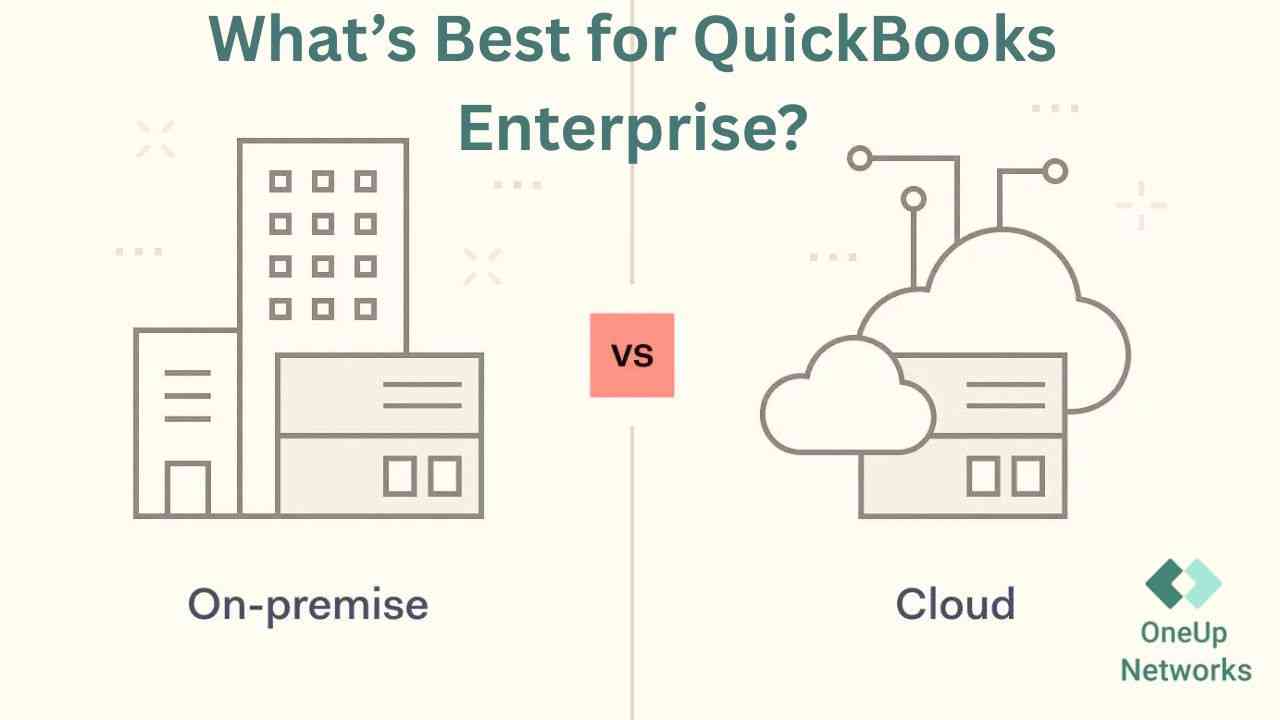
Cloud vs On-Premise: What’s Best for QuickBooks Enterprise?
  • Home
  • QuickBooks
  • Cloud vs On-Premise QuickBooks Enterprise: What Accounting Firms Start Noticing as Workflows Become More Demanding

For a long time, many accounting firms do just fine with an on-premise QuickBooks Enterprise setup. The file sits in the office, the team knows the routine, and work moves with enough predictability that no one feels pressure to change anything. In a smaller or mostly in-office environment, that arrangement can feel practical because the infrastructure stays in the background and the workflow is still manageable.

What changes is not always the software. The pressure changes first. A firm hires more staff, expands into hybrid work, increases reviewer involvement, or takes on more clients with overlapping deadlines. That is usually when firms start noticing that the difference between cloud QuickBooks Enterprise and on-premise QuickBooks Enterprise is less about features and more about how easily work moves from one person to the next. When accounting workflow stability begins to matter more than office familiarity, infrastructure suddenly becomes part of daily operations.

Why Traditional QuickBooks Setups Often Work Fine — Until Busy Season Arrives

Traditional QuickBooks environments often hold up reasonably well when a firm is still operating in a contained way. A few bookkeepers, one internal network, and predictable reviewer patterns can make an office-based setup feel perfectly adequate. The problem is that this kind of setup usually performs best when everyone follows the same schedule and works from the same place.

Busy season changes that pattern. Work becomes compressed, several team members need access at once, and review cycles tighten. A setup that once felt reliable starts exposing small delays that were easy to ignore during slower months. A reviewer has to wait. A preparer is still in the file. A remote employee loses time reconnecting. None of these issues sound major on their own, but together they reshape the pace of work inside the firm. That is why many firms only begin questioning on-premise QuickBooks Enterprise when workload pressure becomes harder to absorb operationally.

What Accounting Teams Start Experiencing as Workflows Become More Complex

As firms grow, the frustration tends to show up in the rhythm of the workday. The software may still be technically available, but access becomes less predictable and coordination becomes more manual. This is especially noticeable in a multi-user QuickBooks environment where several staff members need the same company file at different points in the day.

The most common operational signs usually look like this:

  • File locking starts slowing down handoffs between preparers and reviewers.
  • Remote login behavior becomes inconsistent depending on the office host, the connection method, or the time of day.
  • Review work begins to queue behind access delays rather than accounting complexity.
  • Office-based hardware or server performance starts affecting staff who are not even in the office.
  • After-hours work becomes more fragile because maintenance, reboots, or interrupted sessions interfere with completion.

What makes these issues frustrating is that they are not always dramatic enough to justify immediate change, but they are disruptive enough to be felt daily. Over time, these accounting workflow bottlenecks increase the amount of energy teams spend managing access instead of finishing client work.

How On-Premise QuickBooks Environments Create Hidden Operational Friction

The operational strain of an on-premise environment usually develops quietly. Firms often think they have a QuickBooks issue when what they really have is an infrastructure-dependency issue. The company file may still sit where it always has, but the team around it no longer works the way it used to. Once people begin working remotely, reviewing from different locations, or splitting responsibilities across time zones or extended schedules, the office server starts carrying more operational weight than before.

That is where hidden friction starts building. Remote staff depend on office conditions they cannot see. Access may rely on VPN sessions or network paths that perform differently from user to user. Support requests increase because workflow continuity is tied to whether the host machine, service layer, and file-sharing arrangement are all behaving normally at the same time. Commentary on QuickBooks over VPN specifically warns that VPN access can be unreliable, slow, and risky for live QuickBooks database activity because latency and dropped packets can disrupt the file and even push users out of multi-user mode.

A few forms of friction show up repeatedly in firms using localized setups:

  • Dependence on office hardware creates wider disruptions when one local issue affects the whole team.
  • VPN-based access adds instability to workflows that already depend on timing and coordination.
  • Manual handoffs increase because staff adapt around access limits instead of working in a more centralized system.
  • Reviewer flexibility shrinks when availability depends on who is already inside the file.

Why Cloud-Based Accounting Environments Change Daily Workflow Behavior

Hosted QuickBooks Enterprise changes daily workflow because the accounting team no longer has to work around a mostly local environment. Instead of asking whether someone is in the office, whether the host machine is responsive, or whether a remote connection will hold, firms begin operating through a centralized access model. That change affects behavior more than it affects appearances. Staff stop building their day around access uncertainty and start using the environment as a consistent workspace.

This matters in firms where review cycles are layered and time-sensitive. A reviewer can step in faster, a remote staff member can stay productive longer, and the team does not need as much informal coordination just to keep work moving. OneUp Networks describes its offering around QuickBooks Enterprise hosting, tax and accounting application hosting, and broader cloud solutions for accountants, which supports the idea of a centralized environment designed around remote accounting continuity rather than office dependency.

The Operational Differences Accounting Firms Usually Notice First

The first changes firms usually notice are not technical milestones. They are workflow observations. Teams begin realizing that fewer hours are lost waiting on someone else to exit a file, fewer sessions fail unexpectedly, and remote staff can participate in normal workflow instead of being treated as exceptions to it.

The most visible differences often include:

  • Faster reviewer coordination because access becomes less tied to office-side conditions.
  • More consistent remote QuickBooks access across different staff locations.
  • Reduced waiting between bookkeeping, accounting, and review functions.
  • Less dependence on office hardware for day-to-day completion of critical work.

These are the kinds of changes firms feel almost immediately because they reduce friction in ordinary tasks, not just in emergencies. That is often what makes QuickBooks Enterprise cloud hosting feel operationally different from an on-premise arrangement.

On-Premise QuickBooks vs Cloud-Hosted QuickBooks Enterprise

Workflow AreaOn-Premise QuickBooks EnterpriseCloud-Hosted QuickBooks Enterprise
Remote accessibilityUsually depends on host systems, network sharing, and correct remote configuration. Access is centered in a hosted environment built for remote availability. 
Multi-user collaborationSupported, but heavily dependent on hosting setup and local network conditions. Better suited to teams that need centralized multi-user access across locations. 
Busy-season scalabilityMore likely to feel strained as simultaneous use increases. More aligned with firms needing broader concurrent access during peak periods. 
Workflow consistencyCan vary based on server condition, VPN reliability, and office infrastructure. More consistent because staff connect through a centralized hosted setup. 
Infrastructure maintenanceInternal staff or IT vendors remain responsible for support and upkeep. Hosting provider takes on more of the infrastructure support burden. 
Reviewer workflow flexibilityReview timing is often shaped by file access conditions. Reviewers generally have more flexibility in a centralized environment. 

Why More CPA Firms Are Reconsidering Traditional Accounting Infrastructure

CPA firms are rethinking accounting infrastructure because their workflow reality has changed. Hybrid staffing is normal. Remote hiring is more common. Review cycles are more compressed. Clients still expect timely communication, and internal teams expect systems that are dependable enough to support deadline-driven work without constant intervention. In that context, accounting infrastructure is no longer just an IT concern. It directly affects productivity, scheduling, and staff confidence during peak periods.

This is why cloud QuickBooks Enterprise conversations have become more practical. Firms want accounting workflow stability, not just remote access in theory. They want hosted QuickBooks Enterprise environments that reduce interruptions and make collaboration easier across bookkeeping teams, controllers, tax staff, and reviewers. OneUp Networks positions its services around hosting QuickBooks and other accounting applications for these kinds of business needs, which reflects the growing demand for centralized infrastructure in accounting operations.

How OneUp Networks Helps Support More Stable Accounting Workflows

OneUp Networks fits into this discussion naturally because its message is centered on cloud hosting, accounting application support, and remote operational continuity for firms using QuickBooks and related systems. The relevance is not simply that it offers hosting, but that it addresses the kind of instability many firms experience when they are still dependent on local office infrastructure for business-critical accounting work.

From a workflow perspective, that support matters in a few practical ways:

  • It supports centralized QuickBooks environments rather than fragmented remote setups.
  • It helps firms reduce office dependency when teams need remote access.
  • It aligns with accounting firms that need steadier collaboration during high-volume periods.

Helping Accounting Firms Maintain More Consistent Remote Access During Busy Season

Busy season has a way of exposing every weak point a firm has been working around. What feels manageable in a slower month can become disruptive when deadlines compress and several people need access to the same workflow at once. This is where centralized environments tend to make a visible difference. They do not reduce the volume of work, but they often reduce the interruptions that make that work harder to complete.

A more stable hosted setup helps firms keep work moving with less dependence on office servers, less manual coordination, and less inconsistency for remote staff. For firms under tax-season pressure, that kind of continuity matters because it protects time, reviewer focus, and client turnaround. In practical terms, QuickBooks hosting for accounting firms becomes valuable when it improves how work flows through the team, not just where the software is located.

Frequently Asked Questions

Is QuickBooks Enterprise better in the cloud or on-premise?

It depends on how the firm works. On-premise QuickBooks Enterprise can still be workable for smaller office-based teams, but cloud QuickBooks Enterprise is often better suited to firms that rely on remote staff, multi-user access, and more demanding review cycles.

Why do accounting firms experience more workflow issues during busy season?

Because more users need access at the same time, deadlines are tighter, and small delays create downstream review bottlenecks. A setup that seems manageable during slower periods often becomes less reliable under peak workload pressure.

Can multiple accountants work simultaneously in QuickBooks Enterprise?

Yes. QuickBooks supports multi-user operation, but it depends on proper hosting configuration and environment setup. Intuit specifically notes that remote computers can access company files using a database server running on the host computer.

Why do remote QuickBooks environments become unstable?

They often become unstable when firms rely on VPN-based access to live QuickBooks files. According to the VPN guidance cited above, latency, dropped packets, and bandwidth delays can interfere with QuickBooks database activity and even increase corruption risk.

Does cloud hosting improve accounting workflow consistency?

In many firms, yes. A centralized hosted QuickBooks Enterprise environment can provide more predictable remote access and reduce the inconsistency that comes from local office dependency.

Why are more accounting firms moving toward hosted QuickBooks environments?

Because hybrid work, growing teams, and deadline-driven collaboration demand a more reliable infrastructure model than many traditional office-bound setups can comfortably support.

How can firms reduce workflow bottlenecks during tax season?

They usually need to reduce dependence on localized infrastructure, improve centralized access, and make reviewer-preparer coordination less dependent on file timing and office-side constraints. Hosted environments are often part of that operational adjustment.

Conclusion

As accounting firms become more distributed and workflows become more review-driven, the gap between on-premise QuickBooks Enterprise and hosted QuickBooks Enterprise becomes easier to notice in daily work. The real issue is not whether a traditional setup can still function. It is whether it can continue supporting the pace, access demands, and operational consistency modern accounting teams now require.

Cloud-based accounting environments tend to stand out when firms are feeling the weight of accounting workflow bottlenecks, reviewer delays, and unstable remote access. That is why more firms are reassessing their accounting infrastructure before the next busy season forces the issue again. OneUp Networks positions its QuickBooks Enterprise cloud hosting around centralized support and remote collaboration for accounting firms, which makes it relevant for teams looking to maintain steadier workflows under pressure.

For many accounting firms, the original QuickBooks Enterprise setup was never a problem—until the work around it started changing. A local office server, a stable internal team, and familiar routines can support day-to-day bookkeeping and accounting work for years. But once the firm adds remote staff, expands reviewer involvement, or starts pushing more deadlines through the same system during busy season, the environment begins to feel less reliable in practical ways. QuickBooks Desktop remote access itself often depends on mapped network drives, multi-user mode configuration, and the QuickBooks Database Server Manager running correctly on the host system, which reflects how much the workflow still depends on office-side infrastructure.

What firms usually notice first is not a dramatic failure. It is the steady appearance of friction: a reviewer waiting for access, a preparer losing a session from home, a login that works for one employee but not another, or a file that becomes the center of unnecessary coordination. Those moments do not always look serious in isolation, but during tax season or month-end close, they accumulate into real workflow drag. That is why the conversation around cloud QuickBooks Enterprise versus on-premise QuickBooks Enterprise has become less about technical preference and more about operational stability.

Why Traditional QuickBooks Setups Often Work Fine — Until Busy Season Arrives

Most firms do not outgrow their on-premise QuickBooks environment all at once. In the early years, especially when the team is mostly office-based, a traditional setup can feel perfectly reasonable. Everyone knows where the files live, the office network is familiar, and the workflow has enough predictability that occasional slowdowns are tolerated. In that kind of environment, the setup feels efficient because the operational complexity is still low.

The strain usually begins when the firm changes shape. Staff size increases, more work starts happening outside the office, and reviewers need access at the same time preparers are still inside the file. During busy season, that pressure becomes more visible because even a small delay affects the next person in line. A system that once felt dependable begins to feel rigid. Not because it suddenly stopped working, but because the workload around it became less forgiving. Intuit’s own remote-access guidance still requires firms to configure host systems, shared folders, network discovery, and multi-user access correctly, which illustrates how quickly the burden of coordination can rise as the environment gets more demanding.

What Accounting Teams Start Experiencing as Workflows Become More Complex

As accounting workflows become denser, the frustrations inside an on-premise setup tend to look operational rather than technical. Teams begin noticing that work takes longer to move from preparer to reviewer. Files are technically available, but not always when someone needs them. Sessions open, but not consistently. Staff can work remotely, but not without interruptions that become harder to ignore under deadline pressure.

A few patterns show up repeatedly in real firms. File locking starts slowing down review flow. Reviewer access gets delayed because someone else is still in the company file. Remote users deal with unstable sessions or variable performance depending on how they connected and what is happening in the office environment at that moment. Even after-hours work becomes less predictable because the office server, maintenance routines, or bandwidth constraints still shape whether staff can finish what they started. These are the kinds of accounting workflow bottlenecks that rarely appear in a software brochure, but they strongly influence how much work a firm can move through the system in a normal week. Intuit’s setup instructions show that remote use depends on multiple environment-specific steps, and outside sources discussing VPN-based QuickBooks access note latency, dropped packets, and risks to stability when firms try to stretch desktop workflows across remote infrastructure.

How On-Premise QuickBooks Environments Create Hidden Operational Friction

The challenge with on-premise QuickBooks Enterprise is not simply that it is older or office-based. The real challenge is that it anchors workflow to a localized environment even after the firm itself has stopped being localized. Once a team works partly from home, partly from the office, and partly across extended hours, every dependency on office hardware becomes more noticeable.

That dependency shows up in subtle ways. The office server matters more than firms expect. A reboot, slowdown, patching issue, or connectivity problem can affect everyone at once. VPN-based access may seem like a reasonable workaround, but it often introduces its own instability, especially when several staff members are relying on it during the same window. Fragmented remote arrangements then develop around those weaknesses: one person uses remote desktop, another accesses a mapped drive, and someone else waits until they are back in the office to complete a file-sensitive task. Over time, the workflow becomes less about accounting logic and more about negotiating access conditions. That is the hidden friction firms start feeling as they grow. Intuit’s documentation makes clear that remote access depends on the host machine, shared-network visibility, and active multi-user services, while commentary on QuickBooks over VPN highlights latency and session reliability problems that can disrupt live database activity.

Why Cloud-Based Accounting Environments Change Daily Workflow Behavior

When firms move toward hosted QuickBooks Enterprise, the practical change is not just where the application lives. The bigger shift is that staff stop working around the environment and start working through it more consistently. Because access is centralized, the daily behavior of the team becomes less dependent on who is in the office, which workstation is functioning well, or whether the office network is cooperating that day.

That matters most in firms where collaboration is layered. Preparers, reviewers, managers, and tax professionals all need to touch the same work at different points in the cycle. In a centralized cloud QuickBooks Enterprise setup, access tends to feel more uniform, which helps reviewer coordination and reduces the waiting that builds up in multi-step workflows. OneUp Networks describes its hosted QuickBooks environment around remote collaboration, multi-user real-time access, dedicated server options, and centralized support, which directly connects to the kind of workflow continuity accounting firms look for during peak periods.

The Operational Differences Accounting Firms Usually Notice First

The first noticeable changes in a hosted environment are usually simple but meaningful. Teams often realize that reviewers can reach files faster, remote staff experience fewer interruptions, and less time is spent checking whether someone else is still in the file. The improvement is not necessarily dramatic in one moment, but it becomes obvious across a week of deadline-driven work.

Another difference is consistency. In a multi-user QuickBooks environment, consistency matters almost more than speed. Firms can work around a system that is occasionally slow. They struggle more with a system that behaves differently from user to user, day to day, or office to home. Hosted QuickBooks Enterprise tends to reduce that inconsistency because access is centralized rather than spread across local office dependencies. OneUp Networks specifically frames its QuickBooks Enterprise cloud hosting around remote collaboration and multi-user real-time sync, which matches the operational differences firms often notice first when workflows become more demanding.

On-Premise QuickBooks vs Cloud-Hosted QuickBooks Enterprise

Workflow areaOn-premise QuickBooks EnterpriseCloud-hosted QuickBooks Enterprise
Remote accessibilityOften depends on office-server availability, mapped drives, remote desktop, or VPN-based access. Centralized remote QuickBooks access is designed to be available from different locations through one hosted environment. 
Multi-user collaborationMulti-user mode is possible, but it depends on host configuration and can create coordination friction as usage increases. Hosted access is positioned around multi-user, real-time collaboration for distributed accounting teams. 

Busy-season scalabilityHeavier seasonal demand puts more pressure on local systems and office-side infrastructure. Hosted environments are built to support broader access patterns with less dependence on office hardware. 
Workflow consistencyPerformance can vary based on server condition, network setup, and remote-access method. Centralized hosting supports more consistent user experience across locations. 
Infrastructure maintenanceInternal staff or outside IT must maintain host systems, sharing rules, and connectivity. Maintenance and support are handled around the hosted environment itself. 
Reviewer flexibilityReview timing is more likely to be shaped by access conditions and file availability. Reviewers can work more fluidly when access is centralized and less office-dependent. 

Why More CPA Firms Are Reconsidering Traditional Accounting Infrastructure

CPA firms are not rethinking infrastructure because cloud has become a fashionable term. They are reconsidering it because their operating model has changed. Hybrid work is normal now. Teams are more distributed. Firms are trying to recruit and retain experienced accounting staff who do not all expect to sit in the same office every day. At the same time, deadlines have not become any lighter, and clients still expect responsive service during the busiest months of the year.

That puts pressure on accounting infrastructure in a very specific way. Firms need systems that support workflow continuity without requiring constant intervention from internal administrators or outside IT support. They need remote QuickBooks access that feels stable enough to trust with real work, not just occasional emergency access. They also need accounting workflow stability when multiple people are trying to move the same client file through preparation, review, and finalization. This is why more firms are looking at QuickBooks hosting for accounting firms not as a pure IT switch, but as a practical response to workload scalability and day-to-day operational strain. OneUp Networks positions its hosting services specifically for accounting and tax applications, including QuickBooks, with emphasis on cloud hosting and remote operational support.

How OneUp Networks Helps Support More Stable Accounting Workflows

OneUp Networks fits naturally into this discussion when the goal is not simply “move to the cloud,” but create a more stable accounting workflow. Its hosted QuickBooks offering emphasizes multi-user access, remote collaboration, dedicated server options, and continuous support, which are all relevant to firms dealing with distributed teams and review-heavy workloads.

That matters because accounting firms do not need extra noise around infrastructure. They need an environment that reduces interruptions, keeps access centralized, and allows accounting teams to stay focused on client work during demanding periods. In that sense, the value is less about a hosting label and more about whether the setup supports calmer, more dependable workflow behavior. OneUp Networks also states that it hosts QuickBooks along with tax and accounting applications for firms, which supports firms looking for a more centralized operating environment rather than isolated software access.

Helping Accounting Firms Maintain More Consistent Remote Access During Busy Season

Busy season tends to expose every weakness a firm has been tolerating. If remote access is unstable in October, it becomes disruptive in March. If reviewer handoffs are awkward during a normal week, they become bottlenecks when every file is time-sensitive. That is why centralized hosted environments have become more relevant to firms trying to maintain operational continuity under pressure.

A more stable setup does not eliminate the workload, but it can reduce the interruptions that make the workload harder to manage. When staff can access QuickBooks more consistently, when multi-user coordination feels less fragile, and when the office itself is no longer the center of every login decision, busy-season collaboration becomes more manageable. OneUp Networks frames its QuickBooks Enterprise cloud hosting around remote collaboration, multi-user sync, support availability, and resilient hosting, which aligns closely with that need for steadier workflow continuity.

Frequently Asked Questions

Is QuickBooks Enterprise better in the cloud or on-premise?
For small firms working mostly in one office, on-premise QuickBooks Enterprise can still be workable. For firms with remote staff, reviewer-heavy workflows, and multi-user pressure, cloud QuickBooks Enterprise usually creates more stable day-to-day operations because access is centralized rather than dependent on local office infrastructure.

Why do accounting firms experience more workflow issues during busy season?
Busy season increases simultaneous usage, compresses review timelines, and leaves less room for delays. A setup that feels manageable during slower months becomes more fragile when everyone needs access at once.

Can multiple accountants work simultaneously in QuickBooks Enterprise?
Yes, QuickBooks supports multi-user access, but firms still need the environment configured correctly. Intuit’s guidance requires multi-user mode and QuickBooks Database Server Manager support on the host side, which shows that simultaneous access depends heavily on how the system is set up.

Why do remote QuickBooks environments become unstable?
They often become unstable when firms rely on patchwork remote methods such as VPN-based access to local systems. Latency, dropped packets, and host dependency create conditions where the user experience becomes inconsistent.

Does cloud hosting improve accounting workflow consistency?
In many firms, yes. Hosted QuickBooks Enterprise centralizes access and reduces the number of office-based variables that interfere with workflow continuity.

Why are more accounting firms moving toward hosted QuickBooks environments?
Because accounting teams are more distributed, client expectations remain high, and firms need remote accounting continuity without adding more coordination burden during already demanding cycles.

Conclusion

As accounting firms grow, the real difference between on-premise QuickBooks Enterprise and cloud QuickBooks Enterprise becomes easier to feel than to explain. It shows up in the pace of reviews, the reliability of remote work, the amount of waiting between team members, and the number of small interruptions that accumulate during tax season. Traditional environments can still function, but as workflows become more demanding, localized infrastructure often creates more operational friction than firms initially expect.

Hosted QuickBooks Enterprise changes that experience by making access more centralized and collaboration more consistent. For firms trying to reduce accounting workflow bottlenecks, support hybrid teams, and maintain steadier performance during peak periods, that shift is increasingly practical rather than optional. OneUp Networks presents its QuickBooks hosting for accounting firms around remote collaboration, multi-user access, and stable hosted infrastructure, which fits the needs of firms looking for a calmer, more dependable operating environment.

Ready to Reduce Accounting Workflow Bottlenecks During Busy Season?

If your firm is experiencing workflow strain during busy season, consider taking the next step toward more stable accounting infrastructure:

Also these helpful blogs:

LinkedIn
Email
Print
Arun Singh

Arun Singh

Arun Kumar is a B2B technology and marketing professional with 2 years of experience creating content around cloud hosting, cybersecurity, virtual desktop infrastructure, and digital solutions for accounting and tax-focused businesses. At OneUp Networks, he focuses on simplifying complex hosting and IT topics for CPAs, accountants, tax professionals, and business owners who need secure, reliable, and performance-driven cloud environments.

His writing is shaped by real client challenges such as remote team access, QuickBooks hosting performance, data security, compliance concerns, server speed, backup reliability, and tax-season workload pressure. Arun works closely with industry insights, client requirements, and technical solution knowledge to create practical, easy-to-understand content that helps businesses make informed decisions about cloud hosting and managed IT services.

OneUp Networks is Rated & Recommended by the Best -

G2 Award or badge for High Performer as cloud hosting partner
G2 Award or badge for easiest to do business with as cloud hosting partner
G2 Award or badge for most likely to recommend as cloud hosting partner
G2 Award or badge for easiest to use as cloud hosting partner
Upcity badge as managed service provider given to OneUp Networks
Qb Intuit affiliate badge for OneUp Networks
Capterra badge provided to OneUp networks as 5 star rating
Serchen Logo used for review platform
QuickBooks logo by intuit
Design Rush Badge 2 black
goodfirms rating badge given to OneUp Networks
Proven expert badge for OneUp Networks
saashub verified OneUp Networks
G2 logo with a round circle along with OneUp Networks partnership
alignable logo with text

Discover How!

Newsletter

Sign up our newsletter to get update information, news and free insight.

Latest Blogs

Get Your Quote for Hosting Thomson Reuters Apps in the Cloud!

Get a customized quote in seconds! Experience blazing-fast performance, 24/7 expert support, and seamless Thomson Reuters hosting—all at the best price.

🔹 Transparent Pricing | ⚡ No Hidden Fees | 💯 Hassle-Free Setup

Get Started with QuickBooks Cloud Hosting – Buy Now!

  • Lightning-fast performance with zero downtime
  • Free migration & expert setup—no effort needed
  • 24/7 real human support—whenever you need help
  • No hidden fees | Month-to-month billing | Cancel anytime
  • Start Your 15-Day Free Trial – No Commitment!

Get Your Quote for Hosting QuickBooks in the Cloud!

Get a customized quote in seconds! Experience blazing-fast performance, 24/7 expert support, and seamless QuickBooks Enterprise hosting—all at the best price.

🔹 Transparent Pricing | ⚡ No Hidden Fees | 💯 Hassle-Free Setup