
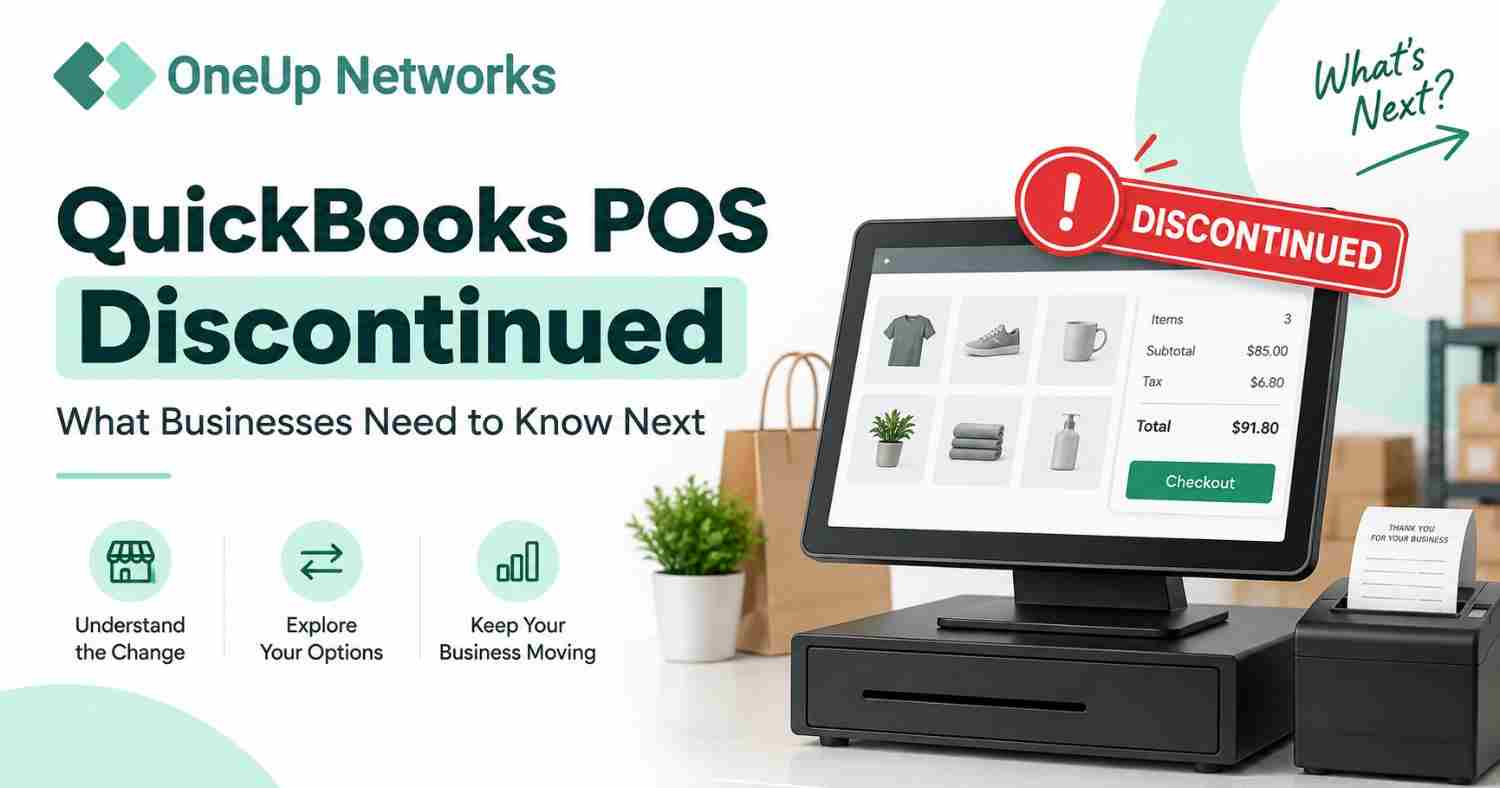
QuickBooks Point of Sale has been discontinued. Intuit discontinued QuickBooks Desktop Point of Sale 19.0 and related connected services, including payments, Mobile Sync, Store Exchange, Webgility ecommerce integration, and live support services. Businesses still using QuickBooks POS should review their current workflows and plan their next steps based on future operational needs.
- Existing QuickBooks POS users should evaluate their long-term strategy. While some existing installations may continue working, businesses should consider future support, integrations, security requirements, and growth plans before relying on a discontinued platform.
- The impact depends on how businesses use QuickBooks POS. Retailers should review sales workflows, inventory management, reporting needs, customer records, and connected applications before selecting a replacement solution.
- Choosing a replacement requires careful evaluation. Businesses should compare alternatives based on retail features, accounting compatibility, scalability, user management, and support availability rather than selecting a solution based only on product availability.
- QuickBooks POS discontinuation and QuickBooks POS hosting are different topics. Discontinuation relates to product availability and support, while hosting focuses on application access, infrastructure management, and technical support.
- OneUp Networks helps businesses manage application transitions. Businesses can get support with application hosting, migration assistance, configuration, secure access, and managed cloud environments for licensed business applications.
Introduction
For many years, QuickBooks Point of Sale was used by retailers that needed a connection between daily store operations and their accounting workflows. Businesses relied on the platform to process customer purchases, maintain inventory records, manage product information, and generate sales reports. For smaller retailers, it provided a familiar way to organize store activities while keeping financial information connected with QuickBooks.
However, Intuit discontinued QuickBooks Desktop Point of Sale 19.0 and related connected services on October 3, 2023. The decision affected businesses that depended on QuickBooks POS as part of their retail operations and required them to review how they would manage future sales, inventory, and customer workflows.
The discontinuation does not mean every business must immediately replace its existing system without evaluation. Instead, retailers should first understand how the change affects their specific setup. Some businesses may need to transition to a new POS platform, while others may need to review how their existing applications, integrations, and data should be managed going forward.
A planned approach helps businesses avoid making technology decisions during a critical operational problem. By reviewing current workflows, identifying essential features, and understanding available options, retailers can choose a solution that supports their business requirements.
Is QuickBooks POS Discontinued?
Yes. QuickBooks Desktop Point of Sale has been discontinued by Intuit. Intuit discontinued QuickBooks Desktop Point of Sale 19.0 along with several connected services on October 3, 2023. The discontinued services included payment processing features, gift card services, Mobile Sync, Store Exchange, Webgility ecommerce integration, vendor lookup services, and product support plans.
The discontinuation changed the support model for businesses still using QuickBooks POS. While existing installations may continue functioning depending on the local environment, businesses no longer receive the same product updates, connected services, or support options available when the platform was actively maintained.
For retailers, the important question is not only: “Can QuickBooks POS still open today?”
The more important question is: “Does this system continue to support our business needs in the future?”
A retail business depends on more than just checkout functionality. Inventory accuracy, employee access, reporting, integrations, and reliable data management all play an important role in daily operations.
What Services Were Affected by QuickBooks POS Discontinuation?
The impact of the discontinuation depends on which QuickBooks POS features a business used regularly. Some retailers may have mainly used the software for basic sales transactions, while others may have depended heavily on connected services for payments, inventory synchronization, or ecommerce workflows.
According to Intuit, the discontinued connected services included:
| Discontinued Service | Impact on Businesses |
|---|---|
| QuickBooks Point of Sale Payments | Businesses need alternative payment processing options |
| Gift Card Service | Retailers need another method for managing gift card workflows |
| Mobile Sync | Mobile connectivity features are no longer supported |
| Store Exchange | Multi-store data exchange workflows may require alternatives |
| Webgility Ecommerce Integration | Ecommerce-connected workflows may need review |
| Live Support Services | Businesses need alternative support options |
The effect is different for every retailer. A small store with limited integrations may experience fewer immediate challenges, while a growing business with multiple locations and connected systems may need a more detailed transition plan.
What Does QuickBooks POS Discontinuation Mean for Businesses?
The discontinuation creates a need for retailers to review their current technology environment. The right next step depends on how deeply QuickBooks POS is connected with daily business operations. A business that uses QuickBooks POS only for basic transactions may have different requirements compared with a retailer that depends on inventory management, multiple store locations, ecommerce connections, and detailed reporting.
Before making any changes, businesses should review the areas that directly affect their operations.
Sales and Checkout Workflows
The first consideration is how the business processes daily sales. Retailers should understand how employees currently complete transactions, manage returns, apply discounts, and handle customer purchases. A replacement solution should support the same level of operational efficiency while also providing any additional capabilities the business may need in the future.
Inventory Management
Inventory is often one of the most important parts of a retail system. Businesses should review how they currently track products, monitor stock levels, manage variations, and generate inventory reports. A new solution should support the way the business manages products rather than forcing employees to completely change established workflows.
Reporting Requirements
Many businesses use POS data to understand sales performance, product demand, and customer behavior. Before moving away from QuickBooks POS, retailers should identify which reports are essential for decision-making and ensure their next system can provide similar or improved visibility.
Accounting Connections
Retail businesses often depend on accurate movement of sales information into accounting workflows. When reviewing alternatives, businesses should consider how the new POS system connects with their accounting software and whether additional configuration or integration tools are required.
Can Businesses Still Use QuickBooks POS?
Existing QuickBooks POS users may still be able to access and use their current software depending on their installation, hardware, and business setup. However, continuing with a discontinued product requires careful planning because future support, updates, and connected services are no longer available from Intuit.
For some businesses, maintaining the current system temporarily may be practical while they evaluate alternatives. However, waiting until a major operational issue occurs can create unnecessary pressure, especially during busy sales periods.
Businesses continuing with QuickBooks POS should regularly review:
- Whether the system still supports current workflows
- Whether connected applications continue working
- Whether employees can complete daily tasks efficiently
- Whether future growth requirements can be supported
- Whether historical data remains accessible
The goal is not simply replacing software. The goal is ensuring that the next solution supports the way the business operates.
What Should QuickBooks POS Users Do Next?
After QuickBooks POS discontinuation, businesses should avoid making a replacement decision based only on the fact that the product is no longer supported. The right approach is to first understand how the business currently uses the system and identify which capabilities are essential for daily operations.
A retail business should look beyond the software name and focus on the workflows that keep the business running. For example, a small store that mainly processes sales transactions may have different requirements compared with a growing retailer managing multiple locations, inventory movement, customer records, and accounting connections.
A structured evaluation process can help businesses choose a solution that supports their current needs while also preparing them for future growth.
1. Review How Your Business Uses QuickBooks POS
Before selecting a replacement, businesses should document their current QuickBooks POS workflows. Many retailers use POS software for more than just processing payments. The system often becomes connected with inventory decisions, employee processes, reporting activities, and financial management.
Start by reviewing:
- How sales transactions are processed
- How inventory is tracked and updated
- How customer information is maintained
- Which reports managers use regularly
- Which applications connect with the POS system
- How employees access and use the system
This review helps separate essential requirements from features that may no longer be necessary. A replacement system should support the way the business operates rather than forcing employees to completely rebuild their daily processes.
Evaluate QuickBooks POS Alternatives Based on Business Requirements
Choosing a new POS system is not simply about finding a replacement with similar features. Different retail businesses have different operational requirements, and the right solution depends on factors such as product complexity, number of locations, employee workflows, and future expansion plans.
A business should evaluate alternatives by asking practical questions about how the system will support everyday operations.
| Business Requirement | Questions to Consider Before Choosing a Replacement |
|---|---|
| Sales Processing | Can employees complete transactions quickly and efficiently? |
| Inventory Management | Does the system provide accurate product tracking and stock visibility? |
| Reporting | Can managers access the information needed for business decisions? |
| Integrations | Does it connect with accounting software and other business tools? |
| Multi-Location Support | Can it support multiple stores or future expansion? |
| User Management | Can businesses control employee access and permissions? |
A good replacement should not only solve the immediate problem created by QuickBooks POS discontinuation but also support the business as it grows.
Protect Your QuickBooks POS Data Before Making Changes
Data planning is one of the most important parts of transitioning away from discontinued software. Retail businesses may have years of valuable information stored within their existing system, including product records, customer information, sales history, and business reports.
Before moving to another platform, businesses should understand what information needs to be preserved and how it will be used in the future.
Important considerations include:
- Identifying important business records
- Reviewing available export options
- Maintaining historical sales information
- Understanding what data can be migrated
- Confirming compatibility with the new system
A rushed transition can create unnecessary challenges. Proper planning helps businesses maintain access to important information while reducing disruption to daily operations.
What Are the Best Alternatives After QuickBooks POS Discontinuation?
There is no single POS solution that works for every retailer. The best choice depends on the business model, operational complexity, and long-term goals.
Intuit suggested that businesses evaluate available Point of Sale solutions after discontinuing QuickBooks Desktop Point of Sale. Intuit also partnered with Shopify to provide a migration option that connects Shopify POS with QuickBooks Desktop financial software. However, businesses should evaluate different solutions based on their specific requirements rather than selecting an option only because it is available.
When reviewing alternatives, retailers should consider:
Retail Features
A replacement system should support the activities that matter most to the business, including checkout operations, product management, inventory tracking, and customer engagement.
Accounting Compatibility
Many retailers depend on accurate financial information. The replacement solution should integrate effectively with the accounting workflow used by the business.
Scalability
A system that works for a small store may not be suitable when the business expands. Companies should consider future needs, including additional employees, locations, and sales channels.
Support Availability
Businesses should understand what level of technical support is available and how issues will be handled when problems occur.
QuickBooks POS Discontinued vs QuickBooks POS Hosting: Understanding the Difference
Many businesses searching for QuickBooks POS after discontinuation also come across cloud hosting options. However, these are two different decisions. QuickBooks POS discontinuation relates to the availability and support status of the product. Hosting relates to where and how an application environment is managed.
| QuickBooks POS Discontinued | QuickBooks POS Hosting |
|---|---|
| Focuses on product retirement and future planning | Focuses on application access and infrastructure management |
| Helps businesses understand what changed | Helps businesses evaluate managed access options |
| Requires reviewing replacement strategies | Requires evaluating hosting requirements |
| Mainly affects software availability and support | Mainly affects how applications are accessed and managed |
Businesses should first determine whether they need a new POS platform or whether their requirement is related to application accessibility and infrastructure management.
For example, a retailer searching for a replacement POS system has a different need from a business that already has supported applications but wants easier access, centralized management, or reduced IT workload.
Should Businesses Move Away From QuickBooks POS Immediately?
Not every business needs to make the same decision at the same time. The urgency depends on how critical QuickBooks POS is to daily operations and what challenges the business is currently experiencing.
A retailer should consider reviewing its options sooner if:
- The business depends on discontinued connected services
- Employees are experiencing workflow limitations
- Important integrations are no longer supported
- The business is expanding into new locations
- Technical support availability has become a concern
- The current system no longer matches operational requirements
The goal is not to replace software simply because it is discontinued. The goal is to create a technology environment that supports reliable business operations in the future.
How OneUp Networks Helps Businesses With Application Hosting
When businesses review discontinued applications and future technology needs, they often need help understanding how their existing workflows can continue in a managed environment. OneUp Networks helps businesses host licensed business applications through managed cloud infrastructure. The focus is not only on providing access to servers but on helping organizations maintain reliable application environments with technical support, migration assistance, and ongoing management.
OneUp Networks supports businesses with:
- Application migration assistance
- Cloud environment setup
- Application configuration
- Secure remote access
- Backup and recovery planning
- Managed infrastructure support
Businesses continue maintaining their software licenses with the original software vendors. OneUp Networks provides the hosting environment and technical assistance required to run supported applications.
For companies reviewing their technology strategy after QuickBooks POS discontinuation, understanding the difference between software selection and infrastructure management is an important part of making the right decision.
Frequently Asked Questions About QuickBooks POS Discontinued
Intuit discontinued QuickBooks Desktop Point of Sale 19.0 and related connected services on October 3, 2023. The discontinued services included payments, gift card services, Mobile Sync, Store Exchange, Webgility ecommerce integration, and live support.
Some existing QuickBooks POS installations may continue working, but discontinued products no longer receive critical security patches, updates, or connected services from Intuit. Businesses should evaluate whether their current setup supports future requirements.
The right replacement depends on your business needs. Retailers should compare solutions based on inventory management, sales workflows, accounting integrations, reporting, and future scalability.
QuickBooks POS discontinuation does not automatically mean businesses lose their existing data. However, retailers should review their data access, backup, and migration options before changing systems.
Cloud hosting and POS replacement solve different problems. Businesses should first determine whether they need a new retail platform or whether they need better application accessibility and infrastructure management.
Conclusion: Prepare Your Retail Business for the Next Stage
QuickBooks POS discontinuation has encouraged many retailers to review how they manage sales, inventory, customer information, and connected business workflows. While existing users may continue operating their current systems for now, relying on a discontinued platform without a future plan can create challenges as business requirements change.
The right next step depends on understanding your current workflow, protecting important business data, evaluating available alternatives, and selecting technology that supports your long-term goals. A careful transition plan allows businesses to make informed decisions without disrupting daily operations.
Plan Your Next Step After QuickBooks POS Discontinuation
Moving away from a discontinued application requires more than selecting new software. Businesses need to understand their current environment, workflow requirements, and future technology needs before making a change.
OneUp Networks helps businesses evaluate application hosting requirements, manage cloud environments, and support business-critical applications with migration assistance and technical expertise.
- Talk to a Cloud Hosting Expert: Discuss your current applications, workflow requirements, and future technology plans.
- Book a Demo: Explore how managed cloud environments can support your business applications.
- Start Your Free Trial: Experience a managed hosting environment designed around your application needs.
- Request a Custom Quote: Get a solution based on your users, applications, and operational requirements.
Your business applications should continue supporting your operations even when technology changes. Plan your next step with a managed hosting partner that understands business-critical applications.



































