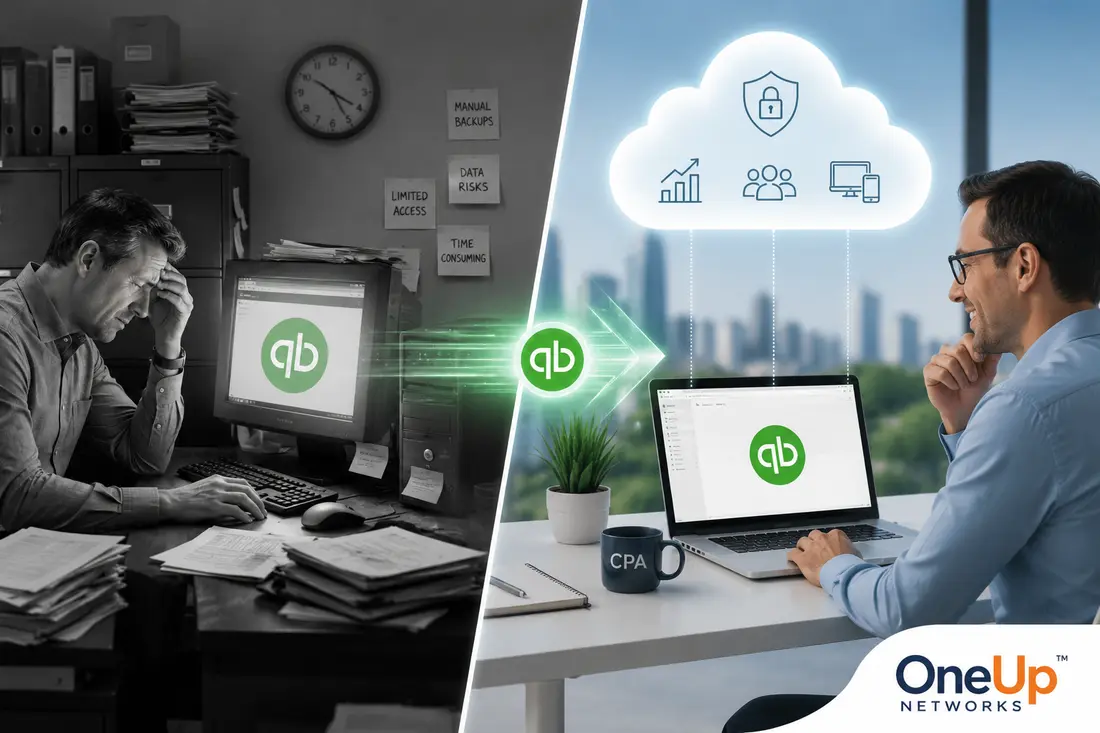
Small businesses often need a more flexible QuickBooks environment as their teams, workflows, and operations grow. QuickBooks cloud hosting helps businesses continue using QuickBooks Desktop while improving remote access, collaboration, application management, and technology flexibility.
- Growing businesses can outgrow traditional QuickBooks setups. As more employees, locations, and workflows are added, businesses may need better access, collaboration, and technology management.
- Cloud-hosted QuickBooks supports remote collaboration. Authorized users can access the same QuickBooks environment from approved locations instead of depending on one office computer or local setup.
- Managed hosting reduces IT responsibilities. Businesses can rely on a hosting provider to manage the technical environment while their teams focus on accounting operations.
- QuickBooks hosting can support connected business applications. A centralized environment helps businesses manage QuickBooks alongside compatible payroll, reporting, inventory, and other workflow applications.
- Cloud hosting is not required for every business. The right choice depends on user requirements, workflow complexity, remote access needs, and future growth plans.
- OneUp Networks helps businesses build scalable QuickBooks environments. From migration and setup to ongoing technical support, OneUp Networks helps businesses manage QuickBooks hosting as their operational needs expand.
Introduction
Small businesses often begin with simple accounting requirements. A few employees may manage invoices, expenses, payroll information, and financial reports from one office location using a traditional QuickBooks Desktop setup. However, as the business grows, accounting workflows become more complex. More employees need access, teams start working remotely, and business owners need faster access to financial information to make important decisions.
QuickBooks cloud hosting helps growing businesses overcome these challenges by allowing them to access their existing QuickBooks Desktop environment through a managed cloud platform. It provides businesses with greater flexibility, easier collaboration, remote accessibility, and a technology environment that can adapt as operations expand.
The goal of cloud hosting is not simply moving QuickBooks to another location. It is creating a more reliable accounting environment where businesses can continue using familiar software while reducing the limitations of traditional desktop setups.
Why Growing Businesses Outgrow Traditional QuickBooks Setups
A QuickBooks setup that works well during the early stages of a business may become difficult to manage as the company expands. Initially, one person may handle accounting tasks from a single computer. Over time, responsibilities are shared between bookkeepers, finance teams, managers, business owners, and external accountants.
As more people become involved, businesses often face new challenges. Employees may need access from different locations, multiple users may need to work with the same company file, and accounting data may become connected with additional business applications.
The problem is usually not QuickBooks itself. The challenge is whether the technology environment supporting QuickBooks can keep up with the changing needs of the business.
Growing businesses need accounting systems that provide:
- Reliable access for multiple users
- Better collaboration between teams
- Support for remote workflows
- Less dependence on local computers
- More flexibility as business requirements change
A scalable technology environment allows businesses to focus on growth instead of constantly adjusting their accounting setup.
Signs Your Business Has Outgrown a Traditional QuickBooks Environment
As a business grows, the accounting setup that once supported daily operations may start creating limitations. The signs usually appear gradually — employees need easier access, more people need to work with financial data, and managing the technology behind QuickBooks becomes more time-consuming.
A business does not outgrow QuickBooks simply because it becomes larger. It usually happens when the existing setup no longer supports the way the company operates. If your team spends more time managing accounting access, transferring files, or solving technology issues, it may be time to consider a more flexible environment.
Your Team Needs Access From Different Locations
When a business starts supporting remote employees, multiple offices, or external accounting professionals, accessing QuickBooks from one location can become restrictive. Teams may need financial information while working away from the office, but traditional setups often depend on specific computers or local networks.
A cloud-hosted QuickBooks environment allows authorized users to access the same accounting system from approved locations. This helps businesses maintain consistent workflows while giving employees and accounting professionals the flexibility they need.
Multiple Users Need to Collaborate on the Same Financial Data
In the early stages of a business, one person may handle most accounting responsibilities. As operations expand, bookkeeping, financial reporting, approvals, and decision-making are often shared between multiple people.
When different users depend on the same QuickBooks data, managing files through separate computers or transferring company files can slow down workflows. A centralized hosted environment helps teams work with the same accounting data while reducing confusion caused by outdated files or disconnected processes.
Businesses often consider a more flexible QuickBooks environment when they need:
- Multiple users working together on accounting tasks
- Better coordination between internal teams and accountants
- Easier access to updated financial information
- Less dependency on manual file sharing
Managing QuickBooks Technology Takes Too Much Time
Many small businesses do not have dedicated IT resources. As a result, employees often handle tasks such as computer maintenance, software updates, backups, and troubleshooting along with their regular responsibilities.
As the business grows, these technical responsibilities can become a distraction. Instead of focusing on accounting and operations, teams may spend valuable time resolving access issues or maintaining the environment where QuickBooks runs.
A managed QuickBooks hosting approach allows businesses to rely on a professionally managed environment while reducing the need to handle infrastructure-related tasks internally.
Your Business Relies on More Applications and Connected Workflows
Growing businesses rarely use accounting software in isolation. Payroll tools, reporting applications, inventory systems, and other business solutions often become part of daily operations. As more applications are introduced, disconnected systems can create workflow challenges. Employees may need to move information between platforms, manage different access methods, or spend extra time ensuring data stays consistent.
A more flexible QuickBooks environment can help businesses organize these workflows by providing a centralized platform where accounting and related applications can work together more efficiently.
Your Current Setup Makes Growth More Difficult
Technology should support business growth, not slow it down. If adding employees, supporting remote work, or improving collaboration requires major changes to your accounting setup, your current environment may no longer match your business needs.
A scalable QuickBooks hosting environment gives businesses more flexibility to adjust as requirements change. Instead of rebuilding their technology setup every time operations expand, businesses can create an accounting environment that supports their current workflows and future goals.
How QuickBooks Cloud Hosting Helps Small Businesses Scale
As small businesses grow, their accounting needs often become more complex. More users, remote teams, additional applications, and increasing financial data can make traditional QuickBooks setups harder to manage. QuickBooks Cloud Hosting provides a more flexible environment by helping businesses access their accounting workflows remotely, collaborate more easily, and adapt their technology as operations expand.
Supports Flexible Access for Growing Teams
One of the biggest changes businesses experience during growth is the need for greater flexibility. Employees may work from different locations, managers may need access outside regular office hours, and accounting teams may collaborate across multiple regions.
QuickBooks cloud hosting allows businesses to access their hosted QuickBooks environment remotely without depending on a single office computer. This makes it easier for teams to continue working even when they are not physically together. The benefit is not only remote access. A centralized environment also helps businesses maintain the same workflows, processes, and accounting data across different users.
Supports Better Collaboration and Faster Decision-Making
Financial information plays an important role in business decisions. Owners and managers need accurate reports, updated numbers, and timely information to understand performance.
When accounting data is stored in separate locations or managed through disconnected workflows, getting accurate information can become slower. A hosted QuickBooks environment provides a shared workspace where authorized users can access updated financial information. This makes collaboration easier and helps businesses make decisions based on more current data.
Reduces Infrastructure Responsibilities
Growing businesses need technology, but they do not always want the responsibility of managing servers, updates, security settings, and technical troubleshooting. With managed QuickBooks cloud hosting, businesses can use a professionally managed environment without building and maintaining their own infrastructure.
The hosting provider manages the technical foundation while the business focuses on using QuickBooks for financial management. This is especially useful for small and mid-sized businesses that need reliable technology support without creating a large internal IT operation.
Creates Room for Future Growth
Business growth is unpredictable. A company may add employees, open new locations, introduce additional applications, or change how teams collaborate. A flexible QuickBooks hosting environment allows businesses to adapt their technology as requirements change.
Instead of replacing systems every time the business expands, companies can build on an environment designed to support changing needs. Scalable technology helps businesses avoid making growth decisions based on the limitations of their current accounting setup.
QuickBooks Desktop Setup vs Cloud-Hosted QuickBooks
| Area | Traditional QuickBooks Setup | Cloud-Hosted QuickBooks |
|---|---|---|
| Access | Usually dependent on local computers and office networks | Accessible through approved remote connections |
| Collaboration | Depends on local setup and file management | Centralized environment for authorized users |
| Maintenance | Business manages hardware and technical setup | Hosting provider manages infrastructure |
| Scaling | May require additional hardware changes | Easier adjustment based on business needs |
| Support | Often handled internally or through separate providers | Managed hosting support available |
The right approach depends on the business size, number of users, workflow requirements, and future growth plans.
When Should a Small Business Consider QuickBooks Cloud Hosting?
QuickBooks cloud hosting is not necessary for every business. Companies with simple accounting requirements, limited users, and employees working from one location may continue using a traditional setup successfully. However, cloud hosting becomes more valuable when businesses start experiencing growth-related challenges.
A business may consider QuickBooks hosting when it needs:
- Multiple employees accessing accounting data
- Remote work support
- Better collaboration
- Reduced IT management responsibilities
- Support for connected applications
- A more flexible technology environment
The decision should be based on business requirements rather than simply choosing a newer technology option. The right hosting environment should solve actual operational challenges and support the company’s long-term goals.
How OneUp Networks Helps Small Businesses Scale With QuickBooks Cloud Hosting
OneUp Networks helps businesses host licensed QuickBooks Desktop and QuickBooks Enterprise environments in a managed cloud environment designed for accessibility, collaboration, and simplified technology management. The focus is not only moving QuickBooks from a local computer to the cloud. It is creating a complete managed environment where businesses can support accounting workflows, user access, application requirements, and future growth.
OneUp Networks helps businesses with:
- QuickBooks migration
- Hosted QuickBooks setup
- User configuration
- Application environment management
- Remote access support
- Ongoing technical assistance
FAQs
QuickBooks Cloud Hosting can be useful for businesses that need remote access, multiple-user collaboration, and a more flexible accounting environment as their operations grow.
Businesses may have outgrown their setup when employees struggle with remote access, multiple users need the same data, file sharing becomes difficult, or managing technology takes too much time.
Yes. Hosted QuickBooks allows authorized users to access the same QuickBooks environment from approved locations, helping business owners, employees, and accountants collaborate more easily.
A hosted QuickBooks environment can support growth by providing centralized access, easier collaboration, and a managed technology setup that can adapt as more users and workflows are added.
The choice depends on your workflow. Businesses that need the features of QuickBooks Desktop but want remote access and centralized management may consider QuickBooks Desktop Hosting, while others may prefer QuickBooks Online based on their requirements.
For businesses that have outgrown traditional accounting setups, managed QuickBooks hosting can provide a more organized and scalable approach to managing financial workflows.
Final Thoughts: Build a QuickBooks Environment That Grows With Your Business
Growth creates new challenges for every business, and accounting technology is often one of the first areas where those challenges become visible. A QuickBooks setup that works for a small team may become difficult to manage when more employees, locations, applications, and workflows are introduced.
QuickBooks cloud hosting gives growing businesses a way to continue using QuickBooks Desktop while improving accessibility, collaboration, and technology management. Instead of rebuilding their accounting environment every time they grow, businesses can create a more flexible foundation that supports future requirements.
The right solution depends on the company’s workflow, users, and long-term goals. By choosing technology that can adapt as the business changes, companies can spend less time managing accounting infrastructure and more time focusing on growth.
Build a More Flexible QuickBooks Environment With OneUp Networks
As your business grows, your accounting technology should support your changing workflows instead of creating new limitations. OneUp Networks helps businesses move beyond traditional QuickBooks setups with managed cloud hosting designed for remote access, collaboration, application support, and scalable operations.
Whether you are adding new users, supporting remote employees, or looking for a simpler way to manage QuickBooks Desktop, our cloud hosting experts can help you evaluate the right approach for your business.
- Talk to a Cloud Hosting Expert: Discuss your current QuickBooks setup, workflow challenges, and future growth requirements with a hosting specialist.
- Book a Demo: See how a managed QuickBooks cloud environment can support collaboration and daily accounting workflows.
- Start Your Free Trial: Experience QuickBooks cloud hosting with a 15-day free trial and explore how a managed environment fits your business needs.
- Request a Custom Quote: Get a hosting solution designed around your users, applications, and business requirements.
Create a QuickBooks environment that supports your business today and scales with your goals for tomorrow.