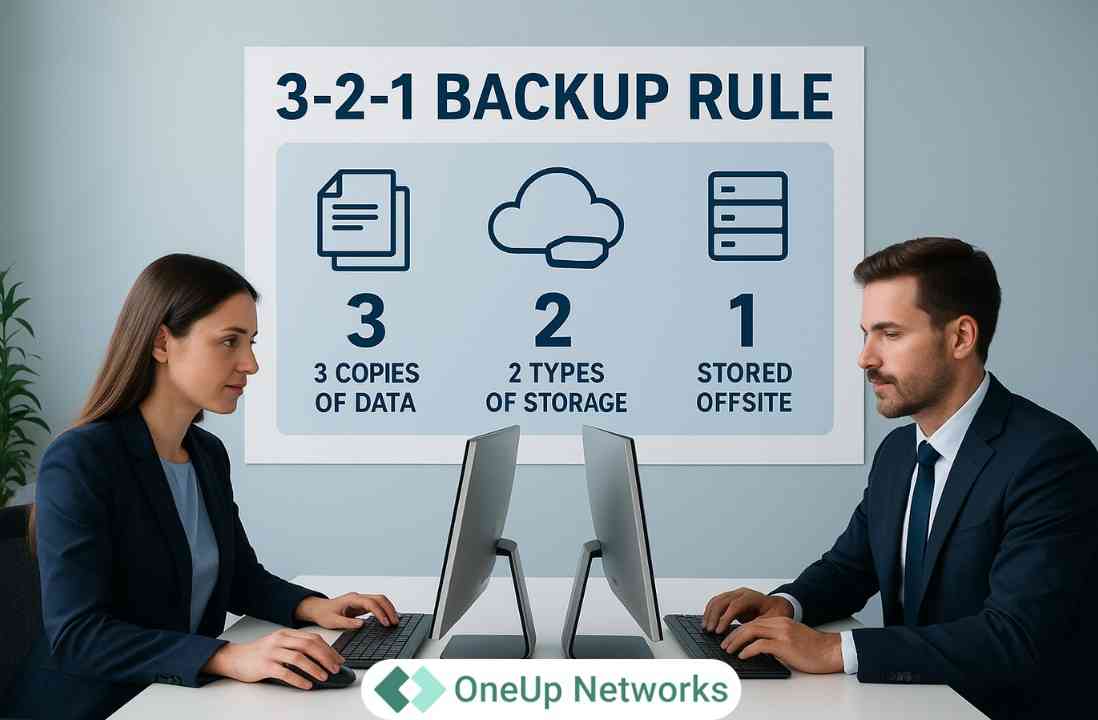
Quick Summary: 3-2-1 Backup Rule
The 3-2-1 backup rule means keeping 3 copies of important data, using 2 different storage types or independent storage systems, and keeping at least 1 copy offsite. The goal is to prevent one hardware failure, cyberattack, storage problem, or site-level disaster from eliminating every usable recovery copy.
- 3 copies: Keep the production data plus at least two additional backup copies.
- 2 storage types or failure domains: Avoid storing every copy on the same server, storage platform, network, or administrative environment.
- 1 offsite copy: Maintain at least one backup away from the primary environment to protect against local failures and disasters.
- For stronger ransomware resilience: The modern 3-2-1-1-0 backup strategy adds one immutable, offline, or air-gapped copy and verifies that backups can recover without errors.
- Recovery matters as much as backup: Businesses should define RPO and RTO, monitor backup jobs, protect backup administration, and regularly test actual restoration.
For businesses in 2026: Treat the 3-2-1 backup methodology as the foundation of data protection, then strengthen it with immutability, access separation, suitable retention, ransomware protection, and verified recovery.
The 3-2-1 backup rule means keeping three copies of important data, storing those copies across two different storage types or independent failure domains, and maintaining at least one copy offsite. In 2026, businesses should treat 3-2-1 as the foundation rather than the finish line because ransomware resilience also requires isolated or immutable backups, controlled access, monitoring, and verified recovery.
That distinction matters. A company can complete every scheduled backup job and still discover during an outage that its recovery copies share the same credentials, contain corrupted data, sit inside the same failure domain, or cannot restore applications within the required timeframe. Consequently, a strong backup strategy measures success by recoverability, not merely by the number of copies it creates.
What Is the 3-2-1 Backup Rule?
The 3-2-1 backup rule definition calls for three copies of important data, two different storage technologies or independent storage environments, and one offsite copy. Therefore, the methodology prevents a company from relying on one server, one storage system, one building, or one backup repository.
Consider an accounting firm that stores QuickBooks company files, tax data, Microsoft documents, client records, databases, and other business information in one production environment. If the firm copies everything to another folder on the same server, it has created another copy but not meaningful resilience. A hardware failure, ransomware incident, privileged-account compromise, or storage corruption could still affect both copies.
A properly designed backup 3-2-1 rule introduces separation. As a result, the organization has another recovery path when the production environment becomes unavailable.
The methodology does not require one particular backup vendor or storage product. Organizations can apply it across on-premises servers, virtual environments, cloud infrastructure, hosted applications, endpoints, and hybrid IT environments. Veeam likewise describes the rule as adaptable across multiple storage and backup technologies.
Why the 3-2-1 Backup Strategy Still Matters in 2026
Cloud computing has changed where companies store data, but it has not eliminated data-loss risk. Businesses still face accidental deletion, storage failures, configuration problems, compromised accounts, ransomware, corrupted applications, site outages, and human mistakes.
For that reason, the data backup importance 3-2-1 methodology rests on a principle that remains relevant regardless of infrastructure: avoid letting one failure affect every usable copy of critical information.
CISA recommends maintaining offline, encrypted backups of critical data and regularly testing backup availability and integrity. Its ransomware guidance specifically warns that ransomware can search for accessible backups and delete or encrypt them before organizations attempt recovery.
NIST strengthened that recovery focus in its final June 2026 Ransomware Risk Management profile. NIST states that organizations should verify the integrity of backups and other restoration assets before using them for recovery.
Therefore, the question in 2026 should not simply be:
“Do we have three backups?”
Instead, organizations should ask whether one cyberattack, administrator account, cloud tenant, site outage, or storage failure could compromise all of them.
How Does the 3-2-1 Backup Method Work?
The 321 backup method works by combining redundancy, diversity, and separation. Each number solves a different type of failure, so businesses should understand the purpose behind the numbers rather than treating them as a box-checking exercise.
1. Keep Three Copies of Important Data
The first number means maintaining the production copy plus at least two additional backup copies. Consequently, the loss of one copy does not immediately leave the business dependent on the production system alone.
However, three copies on one physical server do not provide meaningful protection. Likewise, three virtual disks attached to the same underlying storage array may still share a common failure point.
The real objective involves independent recovery options, not simply counting copies.
2. Use Two Different Storage Types or Failure Domains
Traditionally, the “2” in the 3 2 1 rule of backup meant storing copies on two different media types, such as disk and tape. Modern infrastructure has made the concept broader because organizations increasingly use disk, object storage, public cloud, private cloud, managed repositories, and geographically distributed systems.
Therefore, businesses should consider both media diversity and failure-domain diversity.
Ask questions such as:
- Do the copies use the same physical storage?
- Can one administrator account delete all copies?
- Do all copies depend on the same cloud tenant?
- Can one network compromise reach every repository?
- Do the copies share the same geographic location?
- Does one backup platform control every recovery point?
Veeam’s current explanation similarly emphasizes geographic and network separation when describing the offsite component of modern 3-2-1 architectures.
3. Keep at Least One Copy Offsite
The final “1” requires a backup away from the primary location. This copy protects recovery options when a site-level incident such as fire, flood, power disruption, infrastructure failure, theft, or another localized event affects the production environment.
Today, however, offsite should mean more than physical distance.
Suppose a company stores its production environment and an offsite backup in different locations but lets the same compromised administrator credentials control both environments. The organization has achieved geographic separation, yet it may still have weak cyber separation.
Consequently, modern backup planning should consider physical separation, network separation, identity separation, administrative separation, and immutability together.
What Counts as a Copy in a 3-2-1 Backup Strategy?
This question causes more confusion than the rule itself.
A usable backup copy should give the organization a genuine recovery option after data loss. Therefore, the team should evaluate whether the copy preserves the required data, retains usable recovery points, remains protected from the same failure as production, and can restore within business requirements.
Does File Synchronization Count as a Backup?
Not necessarily. Synchronization primarily keeps information consistent across locations. If a user deletes or corrupts a synchronized file, the synchronization process may reproduce that change elsewhere.
A backup system, by contrast, should retain recovery points that allow users to return to an earlier known state. Therefore, businesses should not treat simple synchronization as a complete 321 backup solution unless the platform provides adequate versioning, retention, separation, and recovery capabilities.
Does Replication Count as Backup?
Replication improves availability by maintaining another copy of data or a system, but it solves a different problem from historical backup.
For example, replication can quickly reproduce a corrupted database or malicious encryption on the secondary system. A backup with previous recovery points may allow the business to restore information from before the corruption began.
Strong recovery architectures often use both replication and backup rather than choosing one as a universal substitute for the other.
Does a Snapshot Count as a Backup?
A snapshot can provide a useful recovery point, particularly for fast restoration, but its independence matters.
NIST’s current draft storage-security guidance notes that snapshots may depend on their underlying base data, which means the snapshot can become unusable when that base becomes unavailable.
Therefore, organizations should not automatically count every production-side snapshot as an independent backup copy. Evaluate where it resides, what it depends on, how long it persists, who can delete it, and whether it survives loss of the primary storage environment.
Does High Availability Replace Backup?
No. High availability focuses on keeping workloads available when infrastructure components fail, while backup focuses on recovering data or systems from a previous usable state.
A highly available environment can still replicate corrupted, deleted, or encrypted data. Therefore, businesses need both availability planning and recoverability when critical workloads justify them.
3-2-1 vs. 3-2-1-1-0: What Changed?
The traditional 321 backup rule predates many modern ransomware techniques. Today, attackers may deliberately target backup repositories before encrypting production workloads, so organizations increasingly add stronger isolation and recovery testing.
Veeam describes this extended methodology as the 3-2-1-1-0 backup strategy.
| Strategy | 3-2-1 | 3-2-1-1-0 |
|---|---|---|
| Total data copies | 3 | 3 or more |
| Two storage types/systems | Yes | Yes |
| One offsite copy | Yes | Yes |
| Immutable/offline/air-gapped copy | Not explicitly required | Yes |
| Recovery verification | Not explicitly required | Zero recovery errors target |
| Better aligned with ransomware resilience | Foundation | Stronger modern model |
The additional “1” represents a copy that attackers or ordinary administrators cannot easily alter or delete. Depending on the architecture, organizations may use immutability, offline storage, or air-gapped storage to achieve that additional protection.
The “0” represents verified recoverability rather than simply successful backup-job completion. Veeam describes this component as zero recovery errors through backup verification.
NIST’s 2026 ransomware guidance reinforces the same underlying principle by requiring organizations to verify backup integrity before they restore from those assets.
Why Immutability Matters for Ransomware Resilience
Traditional backups primarily protect against data loss. Modern backup systems also need to defend the recovery process itself.
Ransomware operators may attempt to:
- delete backup repositories,
- encrypt backup files,
- compromise backup administrators,
- change retention settings,
- disable scheduled jobs,
- destroy recovery points, or
- compromise systems before backups capture clean states.
CISA therefore recommends offline, encrypted backups and routine integrity testing as part of ransomware preparedness.
An immutable backup adds another obstacle because the storage system prevents modification or deletion during the defined immutability period. Nevertheless, immutability alone does not solve every recovery problem. Businesses still need protected credentials, clean recovery points, tested restoration procedures, and an incident-response process that prevents reinfection during recovery.
In other words, an immutable backup can protect the copy, while recovery testing proves that the copy can help restore the business.
How RPO and RTO Fit Into a 3-2-1 Backup Strategy
The best backup architecture does not start with storage. It starts with business requirements.
Two recovery metrics help translate those requirements into a technical plan: Recovery Point Objective (RPO) and Recovery Time Objective (RTO).
NIST defines RPO as the point in time to which data must recover after an outage. In practical business terms, RPO helps determine how much recent data loss the organization can tolerate.
NIST defines RTO around the amount of time a system can remain in recovery before the outage negatively affects the organization’s mission or business processes.
| Metric | Question It Answers | Example |
|---|---|---|
| RPO | How much recent data can we afford to lose? | 4 hours of transactions |
| RTO | How long can this workload remain unavailable? | Restore operations within 3 hours |
These objectives directly affect backup frequency, architecture, storage performance, replication choices, disaster-recovery planning, and cost.
For example, a file archive that changes once each month may tolerate a longer RPO. In contrast, an accounting environment processing tax returns, payroll, or financial transactions throughout the day may need significantly more frequent recovery points.
Therefore, 3-2-1 tells you how to distribute copies; RPO and RTO tell you how those copies must support the business.
How Often Should You Back Up Your Data?
There is no universal backup frequency because every workload changes at a different rate and carries a different business impact.
Instead of selecting an arbitrary daily, hourly, or weekly schedule, businesses should determine the acceptable RPO for each important workload. Once the team knows how much recent information it can afford to recreate or lose, it can design backup intervals accordingly.
For example, consider two systems. A static archive may change only occasionally, while an accounting database may receive transactions throughout the working day. Applying the same backup schedule to both systems could either waste resources or leave the more active system inadequately protected.
Organizations should also consider how long they need historical recovery points. A user may not discover corruption, accidental deletion, or an application problem immediately. Therefore, frequency and retention solve different problems:
Backup frequency determines how recent the available recovery points are.
Retention determines how far back the organization can recover.
A mature 3 2 1 data backup strategy defines both.
A Practical 3-2-1 Backup Example for an Accounting Firm
Consider a CPA firm that runs QuickBooks Desktop, Thomson Reuters applications, Microsoft applications, client documents, tax data, and other business workloads in a managed environment. During filing season, users continuously create and update information, so the firm needs both recent recovery points and older retained backups.
A practical architecture could look like this:
| Layer | Purpose |
|---|---|
| Production environment | Runs accounting, tax, and business applications |
| Primary backup copy | Supports routine restoration and recovery |
| Separate offsite backup | Protects against site-level incidents |
| Additional offsite/isolated recovery copy | Strengthens resilience against wider failures |
| Disaster recovery environment | Supports restoration of operations after a major event |
OneUp Networks publishes a model that maintains three backup locations—one onsite and two offsite—with 120-day retention for applicable managed hosting environments. It also publishes disaster-recovery targets of approximately 2–4 hours for RPO and 3–4 hours for RTO on relevant environments.
That example illustrates an important point: businesses should connect backups to the workloads they actually need to recover. For an accounting firm, restoring files without restoring the applications, permissions, databases, and supporting environment may not return employees to productive work.
What Does a Modern 3-2-1 Architecture Look Like in the Cloud?
Cloud infrastructure does not invalidate the 3-2-1 backup methodology, but it changes how businesses implement the “2” and the “1.”
A modern organization might keep production workloads on cloud infrastructure, place backups in a logically separate repository, and maintain another copy in separate object storage, another account, another region, another provider, or a managed offsite service. The right architecture depends on the business’s risk tolerance, applications, provider dependencies, recovery requirements, and budget.
Veeam notes that modern implementations can use cloud storage, object storage, disk, tape, removable storage, managed service providers, replication, and other repositories as parts of a 3-2-1 architecture.
However, businesses should avoid a common cloud mistake: assuming that “different location” automatically means “independent.”
If every copy sits behind the same administrative identity or inside one account that an attacker can fully control, the organization may still have a shared cyber failure domain.
What About SaaS Data?
Businesses increasingly depend on SaaS applications in addition to servers and files. Therefore, backup planning should identify which party controls backup, retention, restore granularity, deleted-user data, application configuration, and historical recovery for each SaaS platform.
The 3-2-1 principle still provides a useful question:
If this application’s production data disappeared or became unusable, where would our independent recovery copy come from?
The answer may differ from the traditional server model, but the goal remains the same: avoid allowing one platform failure, compromised account, retention rule, or administrative error to eliminate every recovery option.
3-2-1 Backup Rule Best Practices for 2026
The 3-2-1 backup rule best practices for 2026 focus less on counting copies and more on making those copies independent, secure, and recoverable.
1. Start With Business-Critical Data
Identify which applications, databases, files, configurations, and systems the business actually needs to operate. Next, rank them by business impact so that the backup and recovery plan reflects operational priorities rather than treating every dataset identically.
2. Define RPO and RTO
Determine how much recent data each workload can lose and how quickly teams must restore operations. Those requirements should drive backup frequency and recovery architecture rather than letting a default software schedule determine business risk.
3. Eliminate Shared Failure Domains
Review storage, physical locations, cloud accounts, identities, networks, and administrative access. If one compromised credential or infrastructure event can destroy every backup, the organization has not created enough separation.
4. Add an Immutable or Offline Recovery Copy
Modern ransomware resilience benefits from a copy that attackers cannot easily modify or delete. CISA recommends offline encrypted backups, while Veeam’s modern 3-2-1-1-0 framework adds an immutable or air-gapped copy.
5. Protect Backup Administration
Backup infrastructure deserves strong security because it becomes one of the most valuable systems during an incident. Restrict administrative privileges, protect accounts with strong authentication, separate responsibilities where appropriate, and monitor unexpected configuration changes.
6. Monitor Every Backup Job
A failed backup that nobody notices does not provide protection. Teams should track job completion, repository health, capacity, retention, unusual deletions, errors, and other conditions that could reduce recoverability.
7. Perform Real Recovery Tests
Do not stop after checking that backup files exist. Restore representative data, applications, or systems and verify that users can actually use them.
NIST specifically requires verification of backup integrity before organizations use those assets for ransomware restoration, while CISA recommends regular testing of backup availability and integrity.
8. Document the Recovery Process
A recovery plan should explain who starts restoration, which applications come back first, where credentials reside, how teams communicate, which recovery points they should select, and how they verify that the restored environment remains clean.
NIST’s 2026 ransomware profile also emphasizes tested response and recovery planning rather than treating recovery as an improvised activity after an incident begins.
9. Review the Strategy After Infrastructure Changes
Cloud migrations, new SaaS tools, application upgrades, acquisitions, new offices, larger datasets, regulatory requirements, and changing user workflows can make an old backup design inadequate. Therefore, teams should review the strategy whenever the underlying business or infrastructure changes materially.
Common 3-2-1 Backup Mistakes
Organizations sometimes follow the numbers while missing the purpose of the backup 321 rule.
Keeping Three Copies on the Same Server
Three folders on one server remain vulnerable to the same hardware failure, storage corruption, ransomware infection, and administrative mistake. Copy count alone does not create resilience.
Calling RAID a Backup
RAID can improve storage availability when a disk fails, but it does not create independent historical recovery points. Deletion, ransomware, logical corruption, or controller-level problems can still affect the data.
Treating Sync as a Backup
Synchronization can propagate unwanted changes. Businesses need versioned recovery points, retention, and independent restore capability in addition to convenient file synchronization.
Keeping Every Backup Permanently Online
Online backups provide convenience and fast access, but an attacker who compromises the environment may also reach connected repositories. Therefore, modern architectures frequently add immutable, offline, or otherwise isolated copies.
Using the Same Credentials Everywhere
Physical separation loses much of its value when one administrator identity controls production and every backup. Identity architecture has become part of backup architecture.
Never Testing Recovery
This represents one of the most dangerous mistakes because a business may discover damaged, incomplete, incompatible, or inaccessible backups only when it desperately needs them.
NIST’s 2026 ransomware framework makes the point directly: organizations should verify backup integrity before restoration.
Confusing Backup With Disaster Recovery
Backup preserves recovery data. Disaster recovery addresses the broader process of restoring applications, infrastructure, connectivity, configurations, dependencies, and business operations.
A company can have excellent backup files but still face long downtime if it has no practical process for rebuilding the environment around those files.
3-2-1 Backup vs. Full, Incremental, and Differential Backups
The 3-2-1 rule for backups describes where and how organizations separate copies. Full, incremental, and differential describe how backup software captures changes.
Therefore, these concepts do not compete.
A company can use incremental backups while following a 3 2 1 backup strategy, or it can perform full backups and still fail the 3-2-1 model by storing every copy in the same location.
That distinction matters because businesses need to make two different decisions:
Backup method: How should the software capture data?
Backup architecture: Where should recovery copies live, and how should the business protect them?
A mature strategy answers both.
3-2-1 vs. 3-2-1-1-0: Which Should Businesses Use in 2026?
For general resilience, the traditional 321 backup strategy still provides a strong baseline. However, businesses that face ransomware risk, operate critical applications, store sensitive data, or depend heavily on digital operations should evaluate the additional protections in the 3-2-1-1-0 model.
The difference does not mean that traditional 3-2-1 has become useless. Instead, the modern model addresses two questions that the original mnemonic did not emphasize:
Can an attacker modify every backup? and Have we proved that recovery actually works?
Those questions explain why immutability and verification now play such a prominent role in modern backup guidance.
How OneUp Networks Supports Managed Backup and Recovery
OneUp Networks provides managed backup services for organizations that want technical specialists to manage the infrastructure around backup configuration, monitoring, storage, offsite protection, recovery planning, and ongoing maintenance.
Its current Backup as a Service offering supports onsite/local backups, offsite backups, hybrid approaches, customizable policies, monitoring, reporting, and disaster-recovery planning. The service page specifically positions offsite backup as a way to support the 3-2-1 backup rule.
For applicable managed accounting and business application environments, OneUp Networks publishes three backup locations—one onsite and two offsite—along with 120-day retention and defined disaster-recovery targets.
For CPA firms, tax professionals, finance teams, and businesses that run critical applications, managed backup can reduce the operational workload involved in maintaining recovery infrastructure. However, each organization should still define its business priorities, acceptable data loss, recovery-time needs, application dependencies, and retention requirements.
The objective remains simple: build recovery options before the business needs them.
3-2-1 Backup Implementation Checklist
Before calling a backup strategy complete, ask the following questions:
- Do we maintain at least three usable copies of our most important data?
- Do those copies reside across genuinely separate storage systems or failure domains?
- Does at least one copy live away from the primary environment?
- Can one administrator account delete every copy?
- Do we maintain an immutable, offline, or air-gapped recovery option where appropriate?
- Have we defined RPO and RTO for our critical workloads?
- Does our backup frequency support the required RPO?
- Does our recovery architecture support the required RTO?
- Do our retention policies cover problems that users may discover days or weeks later?
- Do we monitor backup failures and repository health?
- Have we tested an actual restore rather than only checking job status?
- Can we restore application dependencies as well as individual files?
- Do documented recovery procedures tell the team what to restore first?
- Have we tested recovery after major infrastructure or application changes?
- Could ransomware reach production and every backup through the same credentials or network path?
If several answers remain unclear, the organization has identified useful areas to investigate before the next outage or cyber incident.
Frequently Asked Questions About the 3-2-1 Backup Rule
The 3-2-1 backup rule means keeping three total copies of important data, storing those copies across two different storage types or independent storage systems, and maintaining at least one copy offsite. The goal involves eliminating single points of failure and preserving more than one practical recovery path.
The 3 2 1 rule uses three numbers as a memory aid: three data copies, two storage types or environments, and one offsite copy. Modern implementations also consider network, identity, administrative, and geographic separation rather than focusing only on physical media.
The 3-2-1-1-0 backup strategy keeps the traditional three copies, two storage types, and one offsite copy, then adds one immutable or air-gapped copy and a goal of zero recovery errors through verification. Veeam uses this model as its modern extension of the classic rule.
RPO focuses on how far back data recovery may need to go after an outage, while RTO focuses on how long the organization can remain in the recovery phase before business impact becomes unacceptable. Therefore, RPO influences backup frequency, while RTO strongly influences recovery architecture and restoration speed.
Yes. Individuals can apply the same principle to important documents, photographs, financial records, and other personal data by keeping multiple copies across separate devices or services with at least one copy away from the primary device. Businesses usually need additional controls around access, retention, monitoring, encryption, and tested recovery.
Build a Backup Strategy Around Recovery, Not Just Storage
The 3-2-1 backup strategy remains valuable because the basic problem has not changed: one copy, one device, one administrator, or one location can fail. However, ransomware and modern cloud infrastructure have changed what businesses must consider when they separate and protect those copies.
In 2026, a resilient backup plan should combine the traditional backup 321 rule with independent failure domains, offsite protection, controlled administrative access, an immutable or isolated recovery option, suitable retention, clearly defined RPO and RTO, continuous monitoring, and real restoration testing.
For accounting firms and businesses that depend on QuickBooks, Thomson Reuters, tax applications, Microsoft applications, databases, and other critical workloads, the most important question is no longer simply, “Do we have backups?”
The better question is:
“If our production environment failed today, could we restore clean data, rebuild the applications our employees need, and resume operations within the timeframe our business can tolerate?”
A backup strategy earns its value only when the answer is yes.
Talk to OneUp Networks about building a managed backup and disaster recovery strategy around your applications, recovery requirements, retention needs, and business operations. Protect your critical business data with a backup strategy built for real recovery. OneUp Networks helps businesses and accounting firms strengthen data protection with managed backups, offsite copies, disaster recovery planning, monitoring, and secure hosted infrastructure. Start Your 15-Day Free Trial, Get a Free Consultation, or Schedule a Demo to discuss a backup and recovery strategy that fits your applications, retention needs, RPO, and RTO requirements.