Quick Summary: Lacerte Tax Software
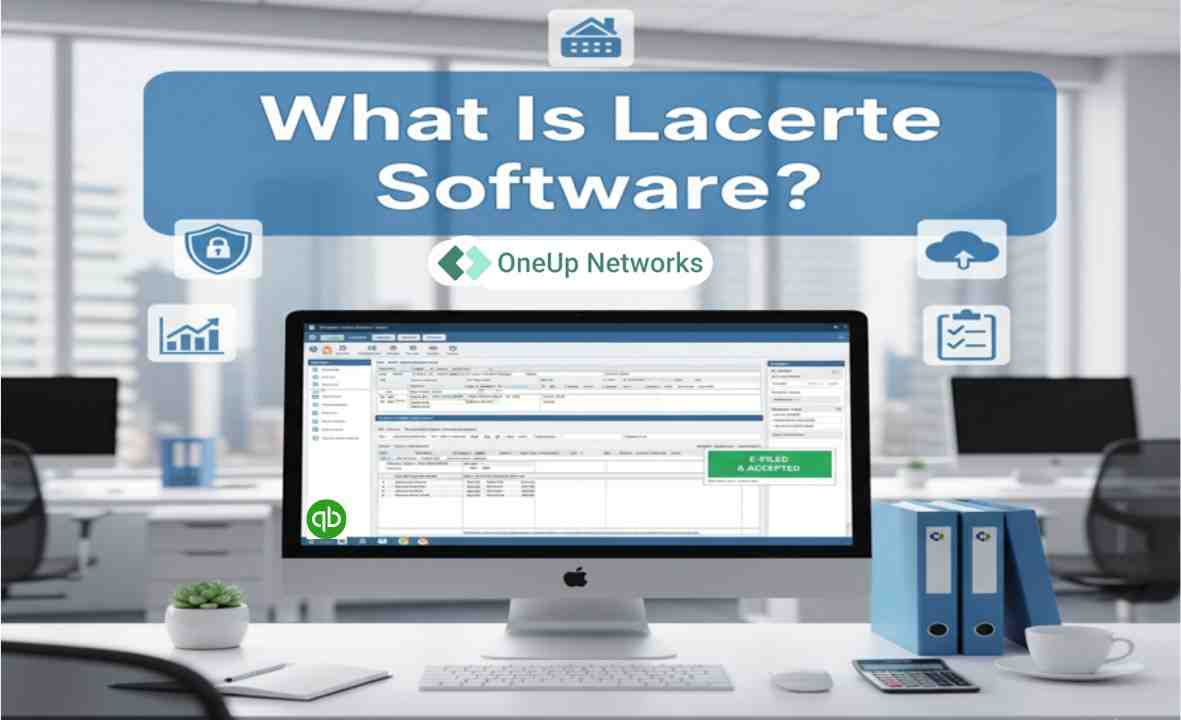
Lacerte is Intuit’s professional tax preparation software designed for CPAs, accounting firms, enrolled agents, and tax professionals handling individual and business tax returns. It supports complex tax workflows, diagnostics, e-filing, document management, client collaboration, and multi-user tax preparation.
- Lacerte pricing: Intuit currently offers pay-per-return and customized package options. The pay-per-return Lacerte license starts at $599 per year, with additional return charges based on the type of return filed.
- Lacerte login: Customers use Lacerte My Account to manage account information, licensing, billing, REP activity, preparer files, and software downloads.
- Lacerte download: Authorized users can download the current or supported prior-year Lacerte software through Intuit’s official Lacerte Downloads and My Account resources.
- System requirements: Tax year 2025 Lacerte requires at least 12 GB RAM, with 16 GB recommended, 15 GB of available disk space, and a high-speed internet connection. Intuit recommends Windows 11 for workstations.
- Remote and hosted use: Intuit supports Lacerte in qualifying hosted environments, Windows Remote Desktop Services, and Citrix configurations that meet its published system requirements.
- Licensing: Firms purchase and maintain their Lacerte licenses through Intuit. A hosting provider can host properly licensed Lacerte software but does not replace Intuit as the software vendor.
In simple terms: Lacerte gives professional tax firms a platform for preparing complex returns, while the firm’s choice of licensing, server resources, local or hosted deployment, remote access, and supporting applications determines how efficiently the software fits into its overall tax-season workflow.
Introduction
Lacerte is Intuit’s professional desktop tax preparation software for accounting firms, CPAs, enrolled agents, and tax preparers who handle complex individual and business returns. In 2026, Lacerte combines more than 7,200 tax forms, over 25,000 automated diagnostics, e-filing, document workflows, tax-planning tools, digital signatures, multi-user options, and optional remote hosting.
However, choosing Lacerte involves more than reviewing a feature list. Firms also need to understand how Lacerte pricing works, how pay-per-return and REP charges differ from unlimited plans, where to complete a Lacerte login or download, what the current system requirements demand, how customer support works, and whether local or hosted deployment fits the firm’s workflow.
This guide brings those decisions together so tax professionals can evaluate Lacerte as an operating platform rather than simply another tax-preparation product.
What Is Lacerte Tax Software?
Lacerte Tax is Intuit’s professional tax preparation program for firms that prepare complex federal and state individual and business returns. Unlike consumer tax products, the Lacerte tax program supports professional workflows involving multiple preparers, complex entities, diagnostics, electronic filing, tax planning, document management, and client communication.
Intuit positions Lacerte toward firms that need greater control over complicated tax work. The current product includes more than 7,200 tax forms and 25,000 automated diagnostics, which help preparers identify missing information and potential issues during return preparation. Lacerte also works with Intuit Tax Advisor, Intuit Link, document-import tools, digital signatures, and Document Management System workflows.
That breadth makes Lacerte particularly relevant to firms that prepare combinations of individual, partnership, corporate, S-corporation, estate, trust, exempt-organization, and multi-state returns rather than only straightforward Form 1040 work.
What Is New in Lacerte for Tax Year 2026?
Intuit’s current Lacerte material highlights several workflow changes for tax year 2026. Most notably, Intuit Sign now brings digital signatures and knowledge-based authentication directly into the Lacerte workflow. Intuit also continues expanding Tax Advisor integration so firms can move information from return preparation into tax-planning workflows.
Lacerte also supports automated K-1 delivery, document import, the Intuit Link client portal, Document Management System workflows, and tools for bringing tax-return information into advisory processes. Intuit’s current product page specifically promotes remote collaboration alongside its core complex-return capabilities.
For existing firms, these changes matter because Lacerte increasingly connects return preparation with client-document collection, signatures, planning, and review rather than treating tax preparation as an isolated desktop task.
Core Lacerte Features for CPA and Tax Firms
More Than 7,200 Tax Forms
One of the most important corrections to the older OneUp article involves form coverage. The previous page referenced 5,700+ forms, while Intuit’s current product page now states that Lacerte includes more than 7,200 tax forms.
That coverage helps firms manage diverse individual and business filing requirements from the same professional tax environment.
More Than 25,000 Automated Diagnostics
Lacerte also provides more than 25,000 automated diagnostics that review return information for potential problems. These diagnostics do not replace professional judgment, but they give preparers another review layer before filing.
For firms handling high return volumes, that diagnostic capability can support more consistent review workflows across multiple preparers.
Intuit Sign
For tax year 2026, Intuit Sign adds digital signing and knowledge-based authentication directly into the tax workflow. Intuit states that the current Lacerte offering includes unlimited signatures and KBA for tax clients under applicable product terms.
This can reduce the number of separate systems a firm needs to manage when collecting signatures during tax season.
Automated K-1 Delivery
Lacerte can send secure links to partners for K-1 delivery. For firms that prepare partnership or S-corporation returns at scale, that feature can reduce the administrative work involved in distributing documents individually.
Intuit Tax Advisor
Intuit Tax Advisor can use information from Lacerte returns to support tax-planning workflows and client-facing reports. This moves Lacerte beyond return preparation and gives firms a way to connect completed tax work with advisory conversations.
Intuit Link
Intuit Link gives firms a client portal for collecting tax documents and responses through an encrypted workflow. Rather than depending entirely on ordinary email attachments, teams can centralize more of the information-gathering process.
Lacerte Document Management System
The Lacerte Document Management System, often called DMS, gives firms a centralized location to store, organize, and retrieve documents as part of a paperless workflow. Intuit also supports scanning and document-import workflows for items such as W-2s, 1099s, and K-1s.
For firms using scanners with DMS, Intuit’s current system requirements specify a TWAIN-compliant driver and warn that some scanner products may not work correctly with the system.
How Much Does Lacerte Cost in 2026?
There is no single Lacerte tax software price because Intuit offers different licensing structures based on return volume, return type, modules, states, and user requirements.
As of August 2026, Intuit’s current public pricing page lists the Lacerte pay-per-return annual license starting at $599 per year. Firms can also request customized plans with bundles of individual and business returns or unlimited-return options. Pricing and promotions can change, so firms should confirm their final quote directly with Intuit before purchasing or renewing.
| Lacerte Pricing Model | How It Works | Best Fit |
|---|---|---|
| Pay Per Return | Annual Lacerte license plus charges based on returns used | Lower-volume or variable-volume firms |
| Return Bundles | Predetermined quantities of individual and/or business returns | Firms with predictable annual volume |
| Unlimited | Unlimited-use modules or packages under the selected agreement | High-volume firms |
| Additional Users / Network Access | Additional licensing may apply for concurrent users | Multi-preparer firms |
| Hosting | Separate remote-access/hosting cost | Remote, hybrid or multi-office teams |
Intuit states that unlimited-use bundles and modules avoid per-return charges within the licensed scope, while pay-per-return customers pay as they authorize applicable returns.
What Is Lacerte Pay Per Return?
Lacerte Pay Per Return allows a firm to license the Lacerte tax program while paying separately for the returns it actually processes. Intuit currently requires an annual Lacerte license for this model and then applies charges according to the return type.
This structure can make sense for firms that want access to Lacerte’s full professional workflow but do not prepare enough returns in a particular module to justify an unlimited package.
What Are Lacerte REP Charges?
REP stands for Remote Entry Processing. Intuit uses REP to authorize federal or state tax programs on a pay-per-return basis. The firm registers the relevant client file, receives authorization, and incurs the applicable processing charge for the return.
Intuit still uses the term Lacerte REP in My Account billing and support documentation. Firms can review recent REP charges, payments, statements, and billing settings under Billing → Lacerte REP after signing in to My Account.
Because REP pricing and product structures can change between tax years, firms should confirm current charges rather than relying on an old price table from a third-party article.
What Is Lacerte Unlimited Pricing?
Intuit does not publish one universal Lacerte Unlimited price because the final cost depends on the modules, return types, users, and package the firm chooses. Its current pricing page directs firms that need bundled or unlimited individual and business returns to build a customized plan with a Lacerte specialist.
Therefore, firms comparing Lacerte cost should calculate total annual expense around actual return volume rather than comparing only the advertised starting license price.
Lacerte Login: How to Access Lacerte My Account
Searches for Lacerte login, Lacerte account login, Intuit Lacerte login, My Lacerte login, Lacerte My Account login, and Lacerte sign in generally refer to Intuit’s My Account portal.
Intuit’s current process is straightforward. Open Lacerte My Account, enter the email address or user ID associated with the account, enter the password, and select Sign In. If the login belongs to more than one Customer Account Number, Intuit then asks the user to select the appropriate account.
My Account gives Lacerte customers access to functions such as:
- product downloads,
- previous tax-year installers,
- prep files,
- billing information,
- REP activity,
- payment methods,
- account information,
- licensing information,
- and other customer-management functions.
If a user becomes temporarily locked out after unsuccessful attempts, Intuit says the account lock normally expires 15 minutes after the last login attempt. Users who forget their credentials can follow Intuit’s account-recovery process. For security, firms should use Intuit’s official account pages rather than third-party pages that claim to provide a Lacerte software login.
How to Download Lacerte
Authorized customers can obtain a Lacerte download through Intuit My Account. Intuit also provides installation utilities and the Lacerte Tool Hub for supported current and prior-year installations.
For a standard installation, firms should first review the system requirements, sign in with their authorized Intuit credentials, select the appropriate Lacerte tax year, download the installer, and follow the installation process for either a standalone workstation or network environment.
Lacerte 2025 Download
Tax year 2025 remains especially relevant in 2026 because firms may need access for extensions, amended returns, prior work, or historical client files. Intuit’s trial information also currently references a Lacerte 2025 download or hosted evaluation for eligible new customers.
The general release history shows that Lacerte 2025 Release 1 became available on November 5, 2025. Intuit followed that release with the first 2025 Document Management System release on November 12, 2025 and continued publishing program updates throughout the filing season.
Lacerte 2024 Download
Firms that need a Lacerte 2024 download should use Intuit’s prior-year installation process rather than searching for an installer on an unofficial download website.
Intuit supports prior-year installations through My Account and the Lacerte Tool Hub. Users can select the required tax year and follow Intuit’s installation workflow for supported versions. This approach also reduces the risk of downloading altered or unsupported installation files from third-party websites.
Lacerte 2025 System Requirements
Infrastructure matters because Lacerte performance depends on more than the software itself. Intuit’s published tax year 2025 Lacerte system requirements include a 2.4 GHz dual-core processor, at least 12 GB of RAM with 16 GB recommended, 15 GB of free disk space, a high-speed internet connection of 50 Mbps or more, and Windows 11 as the recommended workstation operating system.
For file servers, Intuit lists Windows Server 2016, 2019, and 2022 and recommends gigabit networking for LAN environments. It also states that Network Attached Storage drives do not receive support for Lacerte data storage.
Another important limitation involves consumer file-sync products. Intuit states that file-sharing and synchronization services such as Dropbox, Google Drive, and OneDrive do not receive support for Lacerte data storage, backup, or sharing.
These requirements become especially important for multi-user firms because the server, storage, network, endpoint configuration, and number of simultaneous preparers all influence the user experience during peak tax season.
Can Lacerte Run in a Hosted Environment?
Yes. Intuit’s current system requirements recognize supported hosted configurations that include Hosting for Lacerte, Windows Remote Desktop Services, and Citrix on supported Windows Server operating systems.
This does not mean a hosted environment automatically performs better than every local installation. The result depends on resource sizing, storage performance, network latency, concurrency, application configuration, printing requirements, and how the firm manages other applications that employees use alongside Lacerte.
For example, many CPA firms do not run Lacerte alone. Their staff may also depend on QuickBooks, Microsoft 365 applications, document-management systems, Thomson Reuters products, and other accounting tools. OneUp Networks supports firms that want to run properly licensed Lacerte and related business applications inside a managed hosted environment rather than maintaining the underlying server infrastructure themselves.
Importantly, OneUp Networks does not sell the Lacerte software license. Firms purchase and maintain their Lacerte licensing with Intuit, while OneUp Networks can host the properly licensed application as part of a managed accounting or tax-software environment.
Lacerte Local Installation vs Hosted Lacerte
The better deployment model depends on the firm rather than on a universal rule.
| Factor | Local / Office Server | Hosted Environment |
|---|---|---|
| Application installation | Firm-managed | Managed within hosted environment |
| Server responsibility | Internal firm / IT provider | Hosting provider |
| Remote access | Requires separate configuration | Built into hosted-access model |
| Hardware maintenance | Firm responsibility | Provider responsibility |
| Multi-office access | Requires network architecture | Centralized access |
| Backup management | Firm/IT responsibility | Can form part of managed service |
| Scaling resources | Hardware-dependent | Depends on hosting architecture |
| Other applications | May require separate systems | Can potentially share one managed environment |
A small firm with stable office-based staff and capable internal IT may prefer local deployment. In contrast, a multi-office or hybrid firm may place greater value on centralized remote access and reduced infrastructure management. Therefore, firms should evaluate the complete workflow instead of assuming that “cloud” or “local” always wins.
Lacerte Support and Customer Service
Intuit provides product support, customer service, renewal assistance, online resources, and an in-product Digital Assistant for Lacerte users. Intuit’s current support guidance says the Digital Assistant remains available around the clock for self-service searching, while callback and live-support availability follows published operating hours.
For customers searching for the Lacerte support number, Lacerte support phone number, Lacerte customer service phone number, Lacerte help phone number, or Lacerte telephone number, Intuit currently publishes 1-800-933-9999 for Lacerte customer service and technical-support scenarios. Regular support hours currently run Monday through Friday from 6:00 AM to 5:00 PM Pacific Time, although Intuit notes that hours can change.
For new-product sales, Intuit’s current Lacerte product pages list 877-823-3352, Monday through Friday from 6:00 AM to 3:00 PM Pacific Time.
OneUp Networks can assist clients with the hosted environment, server, access, application installation/configuration, and infrastructure-related troubleshooting, while Intuit remains the appropriate vendor for Lacerte licensing, product-specific billing, tax-program issues, and vendor-controlled software support.
What Real Lacerte Users Say
A strong software evaluation should not depend entirely on vendor marketing. Current third-party reviews provide a useful second perspective.
As of the current search, G2 shows 4.3 out of 5 from 187 Lacerte reviews. Reviewers commonly praise Lacerte for its ability to handle complex returns, diagnostics, workflow efficiency, and professional tax-preparation capabilities. However, some users also raise concerns about pricing and support responsiveness.
Capterra currently shows 4.1 out of 5 from 17 reviews. Its review data similarly highlights strong ease of use and functionality while showing weaker scores around customer service and value for money.
Software Advice reports a similar pattern: experienced users value Lacerte’s ability to process high volumes of complex returns and its diagnostic checks, while cost and support appear repeatedly among the criticisms.
These reviews do not prove that Lacerte will fit every firm. Instead, they reinforce an important buying consideration: Lacerte delivers extensive professional capabilities, but firms should evaluate whether their return complexity and volume justify the total licensing, staffing, training, and infrastructure cost.
Lacerte Pros and Cons for CPA Firms
Advantages
Lacerte offers unusually deep professional-tax functionality, particularly for firms that handle complex returns. Its current 7,200+ form library, 25,000+ automated diagnostics, document workflows, e-filing functionality, Intuit integrations, tax-planning capabilities, and flexible licensing structures create a broad platform for professional preparers.
It also supports firms that need more than a single-user desktop because Intuit provides network and hosted deployment options for qualifying configurations.
Limitations
Cost remains one of the most frequently mentioned drawbacks in third-party user reviews, particularly for smaller practices that may not need the full depth of the product. Some users also report concerns about support experiences and interruptions around frequent software updates.
Infrastructure also requires attention. Lacerte has specific memory, network, operating-system, storage, and file-sharing requirements, so firms cannot assume that any office server or consumer file-sync setup will provide an appropriate environment.
Who Is Lacerte Best For?
Lacerte makes the strongest case for professional tax practices that regularly handle complex returns, multiple entity types, multi-state work, high return volumes, or several preparers who need consistent review processes.
A smaller tax preparer handling straightforward returns should compare total cost against the features the firm will actually use. Meanwhile, larger CPA firms should look beyond the software price and consider the wider operating environment, including server resources, multi-user performance, data management, remote access, document workflows, training, and support.
In other words, the real decision should not be: “Is Lacerte good tax software?”
It should be: “Does Lacerte fit the complexity, return volume, users, workflow, infrastructure, and budget of our firm?”
That question creates a much more useful buying decision.
How OneUp Networks Supports Firms Using Lacerte
OneUp Networks helps CPA firms, accounting firms, and tax professionals host properly licensed Lacerte alongside other business-critical applications in managed cloud environments.
Instead of asking an internal team to maintain servers, storage, remote-access infrastructure, backups, security controls, and application environments, firms can move those infrastructure responsibilities to a managed hosting provider.
This approach becomes particularly useful when a tax firm uses Lacerte alongside QuickBooks, Microsoft applications, Thomson Reuters tools, document-management systems, or other Windows-based accounting applications. OneUp Networks can design the hosted environment around the firm’s users and application workflow while the firm continues to own or purchase the required software licenses from the original vendors.
The objective is not to change how Lacerte prepares tax returns. Instead, managed hosting changes where the application runs, how users access it, and who manages the underlying infrastructure.
Frequently Asked Questions About Lacerte Tax Software
What isLacerte is Intuit’s professional tax preparation software for accounting and tax firms that handle individual and business tax returns, including complex and multi-state work. The current product combines 7,200+ tax forms with more than 25,000 automated diagnostics and professional workflow tools. Lacerte?
For Lacerte My Account login, open Intuit’s official My Account sign-in page, enter the email or user ID associated with your Lacerte account, enter the password, and select the applicable account if your credentials connect to more than one Customer Account Number.
Authorized users can access the Lacerte 2025 download through Intuit My Account or supported Lacerte installation utilities. Intuit recommends reviewing the system requirements before installation.
Yes. Intuit provides processes for installing supported prior-year Lacerte versions through My Account and the Lacerte Tool Hub. Firms should use the official Intuit download process instead of third-party installer websites.
No. Clients purchase and maintain their Lacerte software licenses through Intuit. OneUp Networks can host a properly licensed Lacerte application as part of a managed cloud environment, but it does not replace Intuit as the software vendor.
Is Lacerte Right for Your Firm in 2026?
Lacerte remains a powerful choice for professional tax firms that need deep return coverage, strong diagnostics, complex entity support, document workflows, planning tools, and options for multi-user or remote access. However, the right decision depends on more than a feature count. Firms should compare return volume, pricing model, REP requirements, user count, system resources, support expectations, remote-access needs, and the other applications that employees use throughout tax season.
For firms that already rely on Lacerte, the next technology question often involves infrastructure rather than tax functionality. A properly sized and managed environment can centralize Lacerte with the accounting, document, productivity, and tax applications the team already uses while reducing the infrastructure workload placed on internal staff.
Ready to Simplify Tax Season with Lacerte?
Don’t let complex returns, manual processes, or outdated tools slow your firm down. With Lacerte tax software, powered by Intuit and supported by OneUp Networks’ secure cloud hosting, your team can work smarter, faster, and more accurately—no matter where tax season takes you.
- Contact us for with reliable, compliant, and scalable tax software today.
- Book a Free Demo to see how Lacerte can streamline your workflow.
- Schedule a Consultation with our experts to plan a seamless migration or hosting setup.