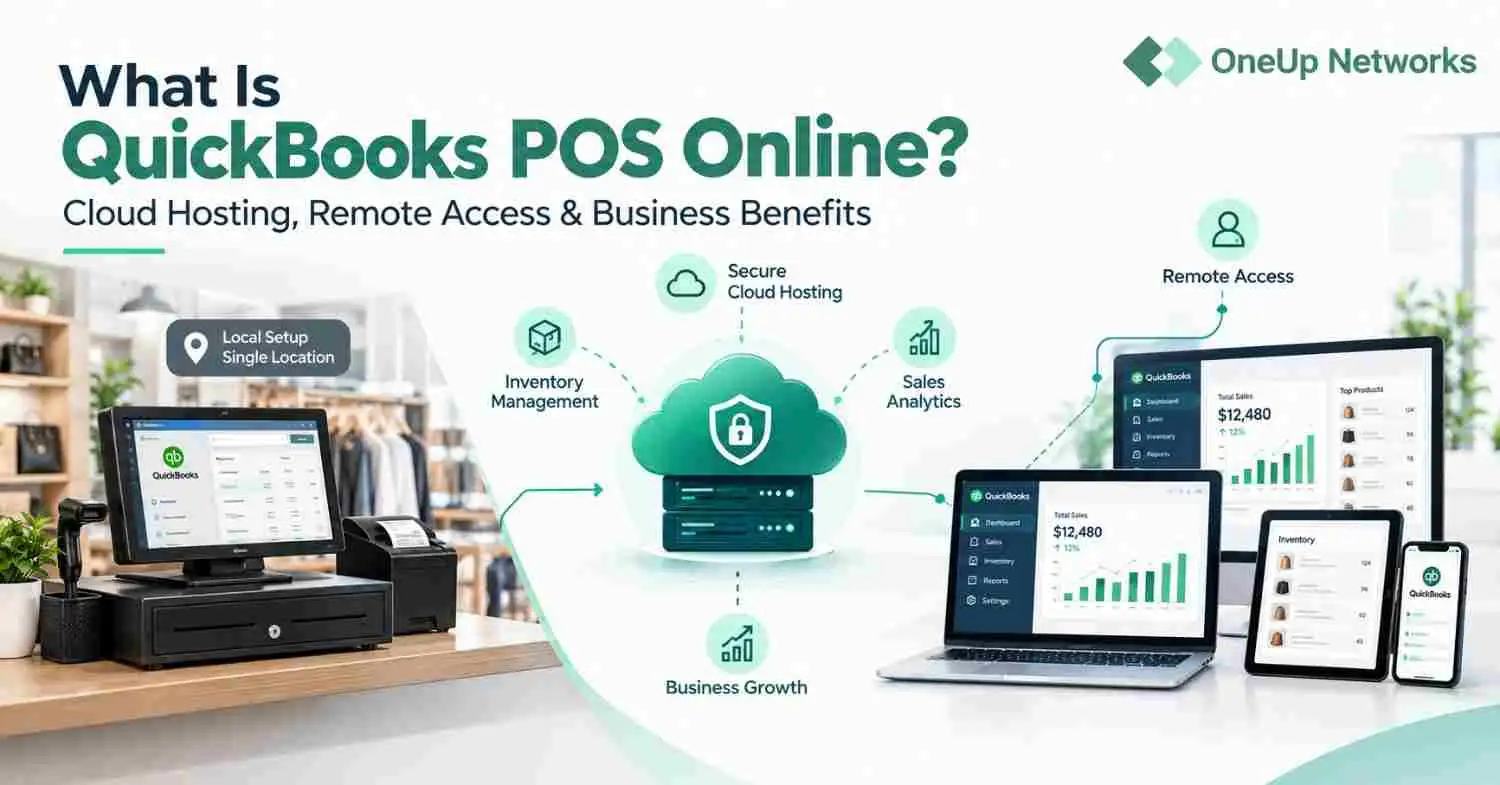
- QuickBooks Online is best for small businesses that want browser-based accounting, simple bookkeeping, and easy collaboration.
- QuickBooks Desktop is ideal for businesses that need advanced reporting, inventory management, job costing, industry-specific features, and greater control over accounting data.
- QuickBooks Hosting lets you keep the full QuickBooks Desktop experience while adding secure remote access, multi-user collaboration, managed backups, and cloud infrastructure.
- The best choice depends on your business size, accounting complexity, remote work needs, software integrations, and long-term growth goals.
- OneUp Networks provides managed QuickBooks Desktop Hosting with secure cloud infrastructure, migration assistance, expert support, and reliable remote access for CPA firms and businesses.
QuickBooks Online, QuickBooks Desktop, and hosted QuickBooks Desktop are not three versions of the same experience. They represent three different accounting operating models. QuickBooks Online is a browser-based cloud platform. QuickBooks Desktop is a locally installed accounting system. QuickBooks Hosting gives businesses the familiar Desktop environment through a secure hosted cloud setup.
For many businesses, the decision is not simply “Which QuickBooks is better?” The better question is:
Do you want to change your accounting workflow, or do you want to keep your Desktop workflow and make it accessible from anywhere?
That distinction matters because many firms move too quickly to QuickBooks Online and later realize they have lost Desktop-specific workflows, reports, inventory processes, job costing structure, or add-on compatibility they depended on.
Quick Answer: Which One Should You Choose?
Choose QuickBooks Online if your accounting needs are simple, your team is comfortable working fully in a browser, and you do not depend on Desktop-only workflows.
Choose QuickBooks Desktop if you need deeper control, advanced reporting, industry-specific workflows, complex inventory, job costing, or large company file handling.
Choose hosted QuickBooks Desktop if you want the power and familiarity of Desktop with cloud-style access, multi-user collaboration, centralized files, managed backups, and reduced local server dependency.
Intuit confirms that QuickBooks Desktop can be hosted through authorized hosting providers, allowing users to access QuickBooks Desktop remotely from a hosted environment.
The Real Difference Most Comparisons Miss
Most QuickBooks comparison blogs only compare Online vs Desktop. That is incomplete.
For businesses already using Desktop, the real decision is often between:
- Moving fully to QuickBooks Online
- Staying on local QuickBooks Desktop
- Hosting QuickBooks Desktop in the cloud
That third option is important because it gives businesses another path. You do not always have to abandon Desktop to get remote access.cThis is especially relevant for CPA firms, accounting firms, construction companies, manufacturers, wholesalers, multi-entity businesses, and teams that use QuickBooks Enterprise or Desktop add-ons.
What Is QuickBooks Online?
QuickBooks Online is Intuit’s cloud-based accounting platform. It runs in a browser and is designed for online access, mobile use, app integrations, and simpler collaboration between business owners and accountants.
It works well for businesses that need:
- Basic bookkeeping
- Online invoicing
- Bank feeds
- Simple reporting
- Mobile access
- Accountant collaboration
- A lower IT-management burden
QuickBooks Online is often a good fit for small businesses that want convenience more than deep operational control. But QuickBooks Online is not the same as QuickBooks Desktop in a browser. It is a different product with a different workflow, different interface, different feature behavior, and different limitations.
What Is QuickBooks Desktop?
QuickBooks Desktop is installed accounting software used on a local computer, office server, or hosted environment. It includes products such as QuickBooks Desktop Pro, Premier, and Enterprise. Desktop is often chosen because it gives businesses more control over company files, reporting, data workflows, inventory, job costing, and industry-specific accounting processes.
QuickBooks Desktop Enterprise is positioned by Intuit as a more advanced Desktop solution for businesses that need flexibility, efficiency, and deeper operational control.
QuickBooks Desktop is often stronger for businesses that need:
- Advanced inventory
- Job costing
- Detailed reporting
- Industry-specific editions
- Large or complex company files
- Multi-company workflows
- Desktop add-ons
- Deeper user permissions
- More control over accounting data
The tradeoff is that local Desktop setups can become harder to manage when teams need remote access, multiple locations, offsite work, or better backup planning.
What Is QuickBooks Hosting?
QuickBooks Hosting means your licensed QuickBooks Desktop software and company files run in a hosted cloud environment instead of only on a local computer or office server. Your team still uses QuickBooks Desktop, but users connect securely to the hosted environment from approved devices. This gives the business Desktop functionality with remote access and centralized management.
Intuit’s own hosting documentation describes authorized hosting as a way to host licensed QuickBooks software in a remote hosting facility and access it through a virtual desktop or secure connection. This is why QuickBooks Hosting is not the same as QuickBooks Online.
QuickBooks Online changes the platform. QuickBooks Hosting changes the access model.
QuickBooks Online vs Desktop vs Hosting: Expert Comparison
| Decision factor | QuickBooks Online | Local QuickBooks Desktop | Hosted QuickBooks Desktop |
|---|---|---|---|
| Core model | Browser-based cloud accounting | Installed Desktop software | Desktop software hosted in cloud |
| Best for | Simple online accounting | Advanced local accounting workflows | Desktop users needing remote access |
| User experience | Different from Desktop | Familiar Desktop interface | Familiar Desktop interface |
| Remote access | Built in | Limited without remote tools | Built into hosted setup |
| Control over files | Platform-managed | Local file control | Centralized hosted file control |
| Advanced reporting | Good for many small businesses | Stronger for complex needs | Same Desktop reporting, hosted |
| Inventory and job costing | Plan-dependent and more limited | Stronger, especially Enterprise | Strong Desktop/Enterprise capability |
| Add-on compatibility | Online app ecosystem | Desktop add-ons | Desktop add-ons, depending on compatibility |
| IT burden | Low | Higher | Lower with managed hosting |
| Backup responsibility | Intuit-managed platform | Business-managed | Hosting provider can manage backup plan |
| Best fit | Simple businesses | Local teams with advanced needs | CPA firms, remote teams, multi-user firms |
The Biggest Mistake Businesses Make
The most common mistake is assuming that “cloud” automatically means QuickBooks Online. That is not true. For a business using QuickBooks Desktop successfully, the pain point may not be the software. The pain point may be the local setup.
The office server is slow. Remote access is clunky. Backups are inconsistent. Staff cannot work from home smoothly. Multiple users struggle during busy periods. IT support is reactive. The owner worries about ransomware, outages, or data loss. In that situation, moving to QuickBooks Online may solve remote access but create new workflow problems. Hosting QuickBooks Desktop can solve the access problem while preserving the Desktop workflow.
When QuickBooks Online Makes Sense
QuickBooks Online is a practical choice when the business wants simplicity and is willing to work within the Online platform.
It is usually a good fit when:
- The company has basic accounting needs
- The owner wants browser access
- The team does not rely on Desktop-specific features
- Inventory and job costing are not highly complex
- The business wants automatic updates
- The company is comfortable using QBO reports and workflows
- The accounting team already works mostly online
For many small businesses, QuickBooks Online is the cleanest path.
When QuickBooks Desktop Still Makes Sense
QuickBooks Desktop still makes sense when the business depends on deeper accounting workflows.
It is often the better fit when:
- The company uses advanced inventory
- The business needs job costing
- The team uses industry-specific Desktop features
- Reports are heavily customized
- Company files are large or complex
- The business uses Desktop add-ons
- The accounting team prefers local file control
- A CPA firm manages multiple Desktop client files
This is why many accounting firms and operationally complex businesses do not move fully to QuickBooks Online just because it is cloud-based.
When QuickBooks Hosting Is the Better Middle Path
QuickBooks Hosting is often the strongest option when the business likes QuickBooks Desktop but dislikes the infrastructure around it.
It is a strong fit when:
- Users need remote access
- The company wants to keep Desktop features
- The business uses QuickBooks Enterprise
- The team works across offices or from home
- The company wants centralized files
- Backups need to be more reliable
- Local servers are aging
- Internal IT support is limited
- QuickBooks needs to run with Microsoft apps, tax software, or add-ons
This is where OneUp Networks can be positioned clearly: not as generic hosting, but as a managed hosting partner for accounting and business-critical applications.
QuickBooks Online vs QuickBooks Hosting
This is the section you should fold from the old /quickbooks-hosting-vs-online/ post.
| Question | QuickBooks Online | QuickBooks Hosting |
|---|---|---|
| Is it the Desktop version? | No | Yes |
| Does it preserve Desktop workflows? | No | Yes |
| Does it provide remote access? | Yes | Yes |
| Can it support Desktop add-ons? | Usually no | Yes, depending on compatibility |
| Is it ideal for advanced Desktop users? | Not always | Often yes |
| Who manages the platform? | Intuit | Hosting provider |
| Best for | Businesses ready to use QBO | Businesses that want Desktop in the cloud |
The simplest way to explain it is this:
QuickBooks Online is for businesses ready to change their accounting platform. QuickBooks Hosting is for businesses that want to modernize access without giving up QuickBooks Desktop.
QuickBooks Desktop Discontinuation: What It Really Means
QuickBooks Desktop users should also understand Intuit’s support lifecycle.
Intuit states that QuickBooks Desktop 2023 products will stop receiving support after May 31, 2026. Affected users may lose access to live technical support, certain connected services, and critical security updates if they do not upgrade.
This does not mean every Desktop user must move to QuickBooks Online. It means businesses should review their version, support status, payroll needs, bank feeds, payments, and hosting compatibility. For some businesses, the right move is upgrading to a supported Desktop or Enterprise version and hosting it in a managed cloud environment.
Why CPA Firms Often Prefer Hosted QuickBooks Desktop
CPA firms and accounting firms think differently from typical small businesses. They manage multiple clients, deadlines, workflows, users, documents, and applications. For them, the decision is not only about bookkeeping convenience. It is about control, reliability, access, security, support, and continuity.
Hosted QuickBooks Desktop can help firms:
- Give staff secure remote access
- Centralize client company files
- Support multi-user workflows
- Run QuickBooks with tax software and Microsoft apps
- Reduce dependence on office servers
- Improve backup planning
- Support seasonal teams
- Reduce internal IT burden
- Keep the Desktop workflow staff already understands
This is why a firm may choose hosting even if QuickBooks Online looks simpler on the surface.
Why OneUp Networks for QuickBooks Hosting?
OneUp Networks helps CPA firms, accounting firms, finance teams, and businesses host QuickBooks Desktop and related business applications in a managed cloud environment.
OneUp Networks is not simply selling server space. It helps firms move, host, secure, manage, support, and scale accounting applications that matter to daily operations.
With OneUp Networks, businesses can get:
- QuickBooks Desktop Hosting
- QuickBooks Enterprise Hosting
- Multi-user QuickBooks access
- Dedicated server options
- Secure remote access
- Managed backups
- Disaster recovery planning
- Server monitoring
- Application-aware support
- Migration support
- Microsoft and add-on hosting support
- Custom environments for accounting workflows
Clients must own or purchase QuickBooks licenses from Intuit or the appropriate provider. OneUp Networks hosts and supports the environment where the licensed software runs.
Decision Guide: Which QuickBooks Setup Fits You?
| Business situation | Best choice |
|---|---|
| You are a small business with simple accounting | QuickBooks Online |
| You want easy browser access and mobile use | QuickBooks Online |
| You rely on advanced Desktop features | QuickBooks Desktop |
| You use QuickBooks Enterprise | Desktop or hosted Desktop |
| You need Desktop features from multiple locations | Hosted QuickBooks Desktop |
| You have aging office servers | Hosted QuickBooks Desktop |
| You want less internal IT work | QuickBooks Online or managed hosting |
| You use tax software, Microsoft apps, and Desktop add-ons | Hosted QuickBooks Desktop |
| You are a CPA firm with remote or seasonal staff | Hosted QuickBooks Desktop |
| You want to avoid changing workflows but need cloud access | Hosted QuickBooks Desktop |
FAQs
No. QuickBooks Online is a browser-based accounting platform. QuickBooks Hosting means QuickBooks Desktop runs in a hosted cloud environment so users can access the Desktop software remotely.
QuickBooks Desktop can be better for businesses that need advanced reporting, inventory, job costing, industry-specific features, large company files, or Desktop add-ons. QuickBooks Online is often better for simpler accounting and browser-based access.
A business may host QuickBooks Desktop when it wants remote access but does not want to lose Desktop workflows, reports, add-ons, file control, or QuickBooks Enterprise features.
Not always. With OneUp Networks, clients must own or purchase QuickBooks licenses from Intuit or the appropriate provider. OneUp Networks hosts and supports the environment where the licensed software runs.
Yes. Hosted QuickBooks Desktop can help CPA firms centralize client files, support remote staff, reduce local server dependency, improve backup planning, and keep familiar Desktop workflows.
Conclusion
Choosing between QuickBooks Online, QuickBooks Desktop, and QuickBooks Hosting isn’t about which product is universally better—it’s about selecting the solution that aligns with your business needs. QuickBooks Online is ideal for businesses seeking simplicity and browser-based access, while QuickBooks Desktop remains the preferred choice for organizations that rely on advanced reporting, inventory management, job costing, and industry-specific workflows. If you want to keep those powerful Desktop features while enabling secure remote access and multi-user collaboration, QuickBooks Hosting provides the flexibility of the cloud without changing your existing workflow.
Whether you’re a small business, growing company, or CPA firm, evaluating your accounting processes, remote work requirements, software integrations, and future growth plans will help you make the right decision. If you choose QuickBooks Desktop Hosting, OneUp Networks delivers secure managed cloud hosting, seamless migration assistance, automated backups, expert support, and reliable infrastructure to help you access QuickBooks Desktop from anywhere with confidence.
NeeNeed Help Choosing the Right QuickBooks Setup?
Choosing between QuickBooks Online, QuickBooks Desktop, and QuickBooks Hosting doesn’t have to be complicated. If you’re unsure which option best fits your business, the experts at OneUp Networks can help you compare your options, answer your questions, and recommend the solution that matches your workflow, budget, and future growth plans.
With OneUp Networks, you can:
- Start a FREE Trial Today and experience secure, managed QuickBooks Hosting with no long-term commitment.
- Book a Free Demo to see how QuickBooks Desktop Hosting works and how it can benefit your business.
- Speak to a QuickBooks Hosting Expert for personalized recommendations, migration guidance, and answers to your questions.
Ready to modernize your QuickBooks experience? Contact OneUp Networks today to book your free demo, start your free trial, or speak with a cloud hosting expert.