
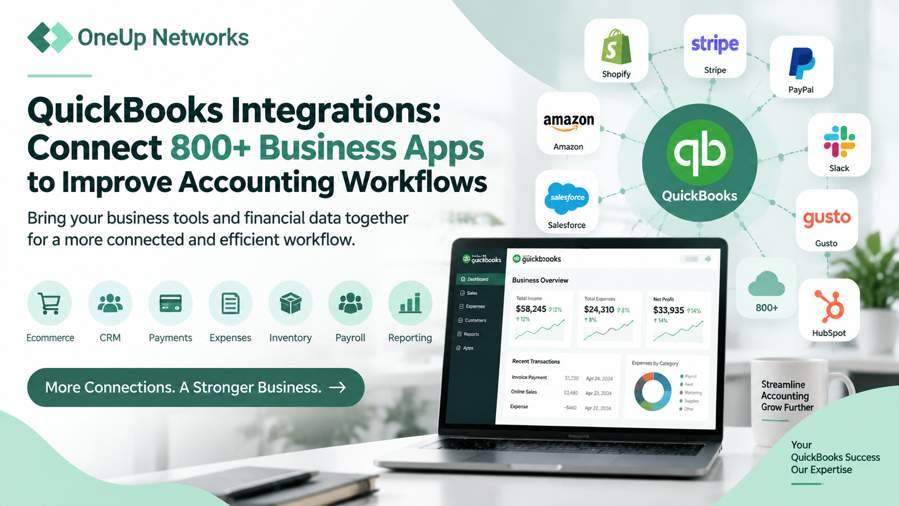
- QuickBooks integrations connect accounting software with the business applications companies use every day. These connections help businesses bring payments, sales, customer data, inventory information, payroll details, and reporting information together.
- The best QuickBooks integrations depend on business requirements. Companies should choose applications based on their workflow challenges, industry needs, existing software environment, and future growth plans.
- Integrations help reduce repetitive accounting work. Connected applications allow teams to spend less time entering information manually and more time reviewing financial performance.
- Accounting firms and growing businesses benefit from connected workflows. Integrations help teams manage financial information more efficiently while improving collaboration between departments.
- A reliable technology environment supports connected QuickBooks workflows. Businesses using multiple users and applications should consider access management, performance, backups, and technical support.
Introduction
Businesses today rarely depend on accounting software alone. While QuickBooks helps companies manage important financial activities such as invoicing, expenses, reporting, and bookkeeping, most organizations also use additional applications to handle sales, customer relationships, payments, payroll, inventory, and daily operations.
As businesses add more software tools, keeping information connected becomes increasingly important. When applications operate separately, employees often spend extra time transferring information between systems, checking whether records match, and correcting outdated data. These manual processes can slow down accounting workflows and create unnecessary administrative work.
QuickBooks integrations help businesses connect their accounting environment with the applications they already use. Instead of managing every system separately, companies can create connected workflows where information moves between approved applications and QuickBooks. QuickBooks supports integrations with more than 800 business applications across categories such as ecommerce, inventory management, expense tracking, reporting, CRM, payroll, and other operational needs.
However, choosing the right integration is not simply about selecting the most popular application. Businesses need to understand their workflows, identify where manual work creates problems, and choose integrations that improve the way their teams manage financial information.
Why Businesses Connect QuickBooks With Other Applications
Most businesses use different applications because each department has specific operational requirements. A sales team may use a CRM platform to manage customer relationships, an ecommerce team may manage online orders through another system, and finance teams may depend on QuickBooks to maintain accurate financial records.
When these applications do not communicate with each other, businesses create disconnected workflows. Employees often need to collect information from different platforms and manually update accounting records. This approach consumes time and makes it harder for teams to maintain accurate, up-to-date financial information.
QuickBooks integrations help businesses create a connected workflow by allowing applications to share important information. For example, a payment platform can send transaction information into accounting records, while an ecommerce connection can help businesses maintain better visibility into sales activity and revenue.
The biggest advantage of integration is not simply reducing data entry. It helps businesses create a smoother flow of information between departments, allowing teams to work with more complete financial data.
How QuickBooks Integrations Improve Accounting Workflows
A good integration supports the way a business already operates. Instead of forcing employees to change every process, the right connection helps existing workflows become more efficient.
For example, a professional service company may connect QuickBooks with time tracking and customer management tools so billing information moves more efficiently from project work to invoices. Similarly, an online retailer may connect ecommerce platforms with QuickBooks to improve visibility into orders, payments, and financial reporting.
QuickBooks integrations are especially valuable for businesses that manage a large amount of financial information across different platforms. By reducing repetitive tasks and improving information flow, integrations allow accounting teams to focus more on analysis, planning, and business decisions.
Popular Types of QuickBooks Integrations Businesses Use
Every business has different operational requirements, so the most valuable QuickBooks integration depends on the way a company manages its daily activities. A retail company may need ecommerce and inventory connections, while a professional service firm may focus more on customer management, time tracking, and reporting.
Instead of choosing integrations only because they are popular, businesses should first identify where their teams spend the most time managing information manually. The right integration should solve a specific workflow challenge and help employees access accurate financial information more efficiently.
QuickBooks supports integrations across several categories, including ecommerce, inventory management, expense management, payroll, reporting, CRM, and other business applications. These connections help businesses extend their accounting workflows beyond basic bookkeeping.
Payment Processing Integrations
Payment processing is one of the most common areas where businesses connect external applications with QuickBooks. Companies receive payments through different platforms, and finance teams need accurate transaction information to manage reconciliation, reporting, and cash flow tracking.
Without integration, employees may need to download transaction records from payment platforms and manually enter information into accounting systems. This process becomes increasingly difficult as transaction volume grows and businesses manage multiple payment channels.
Payment integrations help businesses bring transaction information into QuickBooks more efficiently. These connections can help teams review payment activity, reduce repetitive data entry, and maintain more consistent financial records.
Common payment-related integrations include:
- PayPal
- Stripe
- Square
- Payment processing platforms used by specific industries
For businesses that process frequent customer payments, connecting payment systems with QuickBooks creates a smoother workflow between sales activity and accounting records. QuickBooks provides integrations that allow businesses to bring payment and sales-related information into their accounting environment while reducing manual entry.
Ecommerce Integrations
Online businesses often manage sales through multiple platforms, including ecommerce stores, marketplaces, and payment channels. Each transaction creates important financial information, including orders, customer details, product information, refunds, and fees.
When ecommerce platforms operate separately from accounting software, finance teams often need to manually review sales records and update financial information. This approach takes time and can make it difficult to maintain accurate reporting.
QuickBooks ecommerce integrations help connect online sales activity with accounting workflows. Businesses can use these connections to improve visibility into revenue, organize transaction information, and reduce duplicate data entry.
Popular ecommerce connections include:
| Ecommerce Platform | Business Benefit |
|---|---|
| Shopify | Helps connect online orders and sales information with accounting workflows |
| Amazon | Helps businesses manage marketplace sales and payout information |
| WooCommerce | Supports ecommerce businesses using WordPress-based stores |
| eBay | Helps connect marketplace transactions with financial records |
For example, an online retailer selling products through Shopify may connect the platform with QuickBooks to improve sales tracking, manage financial records, and reduce the need for manual updates between systems.
CRM Integrations
Customer relationships directly affect business revenue, which makes CRM and accounting connections valuable for many organizations. Sales teams usually manage customer interactions, opportunities, and communication inside CRM platforms, while finance teams manage invoices, payments, and financial records inside QuickBooks.
When these systems work separately, teams may not have a complete picture of customer activity. Sales representatives may not see payment history, while finance teams may lack visibility into customer interactions.
CRM integrations help connect customer information with accounting workflows. These connections can help businesses improve coordination between sales and finance teams by creating better visibility into customer-related financial activity.
CRM integrations can support:
- Customer information management
- Invoice workflow improvements
- Sales tracking
- Better communication between departments
Professional service companies often benefit from CRM integrations because customer relationships, project activity, billing, and financial reporting usually connect closely together.
Payroll and Time Tracking Integrations
Businesses with employees, contractors, or billable projects need accurate connections between workforce activity and accounting records. Payroll information, employee hours, and project costs directly affect financial reporting and business planning.
When companies manage payroll and time information separately, finance teams may spend additional time collecting data and ensuring records match.
QuickBooks payroll and time tracking integrations help businesses connect employee-related information with accounting workflows. These connections support companies that need better visibility into labor costs, payroll processing, and project billing.
They are especially useful for:
- Professional service firms
- Consulting companies
- Agencies
- Businesses that bill clients based on employee hours
For example, a consulting firm that tracks employee hours for client projects can connect time tracking information with QuickBooks to simplify billing and improve reporting accuracy.
Inventory Management Integrations
Inventory management creates unique challenges because businesses need operational data and financial records to remain aligned. Product availability, purchasing activity, sales volume, and inventory costs all influence accounting decisions.
Without integration, inventory teams may manage product information separately while finance teams maintain financial records in QuickBooks. This separation can make it harder to understand actual business performance.
Inventory integrations help businesses connect operational activity with accounting workflows. They allow companies to improve visibility into:
- Stock levels
- Product costs
- Purchase activity
- Sales information
- Inventory-related financial reporting
Retail companies, manufacturers, and ecommerce businesses often benefit from inventory integrations because their financial decisions depend heavily on accurate product information. QuickBooks highlights inventory and order management integrations as part of its connected app ecosystem, helping businesses bring operational and accounting information together.
Expense Management Integrations
Managing business expenses becomes more complicated as companies grow. Employees may submit receipts, managers may approve spending, and finance teams may need to categorize expenses before creating reports.
Expense management integrations help businesses simplify this process by connecting spending information with QuickBooks. These connections reduce manual receipt entry and help teams maintain more organized financial records.
Expense integrations can support:
- Receipt collection
- Expense categorization
- Employee reimbursement workflows
- Spending visibility
For accounting firms and businesses with multiple departments, expense integrations can create better control over financial information while reducing administrative work.
Reporting and Analytics Integrations
Financial information becomes more valuable when businesses can analyze it properly. QuickBooks provides accounting reports, but many companies also use additional reporting and analytics tools to understand business performance.
Reporting integrations help businesses combine accounting data with other operational information. This allows owners, finance teams, and managers to review broader business trends instead of analyzing isolated financial records.
Businesses can use reporting integrations to understand:
- Revenue performance
- Expense patterns
- Profitability
- Customer trends
- Operational efficiency
Better reporting helps companies make decisions using current and connected information.
QuickBooks Integrations for Different Business Types
The right integration depends heavily on the type of business using QuickBooks. A solution that works well for an ecommerce company may not provide the same value for a CPA firm or professional service organization.
Understanding business needs helps companies choose integrations that improve real workflows instead of creating unnecessary software complexity.
| Business Type | Useful Integration Categories |
|---|---|
| Ecommerce businesses | Ecommerce, inventory, payment, reporting integrations |
| Accounting firms | Reporting, document management, time tracking, client workflow integrations |
| Professional services | CRM, project management, billing, time tracking integrations |
| Retail businesses | Inventory, payment, sales channel integrations |
| Growing companies | Payroll, expense, reporting, automation integrations |
QuickBooks Integrations for Accounting Firms and CPAs
Accounting firms often manage more complex workflows than traditional businesses. A CPA firm may handle multiple clients, multiple users, tax applications, accounting add-ons, reporting tools, and document workflows at the same time.
For these firms, integrations are not only about saving time. They also help create a more organized workflow where employees can access the information they need without switching between disconnected systems.
QuickBooks integrations can support accounting firms with:
- Client reporting workflows
- Expense management
- Time tracking
- Payroll processing
- Practice management processes
However, as firms add more applications, they also need a reliable environment that supports user access, application performance, and data management.
What Businesses Should Consider Before Choosing QuickBooks Integrations
Choosing an integration requires more than checking whether an application connects with QuickBooks. Businesses should evaluate how the integration fits into their existing processes and whether it supports long-term requirements.
Before selecting an integration, companies should consider:
Does the Integration Solve a Real Business Problem?
The best integrations improve a specific workflow. Businesses should identify whether they want to reduce manual entry, improve reporting, connect customer information, or simplify financial operations.
Does It Support Existing Applications?
Companies should confirm that the integration works with their current QuickBooks version and business applications. This becomes especially important for businesses using QuickBooks Desktop, QuickBooks Enterprise, and industry-specific add-ons.
How Will Users Access and Manage the Applications?
Businesses should consider how employees will use connected applications daily. User access, permissions, and technical support become increasingly important as more applications become part of the accounting environment.
Security Considerations When Using QuickBooks Integrations
Connecting QuickBooks with other business applications can improve efficiency, but businesses should also consider how they manage access to financial information. Every connected application may interact with important business data, which makes security planning an important part of integration management.
Businesses should review which applications have access to QuickBooks data, which employees can use those applications, and how access permissions change when team members join or leave the organization. A well-managed integration environment helps businesses maintain better control over sensitive financial information while allowing employees to work efficiently.
Companies should consider several security areas when adding new QuickBooks integrations:
- User permissions and access levels
- Application authorization settings
- Multi-factor authentication where available
- Data backup processes
- Employee access reviews
Security becomes especially important for accounting firms and finance teams because they often manage confidential client information, financial records, and business documents across multiple applications.
Managing Multiple QuickBooks Integrations in a Growing Business
Many businesses start with a simple accounting setup and gradually add more applications as their requirements increase. A company may begin with QuickBooks for bookkeeping and later connect payment platforms, CRM software, payroll tools, reporting systems, inventory applications, and document management solutions.
As the number of connected applications grows, managing the overall environment becomes more complex. Employees need reliable access, applications need consistent performance, and businesses need a structured approach to managing users, updates, and data.
A connected workflow works best when businesses treat their accounting environment as a complete technology ecosystem instead of a collection of separate applications.
QuickBooks Desktop and QuickBooks Enterprise Integration Considerations
Businesses using QuickBooks Desktop or QuickBooks Enterprise often have different requirements compared with companies using simple cloud-based accounting workflows. These environments commonly support multiple users, company files, third-party add-ons, printing requirements, and industry-specific applications.
For example, an accounting firm may use QuickBooks Enterprise together with tax applications, reporting tools, document management systems, and other business software. Managing these applications on individual computers can create challenges related to installation, updates, user access, and performance.
A properly managed environment helps businesses bring their applications together while maintaining reliable access for employees. This becomes particularly important for firms that need consistent performance during high-demand periods such as tax season.
Why Accounting Firms Need Connected QuickBooks Workflows
Accounting firms depend on more than accounting software alone. Modern practices often combine QuickBooks with tax applications, document systems, reporting tools, payroll solutions, and client management platforms to complete daily work.
When these applications remain disconnected, accountants may spend more time switching between systems and manually managing information. Connected workflows allow firms to create a smoother process where financial information moves more efficiently between applications.
For CPA firms, the right QuickBooks integrations can support:
- Client accounting workflows
- Tax preparation processes
- Expense management
- Reporting requirements
- Remote collaboration
- Team productivity
However, software connections are only one part of the solution. Firms also need a reliable technology foundation that supports secure access, application availability, and ongoing management.
Supporting QuickBooks Integrations With a Managed Cloud Environment
As businesses connect more applications with QuickBooks, the technology environment supporting those workflows becomes increasingly important. A company may use QuickBooks Enterprise with payroll applications, CRM tools, reporting platforms, and other add-ons, but those applications still need a reliable place to operate.
A managed cloud environment allows businesses to run their QuickBooks applications through a centralized platform while receiving support for infrastructure management, user access, backups, and performance requirements.
For organizations with multiple users and business-critical applications, managed hosting can reduce the burden of maintaining servers and handling technical issues internally.
OneUp Networks helps businesses and accounting firms create managed QuickBooks environments with secure remote access, application support, backup planning, and infrastructure management. The company supports QuickBooks Desktop and Enterprise hosting along with connected business applications that organizations use in their daily workflows.
Why Businesses Choose OneUp Networks for QuickBooks Workflows
Connecting QuickBooks with business applications requires more than installing software. Businesses need a technology partner that understands how accounting applications work together and how those environments support daily operations.
OneUp Networks helps businesses host and manage QuickBooks environments designed for users who need secure access, reliable performance, and application support. Instead of managing servers, updates, access requirements, and technical challenges internally, businesses can rely on a managed hosting environment built around their workflow needs.
For accounting firms and businesses using QuickBooks Desktop, QuickBooks Enterprise, and related applications, OneUp Networks provides support for:
- Secure remote application access
- Multi-user QuickBooks environments
- Application hosting and management
- Backup and recovery planning
- Technical assistance for accounting workflows
The goal is to help businesses spend less time managing technology and more time focusing on accounting, clients, and growth.
Frequently Asked Questions About QuickBooks Integrations
QuickBooks integrations connect accounting software with other business applications so companies can share information between systems, reduce manual work, and create smoother workflows. These integrations can connect areas such as payments, ecommerce, CRM, payroll, inventory, reporting, and other business operations.
Yes, many integrations can support QuickBooks Desktop and QuickBooks Enterprise environments depending on compatibility, configuration requirements, and the technology setup. Businesses using multiple users, add-ons, or connected applications should evaluate their hosting and infrastructure requirements to maintain reliable performance.
The right integration depends on your business workflow, existing applications, and operational goals. Companies should first identify where manual work creates challenges and then select integrations that improve those specific processes. For example, an ecommerce business may prioritize sales and inventory connections, while a professional service firm may need CRM, time tracking, and reporting integrations.
The security of a QuickBooks integration depends on the application, access controls, user permissions, and business security practices. Companies should review application permissions, authentication methods, and data management processes before connecting new tools with their accounting environment.
Not every business requires managed hosting. However, companies using QuickBooks Desktop, QuickBooks Enterprise, multiple users, and several connected applications often benefit from a managed environment that supports performance, access management, backups, and technical assistance.
Choose QuickBooks Integrations That Support Your Business Workflow
QuickBooks integrations help businesses connect their accounting system with the applications they rely on every day. Whether a company needs better payment tracking, smoother ecommerce workflows, improved customer management, easier expense handling, or more accurate reporting, the right integration can help teams reduce manual tasks and improve financial visibility.
However, businesses should not select integrations only because they are popular. The most effective QuickBooks environment starts with understanding existing workflows, identifying operational challenges, and choosing applications that support long-term business goals.
As companies add more users, applications, and connected workflows, the technology environment supporting QuickBooks also becomes important. Reliable access, proper application management, backups, and performance planning help businesses maintain a smoother accounting operation.
OneUp Networks helps businesses and accounting firms create managed QuickBooks environments designed to support connected applications, secure access, and reliable performance. Whether you are expanding your QuickBooks workflow or moving your accounting environment to the cloud, OneUp Networks helps simplify the technology behind your daily operations.
Build a Better QuickBooks Integration Strategy With OneUp Networks
QuickBooks integrations help businesses connect their accounting system with the applications they rely on every day. The right connections can reduce repetitive work, improve information flow, and help teams manage financial operations more efficiently.
However, businesses should look beyond individual applications and consider the complete environment supporting their workflows. As companies add more users, applications, and operational requirements, reliable infrastructure becomes an important part of maintaining productivity.
OneUp Networks helps businesses and accounting firms create managed QuickBooks environments that support connected applications, secure access, backups, and ongoing technical assistance. Whether you need to improve your current QuickBooks workflow or move your accounting applications into a managed cloud environment, OneUp Networks can help.
- Get a Free Trial – Experience a managed QuickBooks hosting environment before making a decision.
- Schedule a Demo – Explore how OneUp Networks supports QuickBooks users and connected business applications.
- Talk to a QuickBooks Hosting Expert – Discuss your current workflow and find the right hosting approach.


























