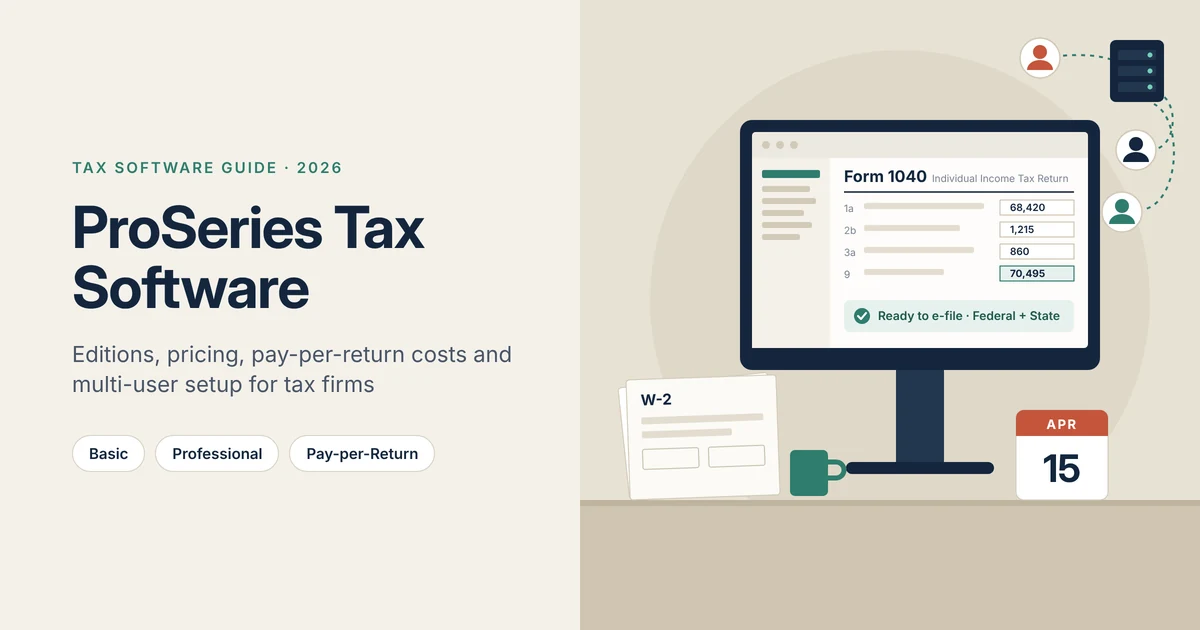
Choosing tax preparation software involves more than comparing annual prices. Tax professionals also need to consider return volume, supported forms, state coverage, team access, and how the software will fit into their existing workflow. ProSeries tax software, developed by Intuit, offers options for solo preparers and accounting firms that handle individual and business tax returns, with different purchasing models for different workloads.
This guide explains the main ProSeries editions, current advertised pricing, pay-per-return costs, multi-user setup, and the differences between ProSeries and ProConnect Tax. It also covers practical considerations for firms that need remote access, so you can evaluate your options before committing to a plan. If your firm has more than one preparer or works remotely, we also explain how to run ProSeries without maintaining an office server.
What Is ProSeries Tax Software?
Intuit ProSeries is professional tax preparation software designed to help tax preparers prepare, calculate, and electronically file tax returns. It uses a forms-based interface that gives users access to tax forms and calculation details while working through client returns. Depending on the license, preparers can handle individual returns, business filings, and additional return types.
ProSeries is particularly relevant to tax professionals who prefer a desktop-oriented workflow and want software options that can accommodate different return volumes. The Basic edition focuses on individual returns, while Professional plans provide broader return coverage and options for firms with multiple preparers. ProSeries runs on Windows, so firms install it on local computers, on an office network, or in a hosted environment. A hosted environment lets staff use it remotely from any device. The right setup depends on how many people need access and where they work.
You can review the product directly on Intuit’s official ProSeries page.
ProSeries Basic vs. Professional: What Is the Difference?
The most important decision is whether your practice mainly prepares individual returns or needs broader business-return coverage and multi-user access. ProSeries Basic is designed for solo preparers who primarily handle Form 1040 returns, while ProSeries Professional is intended for firms with more varied tax work or team-based workflows. The two options differ in return eligibility, purchasing structure, and user access, so compare the license details before choosing.
| Feature | ProSeries Basic | ProSeries Professional |
|---|---|---|
| Best suited for | Solo tax preparers | Growing firms and multi-preparer teams |
| Individual returns | Yes | Yes |
| Business returns | Limited; additional pay-per-return options may apply | Available through eligible plans |
| Purchasing model | Bundles of 20, 50, or unlimited individual returns | Pay-per-return, individual-return plans, bundles, and higher-volume options |
| User access | Single user | Multi-user eligible; licensing requirements apply |
| Hosting option | Solo hosting option available | Hosting available for eligible plans |
| Best reason to choose it | Straightforward individual-return workload | Broader return types and team workflows |
Plan features and pricing can change. Confirm the supported forms, state coverage, user limits, and licensing terms on the official ProSeries pricing page before purchasing.
When Does ProSeries Basic Make Sense?
ProSeries Basic may suit a solo preparer who mainly handles individual tax returns and does not need multiple people accessing the same working environment. Intuit offers Basic packages for 20, 50, or unlimited individual returns, with state coverage varying by package. Additional state returns may cost extra, so a low advertised price does not always represent the complete cost of preparing every client’s return.
Before selecting a bundle, estimate how many returns you expect to prepare and identify the states in which your clients file. A 20-return package may be suitable for a small practice, while a 50-return or unlimited package may provide better value as volume increases. If you expect to add staff or prepare business returns regularly, compare Professional pricing before committing to Basic.
When Should You Choose ProSeries Professional?
ProSeries Professional is worth considering when your firm prepares a combination of individual, business, fiduciary, estate, or gift tax returns. Depending on the selected plan, supported forms include 1120, 1120-S, 1065, 1041, 990, 706, 709, and 1040-NR. Professional also offers multi-user eligibility, which can be important when preparers, reviewers, and other authorized team members need access to the same workflow.
However, multi-user eligibility does not automatically mean that every plan includes all the licenses needed for simultaneous access. Network licensing and hosting arrangements may involve separate requirements or charges. Confirm the number of users, included return volume, and network-license requirements with Intuit before estimating the full annual cost.
ProSeries Pricing for Tax Year 2026 (2027 Filing Season)
Prices below were checked on Intuit’s website in November 2026. ProSeries pricing depends on the edition, return volume, selected plan, and any current promotional offer. Intuit’s pricing page currently lists Professional Pay-per-Return from $539 per year, ProSeries Professional’s 1040 Essentials plan from $2,605 per year, ProSeries Essentials from $3,641 per year, and ProSeries Basic starting at $729 per year. Prices and offers can differ across product pages or change during a promotion, so treat these figures as reference points rather than guaranteed checkout totals.
| Plan | Advertised starting price | Best suited for |
|---|---|---|
| ProSeries Basic | From $729/year | Solo preparers focused on individual returns |
| Professional Pay-per-Return | From $539/year, plus filing charges | Firms that want to pay for returns as they file |
| Professional 1040 Essentials | From $2,605/year | Firms preparing unlimited individual returns and purchasing business returns as needed |
| ProSeries Essentials | From $3,641/year | Firms needing a bundle of individual and business returns |
| ProSeries Advanced | Contact Intuit | High-volume firms needing unlimited individual and business returns |
How Does ProSeries Pay-per-Return Pricing Work?
Pay-per-return pricing combines an annual license fee with charges for the returns you file. This model can be useful for firms with unpredictable workloads or relatively few returns, because it avoids purchasing a large return bundle before knowing how much capacity you will use. However, you should calculate the annual license and expected filing charges together rather than comparing the license fee alone.
Intuit’s current ProSeries Pay-per-Return page lists these reference rates:
| Return type | Listed price |
|---|---|
| Federal individual return (1040) | $69 per return |
| Individual state return | $61 per return |
| Federal business return module | $99 per return |
| State business return module | $61 per return |
| Federal estate return (Form 706) | $80 per return |
| Federal gift tax return (Form 709) | $71 per return |
These charges may be subject to applicable taxes, and the exact total depends on the return types and modules you use. Review the official Pay-per-Return details before budgeting, especially if your practice prepares many state or business returns.
Example cost calculation: Suppose a preparer files 20 federal individual returns and 10 state individual returns during a tax year. Using the listed rates, the federal charges would total $1,380 and the state charges would total $610, producing $1,990 in filing charges. Adding the $539 annual license brings the illustrative total to $2,529 before applicable taxes and any other fees; actual costs depend on the plan and current terms.
This example shows why pay-per-return pricing should be compared with a fixed-volume or bundled plan using your expected workload. If you prepare many returns, a bundle may be more economical or easier to budget for. If your volume remains low or varies substantially from year to year, paying as you file may offer more flexibility.
What ProSeries Really Costs per Year (Software + Setup)
The license is only part of the bill. Here’s an illustrative comparison of two typical firms. It includes the cost of keeping the software running, not just buying it.
Cost item Solo preparer (Pay-per-Return, 20 federal + 10 state returns) 3-preparer firm (1040 Essentials) ProSeries license $539 $2,605 Filing fees $1,990 Included for 1040s; business returns extra Network license Not needed $1,348 per year Office server / IT support Not needed typical: $3500–$7500/yr OneUp ProSeries hosting $35.99/user/mo × 12 $35.99/user/mo × 3 users × 12 Illustrative only. Your total depends on return mix, states and current Intuit pricing.
ProSeries System Requirements and Installation
ProSeries is a desktop-oriented tax application, so your computer and office setup matter. Before installing it, review Intuit’s current system requirements for the relevant tax year, including the supported Windows version, memory, storage, and network configuration. Avoid relying on an old computer specification from a previous tax season because supported requirements can change with new releases.
You can find current guidance through Intuit’s ProSeries support resources. If several preparers will use the software, decide early whether they will work on individual computers, a properly configured network installation, or an eligible hosted environment. The right choice can affect installation, file access, troubleshooting, and the amount of IT support your firm needs.
How to Set Up ProSeries for Multiple Users
A multi-user setup requires more planning than installing software on a single computer. First, confirm that your chosen Professional plan supports the workflow you need and determine whether a separate network license is required for simultaneous access. Then review Intuit’s installation guidance and make sure the network, storage locations, permissions, and backup procedures are configured for your firm’s environment.
For a network installation, follow the official instructions for the specific ProSeries version rather than copying settings from an unrelated release. Intuit provides guidance for installing ProSeries Professional on a network, including setup considerations that differ from a single-computer installation.
Common Multi-User Problems to Check
Network issues can interrupt work during busy filing periods, particularly when preparers rely on shared files or use inconsistent installation settings. Common trouble spots include incorrect drive mappings, insufficient folder permissions, incompatible configurations, and missing or incorrectly applied network licensing. These problems do not always mean that the software itself is faulty, so check the setup against Intuit’s instructions before making major changes.
Firms should also establish clear rules for file access, backups, software updates, and user permissions before tax season begins. Test the setup with the people who will use it, including preparers and reviewers, and confirm that everyone can complete the required tasks. A short pre-season test can reveal configuration issues before they affect client deadlines.
Running ProSeries for Multiple Users Without an Office Server
Most multi-user ProSeries problems come from the office network, not the software. Drive mappings break, permissions drift, a workstation misses an update, or the server holding the data has no tested backup. Those problems usually show up in February and March, when there’s no time to fix them.
Hosting moves ProSeries and your client data onto a managed server that your team reaches over a secure remote connection. With ProSeries hosting from OneUp Networks:
- No office server to maintain. We install ProSeries, configure the network setup and apply updates.
- Every preparer works on the same data. Staff and reviewers connect from the office, from home or from a Mac.
- Backups run automatically. Daily backups kept for 120 days so a deleted file or bad update can be restored.
- Support from people who know tax software. 24/7
- Your other apps can sit alongside it. QuickBooks, Office and other tools run on the same server.
You keep your own ProSeries license, and firms with two or more users still need Intuit’s network license. Hosting replaces the hardware and IT work, not the software purchase.
Try hosted ProSeries free for 15 days and see how it works for your team before tax season. Strat your Free Trial today!
ProSeries vs. ProConnect Tax: Which Is Better?
ProSeries follows a desktop-oriented model, while ProConnect Tax is delivered online, allowing users to work through a browser without installing the core tax preparation software on each workstation. The better choice depends on your firm’s preferred interface, team structure, existing processes, and requirements for access.
| Consideration | ProSeries | ProConnect Tax |
|---|---|---|
| Working model | Desktop-oriented software; hosting is available for eligible plans | Online tax preparation |
| Best fit | Preparers who prefer a forms-based desktop workflow | Firms that prefer browser-based access |
| Return options | Basic and Professional plans, with different return types and volume options | Online plans and pay-per-return options |
| Team needs | Professional plans are multi-user eligible; licensing conditions apply | Multi-user options depend on the selected plan and access licenses |
| Pricing approach | Annual license, bundles, and pay-per-return options | Bundles and pay-per-return options, with user-access requirements |
| Remote access | Through hosting | Built in |
ProConnect Tax is not automatically cheaper or more expensive than ProSeries. A fair comparison should include expected return volume, business-return charges, state coverage, user-access fees, and any tools your firm needs. Check ProConnect Tax’s official pricing alongside the ProSeries plans, then compare the total cost for a typical year rather than relying on the starting price alone.
Many firms stay on ProSeries because they know its forms-based interface and don’t want to retrain staff before tax season. Hosting gives them the remote access of an online product without switching software.
Can You Access ProSeries Remotely?
Yes, but not by default. ProSeries is Windows software installed on a computer, so remote access needs a hosted setup or a remote connection into your office machine.
A hosted environment is the most reliable option for firms. ProSeries runs on a managed server, and authorized staff connect securely from any computer, including Macs, which can’t run ProSeries natively. Backups, updates and server security are handled for you.
When comparing hosting providers, ask about backup retention, where the data center is and what security controls it has, who handles ProSeries updates, how support works during tax season, and whether other apps like QuickBooks can run on the same server. Learn more about how ProSeries hosting works at OneUp Networks.
How to Choose the Right ProSeries Plan
The most practical way to choose a plan is to start with your real workload instead of the lowest advertised price. Estimate your annual number of individual and business returns, identify the states you file in, and determine how many people need access at the same time. Then compare the total license and filing costs, including any network or hosting charges that apply to your setup.
Use these questions to narrow your options:
- Do you mainly prepare individual returns? Compare the Basic bundles if you work alone and do not need multi-user access.
- Do you file a changing number of returns each year? Evaluate Pay-per-Return against a fixed-volume plan using realistic estimates.
- Do you prepare business or other specialized returns? Review Professional plans and verify the exact forms and modules included.
- Will several staff members use ProSeries? Confirm multi-user eligibility, network-license requirements, and the number of simultaneous users.
- Do you need access outside the office? Compare a local or network installation with a hosted setup, including the cost of a server, IT time, and backups.
These checks help you avoid paying for capacity you will not use or selecting a plan that cannot support your workflow. If you’re also evaluating Intuit’s higher-end desktop product, see our Lacerte tax software guide for how it compares on return volume and pricing. You can then make a decision based on the way your firm actually prepares and reviews returns.
Frequently Asked Questions
ProSeries can be a suitable option for small accounting firms, particularly those that prefer a forms-based workflow and want to choose a plan based on their return volume. Basic is aimed at solo preparers focused on individual returns, while Professional offers broader return coverage and multi-user eligibility. The best fit depends on the firm’s return mix, staffing, and total cost.
ProSeries Professional plans are eligible for multi-user workflows, but the exact setup depends on the plan and licensing requirements. A separate network license may be necessary for simultaneous access, and hosted access can have additional conditions. Confirm the user count and licensing terms with Intuit before configuring your environment.
Basic focuses on individual tax returns and is designed for single-user access. Professional offers broader return coverage, including business and other specialized returns through eligible plans, as well as multi-user eligibility. Firms should compare supported forms, return limits, and total costs before selecting either edition.
ProSeries is Windows desktop software, not a cloud product. Firms that want cloud-style access can run it in a hosted environment. With ProSeries on cloud from OneUp Networks, staff work in ProSeries remotely from any device, while backups and updates are managed for them. You still need your own ProSeries license.
No. Both are Intuit tax preparation products, but ProSeries follows a desktop-oriented model, while ProConnect Tax is an online product. Compare their return options, pricing structure, team access, and workflows to decide which better fits your practice.
ProSeries runs only on Windows, so it won’t install on a Mac. Mac users can run Windows in a virtual machine, or connect to a hosted ProSeries environment through a remote desktop app, which avoids installing Windows locally.
Final Thoughts
Choosing ProSeries tax software comes down to the return types you prepare, the number of returns you expect to file, and how your team needs to work. Basic can suit solo preparers who mainly handle individual returns, while Professional offers broader return options and pathways for multi-user workflows. Pay-per-return pricing can help firms with variable workloads, but it is important to calculate the annual license and filing charges together.
Before you purchase, confirm the latest pricing, included state coverage, system requirements, and network-license terms on Intuit’s official website. If remote access is essential, evaluate hosting as a separate part of the setup rather than assuming it is included with every license. A careful comparison will help you choose a plan that supports your tax workflow without paying for features or capacity you do not need. If your firm has more than one preparer, works remotely, or is tired of keeping an office server running through tax season, hosting may be the simplest way to run ProSeries.
Also Read: