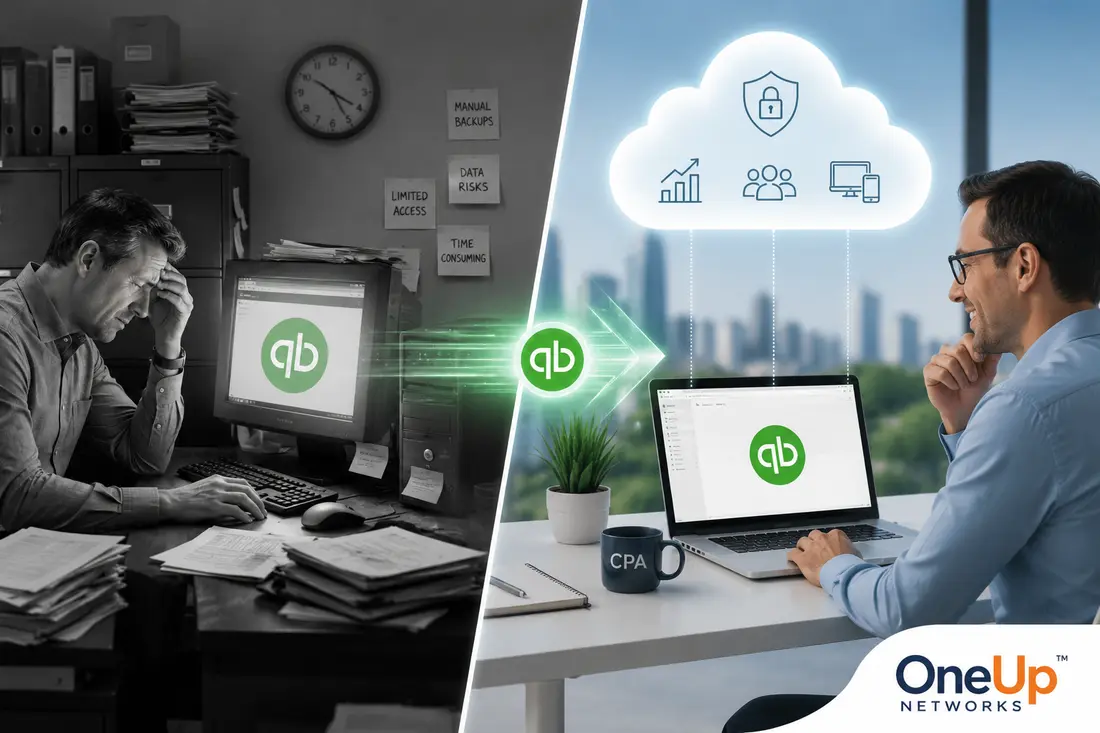
- QuickBooks powers over 62% of the SMB accounting software market, with many still using Desktop versions.
- QuickBooks Desktop 2024 is the last non-Enterprise release, while older versions from 2012–2022 are now unsupported.
- The biggest challenge with legacy QuickBooks is desktop dependency rather than the software itself.
- OneUp Networks can host QuickBooks Desktop versions 2012–2024 using your existing license.
- Your company files, workflows, and familiar setup remain intact after migration.
- Setup typically takes only 4–5 hours, with a free trial and migration support included.
- CPA firms, tax professionals, small businesses, healthcare, & construction companies can benefit from legacy QB hosting.
Let’s say you’re a CPA with a firm of eight people. You’ve been running QuickBooks Desktop 2019 for years. Your chart of accounts is exactly how you want it. The staff knows the software features inside out. Your workflows are tuned. Tax season runs on muscle memory.
However, then the conversation starts: “We should really upgrade.”
And suddenly you’re looking at new pricing models, retraining your team, migrating years of company files, and learning an interface that’s not quite the same as what you’ve used for a decade.
In reality, maybe you don’t need to upgrade at all. What you actually need is cloud access. And those are two very different things.
Thousands of businesses across the US continue to run QuickBooks Desktop versions from 2012 through 2024, and for legitimate, practical reasons. The question isn’t whether your software is outdated. The question is whether it still works for your business — and if it does, how do you get the flexibility of the cloud without abandoning everything you’ve built?
That’s exactly what this article covers.
Why So Many Businesses Still Use Legacy QuickBooks
QuickBooks holds a commanding position in the US accounting software market. According to industry data, the QuickBooks product family accounts for over 62% of the SMB accounting software market, far ahead of competitors like ADP (14.3%), Sage 50 (10.3%), and Xero (8.9%). That dominance didn’t happen because businesses were forced to upgrade every year. It happened because QuickBooks works — and once a business learns a version that fits, they tend to stay.
Here’s why so many firms are still on older Desktop versions in 2025:
Their existing workflows are built around it. QuickBooks Desktop, especially versions with industry-specific editions like Contractor, Manufacturing, or Nonprofit, often runs deeply integrated workflows. Customizations, templates, memorized transactions, and reporting setups can take years to build. Moving to a new platform means rebuilding all of that.
Custom integrations with other software. Many businesses have connected their QuickBooks version to third-party tools — payroll processors, time-tracking software, inventory systems, or industry-specific apps. Over time, these integrations often become an important part of daily operations. However, they don’t always carry over cleanly to newer versions or cloud-based alternatives. As a result, businesses may face additional configuration work, compatibility challenges, or workflow disruptions during an upgrade.
Staff training is a real cost. If your bookkeeper has been using QuickBooks Premier 2017 since day one, retraining isn’t just an inconvenience. It’s a measurable productivity loss, especially during tax season or fiscal year-end.
The software does everything they need. Not every business needs live bank feeds, real-time collaboration features, or subscription-based payroll. For many organizations, those features simply aren’t a priority. Instead, they value stability, familiarity, and proven workflows. As a result, a well-configured version of QuickBooks Desktop handles the job completely.
The cost of upgrading doesn’t always make sense. Intuit stopped selling new QuickBooks Desktop Pro Plus and Premier Plus subscriptions to new customers after September 30, 2024. Existing subscribers can renew, but the pricing has continued to rise. For businesses that already own a working license, the business case for a mandatory upgrade is thin — especially when the core accounting functions remain unchanged.
Ultimately, this isn’t nostalgia. It’s pragmatism.
The Real Problem: Desktop Dependency in Today’s Remote Work Environment
The issue isn’t the software. The issue is where it lives.
QuickBooks Desktop was built for a single machine, or at most a local network. When your entire team works in one office and your server never leaves the building, that’s fine. But the accounting profession has changed dramatically.
According to a ConvergenceCoaching survey, the percentage of accounting firms allowing remote work nearly doubled to 80% in recent years. And according to research from the accounting staffing industry, over 90% of accounting firms are now hiring for remote or hybrid roles. That’s a profession that has fundamentally shifted toward distributed work — and desktop-bound software creates real friction in that environment.
Here’s what that friction looks like in practice:
- Desktop dependency. If QuickBooks lives on one machine in the office, your team can only access it from that machine. Someone works from home? They’re locked out. Client needs something at 8pm? Someone has to drive to the office.
- Server maintenance and hardware risk. Many businesses running older QuickBooks versions are doing so on aging server hardware. When that hardware fails — and it will — the consequences can include data loss, downtime, and costly emergency recovery.
- Security exposure. Older machines running legacy operating systems to support older QuickBooks versions are increasingly vulnerable. Without active patching and managed security, the risk of ransomware, data breaches, or unauthorized access grows every year. Furthermore, many organizations continue relying on aging hardware that was never designed to meet today’s security expectations. As a result, even a single vulnerability can create significant operational and financial risks. In fact, Intuit itself notes that discontinued versions no longer receive critical security updates, which can expose data to security risks.
- Single points of failure. When one machine holds your entire accounting operation, a hard drive failure, a power surge, or even a software conflict can bring everything to a halt.
- Multi-user limitations. Getting multiple users into the same QuickBooks company file simultaneously requires careful setup on a local network. It’s doable, but it’s not the same as true cloud-based multi-user access.
- No redundancy or backup by default. Most desktop users rely on manual backups or inconsistent automated backup routines. Cloud-hosted environments typically include automated, versioned backups as a standard feature.
The software itself may be fine. The infrastructure around it may not be.
The Solution: Take Your Existing QuickBooks to the Cloud
Here’s what many businesses don’t realize: you don’t need to buy a new version of QuickBooks to get cloud access.
With QuickBooks legacy hosting, you take your existing, legally purchased QuickBooks license and move it to a secure cloud server. You keep your company files, your workflows, your customizations — everything. The difference is that instead of sitting on a machine in your office, QuickBooks runs on a managed cloud server that your team accesses remotely from any device, from anywhere.
You are not replacing your software. You are changing where it runs.
OneUp Networks provides exactly this service. We host QuickBooks Desktop versions from 2012 through 2024 on our secure cloud infrastructure — where technically feasible and supported for your specific version. Rather than requiring a software upgrade, you bring your existing license, and we handle the rest. This means you can continue using the QuickBooks environment your team already knows while benefiting from secure, cloud-based access.
A few things worth knowing upfront:
- Setup typically takes approximately 4–5 hours. Once your environment is provisioned and your files are migrated, your team can be up and running the same day.
- A free trial is available. Before making any commitment, you can try the hosted environment and see how it works with your actual QuickBooks setup.
- Migration is designed to minimize disruption. Our team handles the technical lifting, and near-zero downtime migration means your business doesn’t stop while we work.
What You Actually Get: Features of Legacy QuickBooks Hosting with OneUp Networks
When QuickBooks Desktop runs in a managed cloud environment, the capabilities expand significantly compared to a traditional desktop setup. Here’s what that looks like:
- Secure Cloud Infrastructure Your QuickBooks environment runs on enterprise-grade servers with physical and network security, not a desktop machine under someone’s desk.
- Access from Anywhere, Any Device Log in from your office, your home, a client’s location, or while traveling. Windows, Mac, tablet — your QuickBooks environment is accessible through a secure remote connection.
- Multi-User, Simultaneous Access Multiple team members can work inside the same company file at the same time, without the complexity of setting up a local network multi-user environment.
- Automatic, Versioned Backups Your data is backed up automatically on a regular schedule, with version history so you can recover from mistakes or corrupted files.
- Data Encryption Data in transit and at rest is encrypted, reducing the risk of unauthorized access.
- Managed Updates and Maintenance Server maintenance, patches, and updates are handled by our team — not yours. You focus on accounting, not IT.
- High Uptime and Reliability Cloud infrastructure provides redundancy that a single desktop machine cannot match. Hardware failure on our end doesn’t take your QuickBooks offline.
- Reduced Dependency on Aging Hardware You don’t need to maintain or replace old server hardware. The cloud environment becomes the infrastructure.
- Human Technical Support When something doesn’t work, you reach a real person with QuickBooks hosting expertise — not an automated ticket queue.
- Free Migration Assistance Our team handles the file transfer and environment setup so your transition from desktop to hosted is as smooth as possible. For reference, check the migration checklist.
- Flexible Scaling Add users, scale storage, or expand resources as your team grows — without buying new hardware.
Who This Is For: Real-World Use Cases
QuickBooks legacy hosting isn’t a niche service. It fits a wide range of businesses and professionals who are already running QuickBooks Desktop and want cloud access without the cost or disruption of upgrading.
CPA Firms and Public Accounting CPAs managing multiple clients in separate company files benefit significantly from cloud hosting. Staff can access client files remotely, and multiple team members can work simultaneously without the coordination overhead of a shared local network. you can check CPA Hosting services specially created for multiple apps on the same server.
Tax Preparation Firms Tax season is deadline-driven. A firm that loses access to their QuickBooks environment due to a hardware failure in February faces a serious problem. Cloud hosting provides the reliability and redundancy that seasonal high-stakes work demands.
Remote and Hybrid Accounting Teams If your bookkeepers, accountants, or controllers work from different locations, cloud-hosted QuickBooks gives everyone access to the same environment — without VPNs, remote desktop workarounds, or file-sharing complications.
Small Businesses with Established QuickBooks Setups A small business that has used QuickBooks Premier for six years, with a fully built-out chart of accounts and years of transaction history, should not have to rebuild from scratch. Cloud hosting preserves everything while adding accessibility.
Construction and Contracting Firms Construction uses QuickBooks at one of the highest rates of any industry, particularly for job costing and project management. Contractors often need access to financial data from job sites, not just the main office.
Healthcare Practices Healthcare organizations use QuickBooks for administrative and financial management. HIPAA-aware infrastructure and encrypted, access-controlled cloud environments better support compliance requirements than local desktop setups.
Retail Businesses Retailers using QuickBooks for inventory and POS integration benefit from the ability to access financial data across multiple locations without maintaining separate local server setups.
Comparison
| Parameter | Continue on Local Desktop | Upgrade Software Entirely | Host Existing QuickBooks with OneUp Networks |
|---|---|---|---|
| Cost | Low ongoing (until hardware fails) | High — new licenses, training, migration | Predictable monthly hosting fee |
| Remote Access | Not available without complex setup | Available (cloud-based upgrade) | Available immediately from any device |
| Keeps Existing Workflows | Yes | No — new interface, relearning required | Yes — same software, same files |
| Multi-User Access | Limited (local network only) | Yes | Yes |
| Data Backup | Manual or inconsistent | Typically included | Automated, versioned |
| Security | Dependent on local hardware/network | Managed by vendor | Managed cloud infrastructure with encryption |
| Setup Time | N/A | Weeks (migration + training) | Approximately 4–5 hours |
| Hardware Dependency | High — software tied to local machine | Low | None — runs on hosted servers |
| Support | Self-managed or local IT | Intuit support | Dedicated QuickBooks hosting support |
| Try Before You Commit | N/A | N/A | Free trial available |
Frequently Asked Questions
Yes, in many cases, older versions like QuickBooks 2014 can be hosted on cloud infrastructure where technically feasible. However, hosting compatibility can vary depending on your specific version, licensing, and setup. OneUp Networks can evaluate your environment and recommend the best approach. Most importantly, your existing, legally purchased license is what you bring — we provide the hosted environment.
Yes. You do not need to purchase new software to use a hosted QuickBooks environment through OneUp Networks. You bring your existing license, and we configure the cloud server to run it.
Yes. Your company file — including your chart of accounts, transaction history, memorized reports, vendor and customer lists, and all settings — carries over to the hosted environment unchanged. Nothing is converted or reformatted.
Typically approximately 4–5 hours from start to finish. This includes environment provisioning, file migration, and access configuration. In most cases, your team is working in the hosted environment the same day.
Yes. Hosted QuickBooks environments support simultaneous multi-user access. Multiple team members can work in the same company file at the same time, from different locations and devices.
OneUp Networks migrates in a way that minimizes disruption. Most migrations are completed with near-zero downtime, meaning your daily operations continue while the transition happens.
The software itself still functions for accounting purposes. However, Intuit’s official support for QuickBooks Desktop 2012 ended years ago, which means it no longer receives security patches, payroll updates, or bank feed support from Intuit. A hosted environment can make the software accessible remotely and with managed infrastructure security, but it does not restore Intuit’s discontinued service integrations.
When Intuit officially discontinues a version (as they have for versions 2021 and earlier), that version loses live technical support, payroll tax table updates, and bank feed connectivity. Hosting the software in the cloud preserves remote access and infrastructure security, but it does not restore services that Intuit has formally ended. Our team can walk you through exactly what functions are and aren’t available for your specific version.
Yes. OneUp Networks uses encrypted connections for data in transit and encryption at rest, managed access controls, and enterprise-grade physical and network security. This is generally more secure than a local desktop machine running older software on aging hardware.
No. Because your QuickBooks environment runs on our cloud servers, you access it through any internet-connected device. The hardware requirement on your end is simply a computer, tablet, or device with internet access and a remote connection client. You can check the QB Hosting pricing.
Final Thoughts
For many businesses, the pressure to upgrade QuickBooks Desktop can feel unavoidable. However, upgrading software and gaining cloud access are not the same thing. If your current QuickBooks version still supports your workflows, reporting needs, and day-to-day operations, replacing it may not be necessary.
The bigger challenge for most organizations is no longer the software itself—it’s the limitations of running that software on local machines and aging infrastructure. Remote work, multi-user collaboration, data security, and business continuity have become essential requirements, and traditional desktop environments often struggle to keep pace.
Fortunately, QB cloud hosting offers another path. By moving your existing QuickBooks Desktop (QBD) environment to the cloud, you can preserve the setup your team already knows while gaining the flexibility, accessibility, and reliability of a modern hosted solution. If your QuickBooks version still works for your business, you don’t have to start over. You may simply need a better place to run it.
Ready to Move Your QuickBooks to the Cloud?
Still using a QuickBooks Desktop version that works for your business? You don’t have to start over. Keep your existing software, company files, and workflows while gaining secure cloud access and greater flexibility.
- Start a Free Trial – Experience your QuickBooks environment in the cloud before making a commitment.
- Book a Free Demo – See how your current QuickBooks version can run securely from anywhere.
- Get a Personalized Quote – Receive a hosting recommendation and pricing tailored to your business needs.
- Talk to a QuickBooks Hosting Specialist – Get answers to your questions and find the best path forward for your existing setup.
Take the next step and discover how easy it is to keep the QuickBooks (QB) you trust while gaining the benefits of the cloud with OneUp Networks.
Sources:
- Intuit QuickBooks Desktop Discontinuation Policy: https://quickbooks.intuit.com/learn-support/en-us/help-article/feature-preferences/quickbooks-desktop-service-discontinuation-policy/
- ConvergenceCoaching ATAWW Survey on Remote Work in Accounting: https://www.cpapracticeadvisor.com
- QuickBooks Market Share Data: https://electroiq.com/stats/quickbooks-statistics/
- AICPA (American Institute of CPAs): https://www.aicpa-cima.com
- Intuit Annual Report / Small Business Segment Data: https://investors.intuit.com
Related Posts:
- Stop-Sell Notice: Changes to New QuickBooks Desktop Subscriptions
- Why You Should Partner With a Cloud MSP?
- Cloud vs On-Premise QuickBooks Enterprise: What Accounting Firms Start Noticing as Workflows Become More Demanding
- Are You Accessing QuickBooks Safely? Check The Hidden Risk of Remote QuickBooks Access
- Why Choosing the Right Server for Your Accounting Firm Matters