Quick Summary
Leasing QuickBooks in the cloud helps small businesses access their accounting software through a flexible hosted environment without the need to manage complex IT infrastructure. It provides predictable costs, remote access, easier collaboration, and the flexibility to scale as business needs change.
- Lower upfront costs: Avoid large investments in software, hardware, and server maintenance.
- Remote access: Allow teams and accountants to securely access QuickBooks from different locations.
- Easy scalability: Adjust users and resources as your business grows.
- Less IT management: Reduce the workload of handling updates, maintenance, and backups.
- Better business continuity: Support accounting operations with managed cloud infrastructure.
Introduction
For many small businesses, QuickBooks is more than just accounting software. It is the system that tracks revenue, manages expenses, supports financial decisions, and helps owners understand the health of their business. However, as companies grow, the way they manage QuickBooks often becomes a challenge.
A setup that works well for a small team can become difficult when more employees need access, when accountants work remotely, or when maintaining computers and servers starts taking valuable time away from business operations.
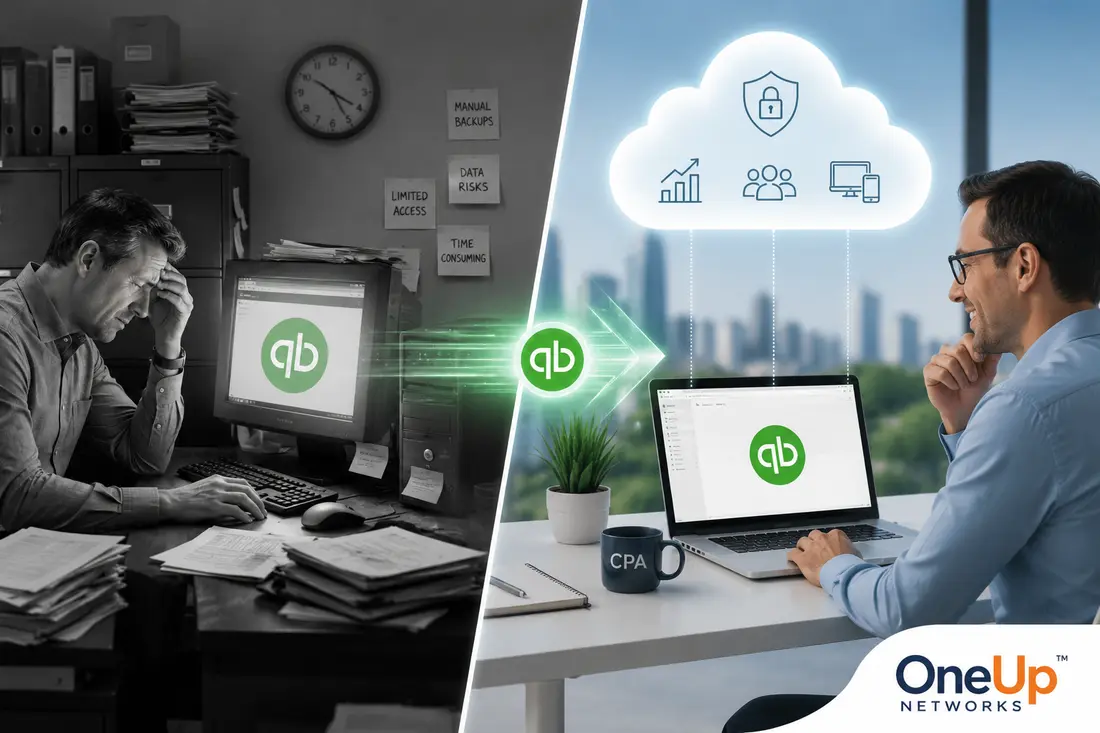
This is why many businesses are exploring the option of leasing QuickBooks in the cloud. Instead of making large upfront investments in software, hardware, and IT infrastructure, companies can use a more flexible approach that provides access to QuickBooks through a managed cloud environment.
Leasing QuickBooks in the cloud is not simply about paying a monthly fee. It is about creating a more adaptable accounting environment where businesses can improve accessibility, simplify technology management, and better support their changing needs.
What Does It Mean to Lease QuickBooks in the Cloud?
The term “lease QuickBooks” can sometimes create confusion because it does not simply mean renting a copy of accounting software. In most cases, it refers to accessing QuickBooks through a recurring subscription model where businesses receive access to the software environment and related hosting services based on their chosen plan.
With a traditional setup, businesses usually purchase software, install it on local computers or servers, and take responsibility for maintaining the technology behind it. This includes managing hardware, updates, security, backups, and remote access requirements.
A cloud-based leasing model changes that approach. QuickBooks is hosted on remote infrastructure, allowing authorized users to access the accounting environment without depending only on a local office computer.
Intuit explains that QuickBooks Desktop hosting allows users to access QuickBooks software and company files remotely through hosted environments while continuing to use the Desktop experience. For many SMBs, the biggest value is not only accessing QuickBooks online. It is reducing the amount of technology management required to keep accounting operations running smoothly.
Leasing QuickBooks vs Buying QuickBooks: Understanding the Difference
Before choosing a cloud leasing model, businesses should understand how it compares with traditional software ownership.
| Factor | Leasing QuickBooks in the Cloud | Buying QuickBooks Traditionally |
|---|---|---|
| Initial investment | Lower upfront technology expense | Higher initial purchase cost |
| Payment structure | Monthly or annual subscription | Purchase and upgrade expenses |
| Flexibility | Easier to adjust based on business needs | Less flexible as requirements change |
| Infrastructure | Hosting environment available | Business manages technology setup |
| Remote access | Designed for distributed teams | Requires additional configuration |
| Maintenance | Provider-managed options available | Business handles updates and maintenance |
Buying software can still make sense for some businesses, especially those with simple requirements and limited users. However, leasing becomes attractive for companies that value flexibility, predictable expenses, and reduced infrastructure responsibilities.
7 Reasons Why Businesses Lease QuickBooks in the Cloud
As businesses grow, their accounting needs become more complex, and traditional QuickBooks setups can create challenges around cost, accessibility, maintenance, and flexibility. Leasing QuickBooks in the cloud provides a practical way for businesses to continue using familiar accounting workflows while gaining the advantages of a managed cloud environment. The following reasons explain why many SMBs are considering this approach for their accounting operations.
1. Lower Upfront Costs and Better Budget Control
One of the biggest reasons SMBs consider leasing QuickBooks in the cloud is the ability to avoid large upfront technology investments. Traditional accounting setups may require businesses to purchase software licenses, upgrade computers, maintain servers, and invest in backup solutions. These expenses can become difficult for smaller companies that need to carefully manage cash flow.
A leasing model spreads costs over time through predictable payments, allowing businesses to allocate their resources toward growth, employees, customer service, and other important priorities.
Instead of purchasing and maintaining everything upfront, companies can use a more flexible financial approach that aligns technology expenses with ongoing business operations.
2. Access QuickBooks Without Managing Complex Technology
Accounting software depends on more than the application itself. Businesses also need reliable infrastructure, secure access, proper backups, and regular maintenance.
For many SMBs, managing these responsibilities internally becomes difficult because their teams are focused on running the business rather than maintaining technology systems.
Leasing QuickBooks in the cloud allows businesses to reduce the burden associated with:
- Server maintenance;
- Hardware upgrades;
- Remote access configuration;
- System monitoring;
- Backup management.
This approach helps businesses spend less time solving technical problems and more time using QuickBooks for financial management.
3. Work With QuickBooks From Anywhere
The modern workplace is no longer limited to a single office location. Employees may work remotely, accountants may support clients from different places, and business owners may need financial access while traveling. Cloud-based QuickBooks access allows authorized users to connect to the same accounting environment from different locations.
This creates several practical advantages:
| Business Need | Cloud Leasing Benefit |
|---|---|
| Remote employees | Access accounting systems away from the office |
| Multiple locations | Centralized financial information |
| External accountants | Easier collaboration |
| Business owners | Access reports when needed |
Instead of transferring files between computers or depending on one office machine, teams can work within a shared environment.
4. Scale Easily as Your Business Grows
Business needs rarely stay the same forever. A company that starts with a few employees may later require additional users, more storage, or support for additional applications.
With traditional setups, growth may require purchasing new hardware or rebuilding parts of the technology environment. Cloud leasing provides greater flexibility because resources can be adjusted as requirements change.
For example:
| Business Change | Cloud Advantage |
|---|---|
| Hiring employees | Add access more easily |
| Growing financial records | Increase storage capacity |
| Expanding operations | Adjust resources when needed |
| Seasonal workload changes | Support changing demands |
This makes cloud leasing especially useful for businesses that expect growth but want to avoid frequent infrastructure upgrades.
5. Simplify Software Updates and Maintenance
Accounting software requires regular updates to maintain compatibility, security, and performance. In traditional environments, updates may require planning, technical knowledge, and downtime management. For small businesses without dedicated IT teams, even routine maintenance can become a challenge.
A managed cloud environment can simplify this process by providing a structured platform where maintenance responsibilities are handled according to the hosting arrangement. This allows employees to focus on accounting tasks instead of spending time troubleshooting software or infrastructure issues.
6. Improve Collaboration Between Teams
Financial information is rarely managed by one person. Business owners, bookkeepers, accountants, and financial professionals often need access to the same accounting environment. Cloud-based QuickBooks access creates a centralized workspace where authorized users can collaborate using the same data.
This reduces common problems such as:
- Multiple versions of company files;
- Manual file transfers;
- Delayed financial updates;
- Limited access outside the office.
For businesses that rely on teamwork, having a consistent accounting environment can improve efficiency and reduce unnecessary interruptions.
7. Support Better Backup and Business Continuity Planning
Financial data is one of the most important assets a business manages. Losing access because of hardware failure, accidental deletion, or unexpected system issues can create serious operational challenges.
Cloud-based environments can support stronger continuity planning through managed backups, recovery options, and monitored infrastructure.
However, businesses should always understand how backups work, where data is stored, how recovery is handled, and what protection measures are included within their hosting agreement. A good cloud solution should provide confidence that accounting operations can continue even when unexpected problems occur.
Who Should Consider Leasing QuickBooks in the Cloud?
Leasing QuickBooks in the cloud can be a strong option for businesses that want more flexibility without managing complex infrastructure.
It may be suitable for:
- Small businesses with growing teams;
- Companies with remote employees;
- Businesses using QuickBooks Desktop workflows;
- Organizations working with external accountants;
- Companies that want predictable technology expenses;
- Businesses that want to reduce IT responsibilities.
For these organizations, cloud leasing provides a balance between maintaining familiar accounting software and improving the technology environment supporting it.
Who May Not Need QuickBooks Cloud Leasing?
Cloud leasing is not the perfect solution for every business. A company with one user, simple bookkeeping requirements, and no need for remote access may find that a traditional setup continues to meet its needs.
Businesses should evaluate their current workflow, user requirements, budget, and future plans before deciding whether leasing QuickBooks in the cloud provides real value. The goal is not to move to the cloud simply because it is popular. The goal is choosing an accounting environment that supports the way the business operates.
What Should Businesses Consider Before Leasing QuickBooks?
Before choosing a QuickBooks cloud solution, businesses should evaluate several important factors.
| Consideration | Why It Matters |
|---|---|
| QuickBooks experience | Ensures the provider understands accounting workflows |
| Security approach | Helps protect sensitive financial information |
| Backup strategy | Supports recovery planning |
| Support quality | Reduces disruption during technical issues |
| Scalability options | Allows the environment to grow with the business |
The right provider should understand both cloud infrastructure and accounting requirements because successful hosting depends on more than simply placing software on a server.
Why Choose OneUp Networks for QuickBooks Cloud Hosting?
OneUp Networks helps businesses host QuickBooks and other business applications through managed cloud environments designed around accessibility, security, backups, and technical support.
Rather than providing only infrastructure, OneUp focuses on helping businesses operate their accounting applications in a managed environment where technical responsibilities are reduced.
The platform supports QuickBooks Desktop hosting along with other accounting, tax, and business applications, allowing organizations to maintain familiar workflows while gaining the flexibility of cloud access.
For businesses that want to focus on accounting operations instead of server management, managed cloud hosting provides a practical approach.
Frequently Asked Questions
No. QuickBooks Online is a cloud-native accounting application, while leasing QuickBooks in the cloud generally refers to accessing QuickBooks Desktop through a hosted environment.
Yes. Many small businesses consider leasing when they need remote access, multiple users, predictable costs, or reduced infrastructure responsibilities.
It depends on the provider and plan. Some solutions combine hosting and software access, while others separate licensing and hosting services.
A properly managed cloud environment can include security features such as backups, access controls, monitoring, and encryption. Businesses should review security practices before choosing a provider.
Final Thoughts: Is Leasing QuickBooks in the Cloud Worth It?
Leasing QuickBooks in the cloud can help small businesses modernize their accounting environment without taking on the full responsibility of managing servers, updates, backups, and remote access.
The biggest advantage is flexibility. Businesses can continue using familiar QuickBooks workflows while gaining a more manageable technology foundation that supports remote work, collaboration, and future growth.
If your business is considering moving QuickBooks to the cloud, OneUp Networks can review your current setup and help determine whether a managed hosting environment fits your needs.
Ready to simplify your accounting and scale smarter?
Switch to leasing QuickBooks in the cloud and experience unmatched flexibility, data security, and cost savings. Whether you’re an accountant, CPA, or small business owner, cloud-hosted QuickBooks leasing keeps your team connected and your finances running smoothly.
Take the next step toward smarter accounting:
- Contact Us – Speak with our experts for a customized QuickBooks leasing consultation.
- Book a Demo – Explore how QuickBooks cloud hosting can optimize your workflow.
- Start a Free Trial – Test our secure cloud environment with no obligation.
- Chat with an Expert – Get real-time guidance from certified QuickBooks hosting professionals.
Get started with OneUp Networks today — your trusted partner for secure, scalable, and affordable QuickBooks cloud hosting .